
Storefront comparison
Roomvo Alternative for Furniture Retailers
DecorViz Storefront is a Roomvo alternative for furniture retailers who want a See in Your Room button on their product pages using existing product photos. This comparison focuses on Roomvo's online Furnishings Visualizer for independent retailers.
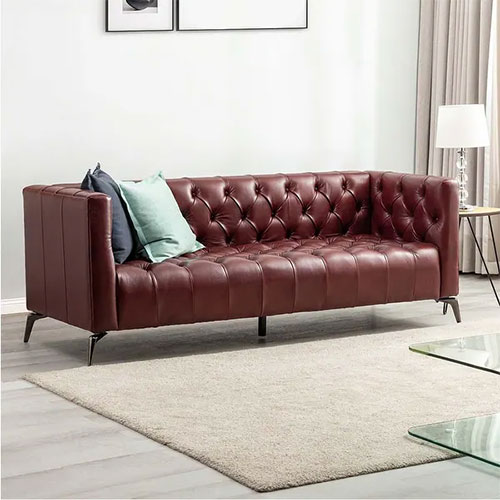
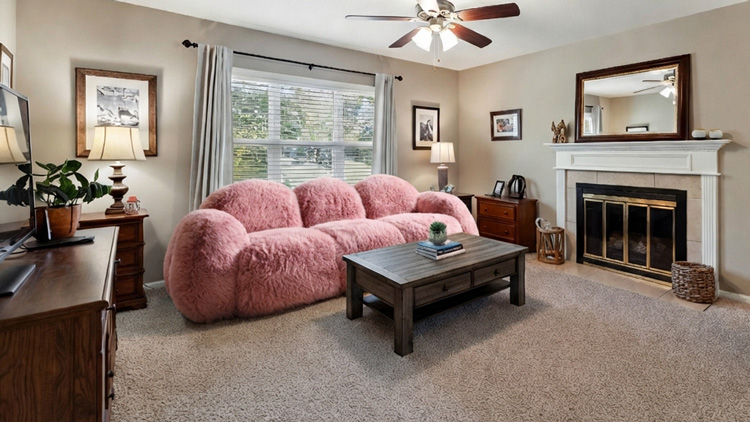
Premium velvet upholstery with solid wood frame. Available in 4 colors. Free delivery.
No catalog build, no 3D model, no reshoot. The button reads the product photo that is already on the page.
Quick verdict
Roomvo offers website visualization with catalog updates from participating suppliers. DecorViz Storefront reads the product photo already on your page and offers a self-service install with published pricing.
Roomvo
Choose it if you want website visualization connected to participating suppliers, automatic catalog updates, and guided setup from Roomvo.
DecorViz Storefront
Choose it if you want to install and test room previews yourself, using the product photos on your own pages, with no separate catalog to prepare.
Roomvo details are based on its Furnishings Visualizer page for independent retailers, checked in September 2026. The comparison covers the online retailer experience; Roomvo's separate products and manufacturer services are outside its scope.
DecorViz Storefront vs Roomvo for online furniture retailers
Compare the setup, catalog workflow, shopper experience, and pricing of the two website visualizers.
| What you are evaluating | DecorViz Storefront | Roomvo Furnishings Visualizer for independent retailers |
|---|---|---|
| Website experience | Preview the product from its product page using the shopper's room photo | Shoppers upload a room photo or choose a sample space, then visualize furnishings from the retailer catalog |
| Product images and catalog | Uses the main photo on each suitable product page; no separate product feed or per-SKU setup | Automatic catalog updates from participating suppliers and partners; exact asset requirements are not specified on the retailer page |
| Private-label and one-off items | Uses the product photo on the page, just like other suitable items | Coverage and onboarding for these items are not specified on the retailer page; confirm your assortment with Roomvo |
| Shopify setup | Install from the Shopify App Store and enable the app embed from the app's Dashboard, with no key to copy | Says it integrates with existing websites with setup support; a Shopify-specific install flow is not described |
| Other ecommerce platforms | Add one snippet to your site template | Website integration with guidance from the support team |
| Getting started | Self-service installation; no demo call required | Describes fast, easy setup starting with a 15-minute demo |
| Price and trial | From 119 USD/month for 250 previews. Shopify installs start on a Free plan with 5 free previews | Pricing is discussed during a demo; no list price or trial allowance is published on the retailer page |
| Usage limits | Previews draw from a fixed allowance. Choose a larger plan when needed | Preview allowances and overage terms are not published on the retailer page |
| Shopper accounts and photos | No DecorViz account required; merchants cannot view shopper room photos | Account requirements and merchant access to uploaded photos are not specified on the retailer page |
| Dimensions and fit | Visual reference, not a guarantee of exact dimensions or clearance | Describes seeing furnishings in the room; does not specify a measurement guarantee on the retailer page |
“Not specified” means the independent-retailer page does not answer that question, not that Roomvo lacks the feature. Confirm catalog coverage, asset requirements, and commercial terms directly with Roomvo.
Room previews from the products you already sell
Your product page supplies the image. The shopper supplies the room.
Use existing product photos
Storefront reads the image on the product page. There is no separate catalog to upload or 3D model to build for each item.
Control your rollout
Match the button to your storefront and exclude products or categories while you test. Start with the items your shoppers find hardest to picture at home.
Keep room photos private
Shoppers generate their preview without a DecorViz account. Merchants cannot view room photos in the dashboard or product analytics.
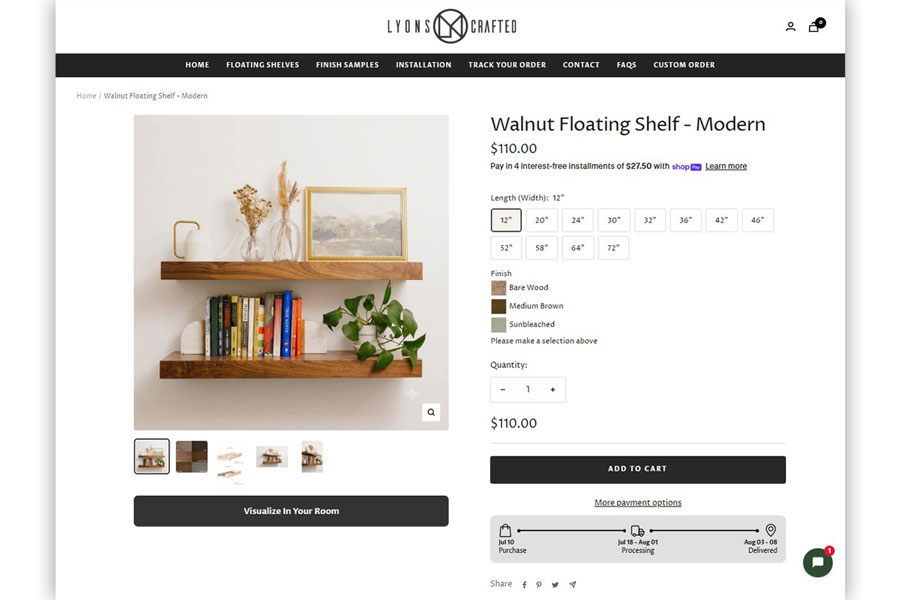
What the shopper actually does
Three steps, all of them on your product page.
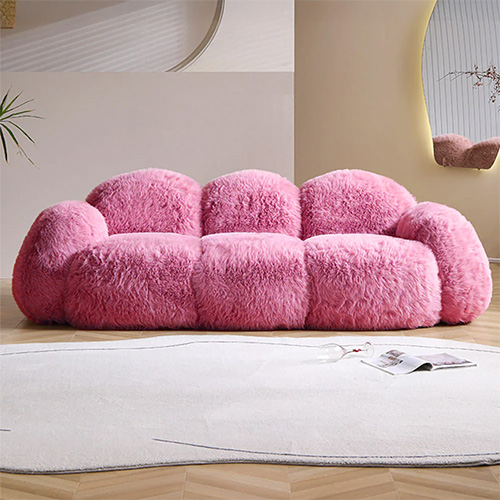
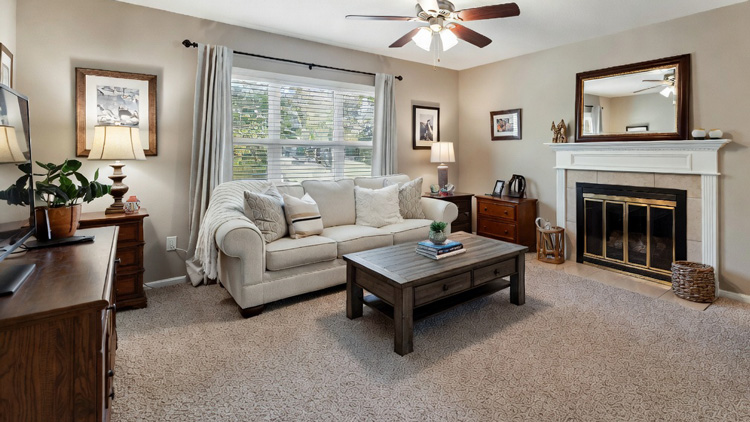
How to evaluate it against your current setup
You do not have to replace anything to find out whether this works on your catalog. Because there is no catalog onboarding, a Storefront pilot can run beside whatever you use today.
Two details decide whether the pilot tells you anything. Enable it on a category where hesitation is costing you, and give the return number a full return window before you read it. A shorter look will only show you engagement, not returns. The Shopify app guide covers the install and troubleshooting, and the Storefront setup guide does the same for every other platform.
Is Storefront right for your online store?
Good fit for DecorViz Storefront
- Independent furniture retailers and multi-brand furniture ecommerce.
- Rug, lighting, wall art, mirror, and decor sellers.
- Private label, direct import, and made-to-order upholstery catalogs.
- Shopify stores that want the button live without a project plan.
- Merchants testing whether room previews change behaviour before committing budget.
Look elsewhere if you need
- Swatch-driven flooring, tile, or wallpaper visualization with correct pattern repeat.
- Configurable 3D products where the shopper changes fabric, finish, or modular layout and needs to rotate the result.
- Exact measurements or guaranteed clearance. Keep dimensions and fit guidance in your product details.
If you are still shortlisting rather than replacing, the furniture retailer tool comparison covers seven platforms including Roomvo, Cylindo, Threekit, and 3D Cloud, grouped by the job each one does.
What DecorViz Storefront costs
Choose the monthly preview allowance that fits your store, with no demo call required. Your shoppers never pay DecorViz and never see a paywall.
Published starter plan
Storefront starts at 119 USD per month for 250 previews, with commercial use, no watermark, priority support, and the Storefront widget on your product pages.
Choose a larger allowance
On Shopify, choose 250 previews for 119 USD/month or 500 for 199 USD/month. You select when to upgrade; higher traffic does not automatically change your plan.
Try it before you pay
On Shopify, every install starts on the Free plan with 5 free previews, so you can test the button on your own products before choosing a plan.
Previews draw from your monthly plan credits rather than billing per shopper, so a good week does not produce a surprise invoice. Roomvo does not publish list pricing and asks buyers to book a demo, so a like-for-like comparison is not possible from public information. Ask them for a written figure and compare it against the numbers above.
If your allowance runs out, shoppers see a temporary-unavailability message instead of a new preview. Choose a larger plan or wait for the next allowance to become available. No automatic overage charges apply.
Frequently Asked Questions
Yes, for the product page job. Both let a shopper see an item in their own room from your product page. This page compares the Roomvo Furnishings Visualizer as sold to independent retailers. DecorViz Storefront works from the product photo already published on your page, installs from the Shopify App Store without a call, and publishes its pricing. Roomvo asks retailers to book a demo and discusses pricing there.
Roomvo tells independent retailers that when their suppliers and their organization partner with Roomvo, the visualizer automatically stays current with the latest product catalogue. So the catalogue is assembled together with Roomvo and your suppliers. DecorViz Storefront has no catalogue step at all. It reads the product image already on the page the shopper is viewing.
Storefront starts at 119 USD per month for 250 previews. On Shopify, you can choose 500 previews for 199 USD per month when you need a larger allowance. Previews draw from a monthly allowance, so you pay for a set plan rather than per shopper. On Shopify, every install starts on the Free plan with 5 free previews.
Roomvo's independent-retailer page directs pricing questions to a demo. It does not publish a list price, trial allowance, or usage limits for this furniture visualizer. Ask for terms covering your own catalog and expected preview volume.
No. Shopper room photos stay private. Merchants cannot view them through the Storefront dashboard or product analytics, and Storefront sessions are isolated from consumer DecorViz accounts.
It can, and it can also run alongside one during evaluation. Because Storefront needs no catalog onboarding, the usual path is to install it, enable it on one category, and compare engagement and return rate against the existing visualizer before deciding.
No. DecorViz is an independent product and is not affiliated with, sponsored by, or endorsed by Roomvo. Details about Roomvo on this page come from Roomvo's own public pages and were checked in September 2026.
More for furniture retailers
Put it on your product pages this week.
No catalog onboarding, no 3D models, no demo call. Install Storefront, run it on one category, and decide from your own numbers.
Works from the product photos already on your site.