
Comparison
DecorViz vs ReimagineHome: Which Is Better for Furniture Shopping? (2026)
TLDR
ReimagineHome is a prompt-led interior design and visualization platform for complete room directions, shoppable product sets, virtual staging, renovation, landscaping, and professional listing workflows. Its marketing site advertises furniture and object swapping, but the tested app does not expose a dedicated workflow for uploading one exact retailer product and swapping it into a room photo. DecorViz is purpose-built for that focused exact-product decision.
Quick summary
DecorViz wins
Best for focused, exact-product furniture visualization and single-item furniture swapping from any clear retailer product image.
Tied
Both start from a real room photo, work in a browser, preserve room context to varying degrees, and help users visualize a decision before spending.
Where ReimagineHome is broader
Broader design scope: complete shoppable room sets, budget-aware concepts, iterative multi-element changes, virtual staging, renovation, landscaping, and real-estate workflows.
DecorViz vs ReimagineHome: full comparison
Grouped by the workflow and decision each product is designed to support.
| Feature | DecorViz | ReimagineHome |
|---|---|---|
| Input and workflow | ||
| Starts from a room photo | Yes | Yes |
| Uses a product image supplied by the user | Yes. Any clear retailer product image | No dedicated exact-product upload-and-swap workflow observed |
| Primary workflow | Upload room photo plus one product image | Upload space, set intent, add references or budget, then generate and refine |
| Single-item furniture swap | Yes. Core workflow | Advertised on marketing site; not exposed as a dedicated exact-product workflow in the tested app |
| Room treatment | Preserves the room to judge the selected product | Can redesign the broader room |
| Platform access | Web browser and Android app; iOS coming soon | Web browser |
| Decision scope | ||
| Best question it answers | Can I swap my current furniture with this exact product? | How should I redesign, stage, renovate, or furnish this space? |
| Tests one exact product quickly | Yes | No dedicated workflow observed |
| Product selection approach | Tests the exact products the shopper already selected | Can build shoppable multi-product sets |
| Decision focus | Product fit, appearance, and purchase confidence | Can include budget-aware room design |
| Side-by-side product comparison in one fixed room | Yes | No dedicated exact-product comparison workflow observed |
| Retailer-independent image input | Yes. Use a clear image from almost any store | Real products are surfaced from third-party retailers |
| Broader capabilities | ||
| Real-estate workflow | Focused on real-room product purchase previews | Includes virtual staging |
| Renovation workflow | Keeps the decision centered on furniture products | Includes interior renovation concepts |
| Landscaping and exterior design | Product previews work outdoors; not a landscaping suite | Yes |
| Workflow scale | Fast individual product decisions | Includes batch real-estate listing workflows |
| Focused furniture purchase preview | Yes | No. The tested app is design-led |
ReimagineHome information is based on its official website. DecorViz information is based on the live product and documented capability set. The official ReimagineHome marketing site lists Swap Furniture/Object. A June 5, 2026 hands-on check of the live app found a prompt-led Design Companion and real-product design option, but no dedicated room-photo-plus-exact-product upload and swap workflow. Last checked: June 5, 2026.
What the output difference looks like
The difference is clearest when you compare an exact-product buying result with a broader design concept.
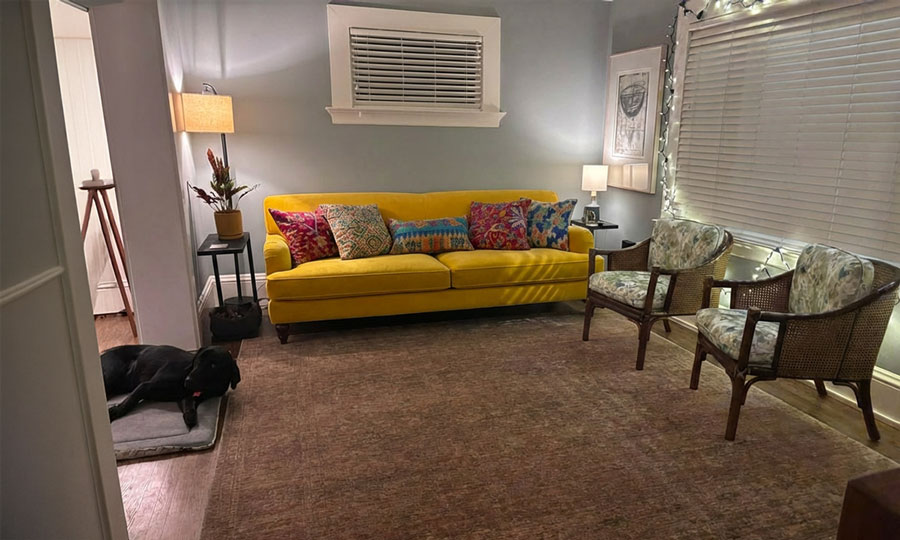
DecorViz output keeps the buying decision concrete: the exact retailer product is swapped into the actual room photo while the surrounding space stays recognizable.
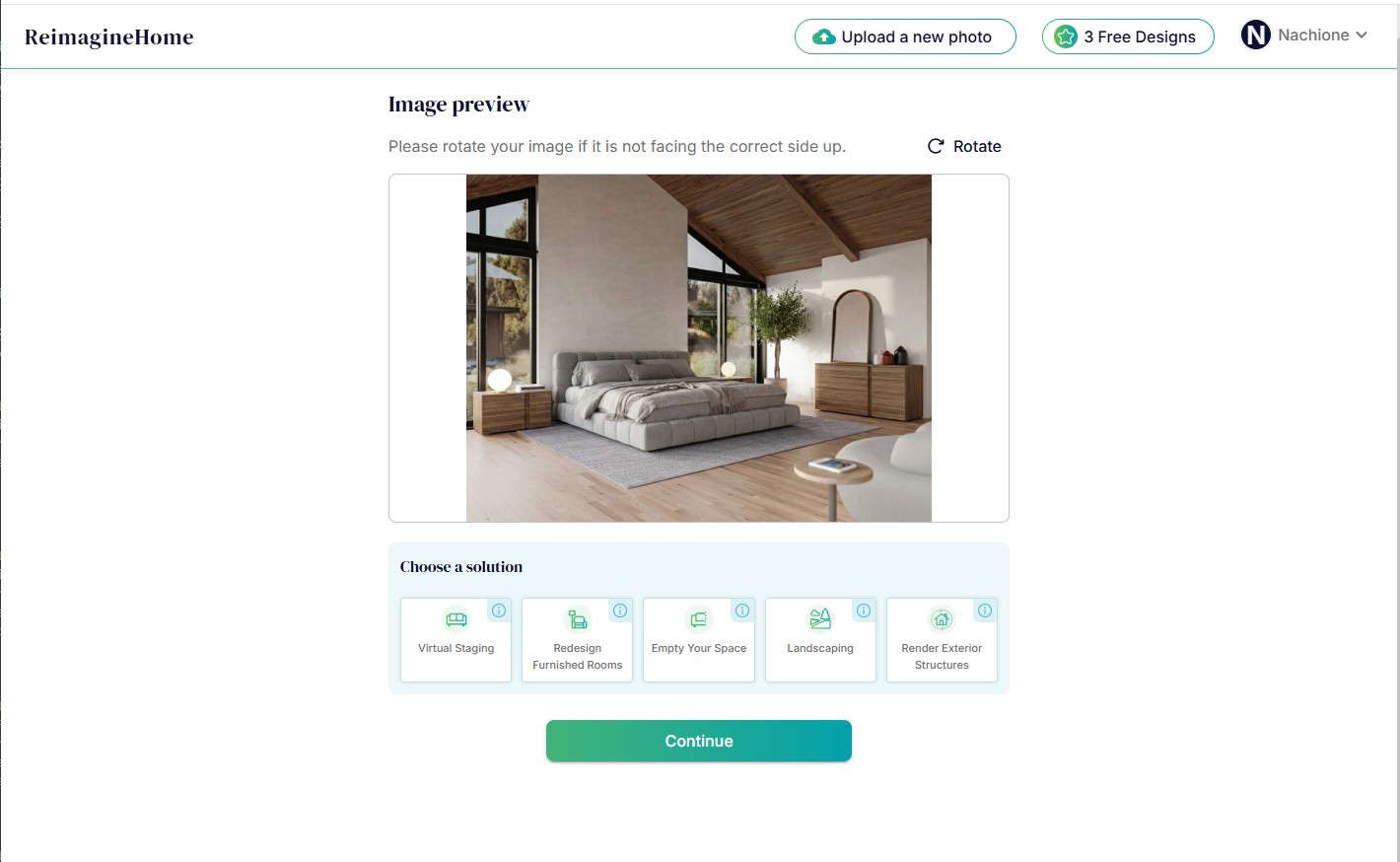
ReimagineHome output is generated through a prompt-led design companion. It is suited to developing a broader room direction, but it is not a dedicated exact-product furniture swap result.
Who should choose what
Choose DecorViz if
- You already found a specific product and want to see it in your actual room.
- You want to upload a clear product image from almost any retailer.
- You want to swap one existing piece while keeping the rest of the room anchored.
- You want a focused result for a furniture purchase decision.
- You want to use DecorViz in your browser or on the Android app; iOS is coming soon.
Choose ReimagineHome if
- You want a complete room direction with real, shoppable products.
- You want budget-aware product sets and prompt-led multi-element design changes.
- You need virtual staging, landscaping, renovation, or listing-photo workflows.
- You want to refine a design across several iterations.
DecorViz is an independent tool and is not affiliated with ReimagineHome.
Broad design platform vs focused product preview
ReimagineHome is a broad, prompt-led visual design platform. It can create room directions with real product sets, stage listings, redesign furnished rooms, and handle exterior or landscaping work. Although its marketing site advertises furniture and object swapping, the tested app does not present a dedicated workflow for uploading one exact retailer product image and swapping that item into the room. DecorViz is designed specifically for that job.
The simplest decision rule is the question you need answered. DecorViz is built to answer: Can I swap my current furniture with this exact product? ReimagineHome is better positioned to answer: How should I redesign, stage, renovate, or furnish this space?
Frequently Asked Questions
It depends on the job. DecorViz is the best choice for focused, exact-product furniture visualization and single-item furniture swapping. ReimagineHome is stronger when you want complete room design, real-product sets, virtual staging, renovation, landscaping, or professional listing workflows.
DecorViz uses a room photo and a product image for a focused exact-item preview and furniture swap. ReimagineHome's tested app is a prompt-led design companion for broader room directions, real-product sets, iterative changes, staging, renovation, and exterior workflows.
ReimagineHome's marketing site advertises furniture and object swapping. However, in our June 5, 2026 hands-on check, the live app did not expose a dedicated workflow for uploading one exact retailer product image and swapping it into a room photo. DecorViz is purpose-built for that workflow.
DecorViz is the best choice when you have a sofa product image and want to preview or swap that exact item in your room without creating a broader design project.
ReimagineHome. It offers dedicated virtual staging and real-estate workflows. DecorViz is built for furniture purchase previews in a real room.
No. DecorViz is an independent visualization tool and is not affiliated with, sponsored by, or endorsed by ReimagineHome.
Other DecorViz comparisons
See the exact product in your actual room.
Upload your room photo and the product image. Preview or swap that exact item before you order.
Try DecorViz freeA focused product decision from two images.