Use it immediately
Open DecorViz when you find a product worth testing. There is no native app installation step.

Preview a specific furniture product in your actual room online. Open DecorViz in your browser with no native app download required.
The browser experience is designed for immediate access, cross-retailer research, and clear product comparison.
Open DecorViz when you find a product worth testing. There is no native app installation step.
Upload product images from different retailer websites and compare each choice in the same room.
A desktop browser makes it easier to inspect results, compare alternatives, and share a preview.
Quick previews, whole-room scenes, and every result you have made are one click apart, so you can move quickly between research and comparison.
Upload the actual room you are shopping for and a clear image from almost any furniture store. Keeping the same room photo creates a consistent comparison across products.
Place up to 4 products in one room yourself. Move, resize, rotate, crop, or flip each one, then generate the whole layout as one realistic photo.
Save a Canvas layout as a project and reopen it any time to change the products and generate again.
Describe where the item should appear, what it should replace, or how it should relate to the room.
Every result is kept in Results. Open any one at a larger size, download it, or remove options that no longer matter to the buying decision.
Group shortlisted products into collections, one per room or project, and mark the best ones as favorites.
Keep the product page, DecorViz workspace, and your shortlist open together while you compare.
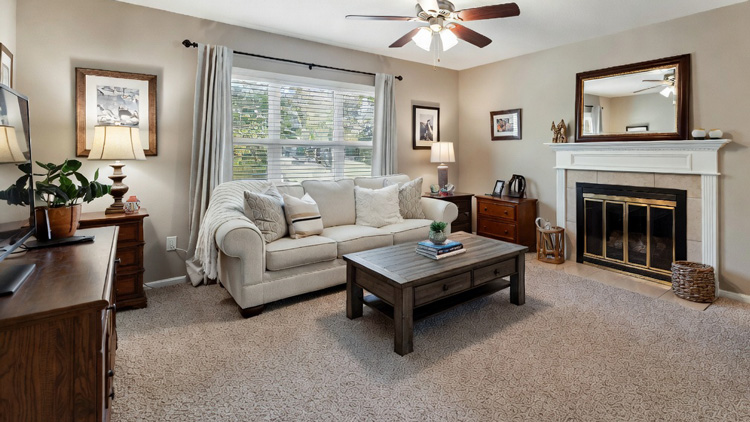
Start with the room you already have
Use one clear room photo as a consistent setting
for every product comparison.
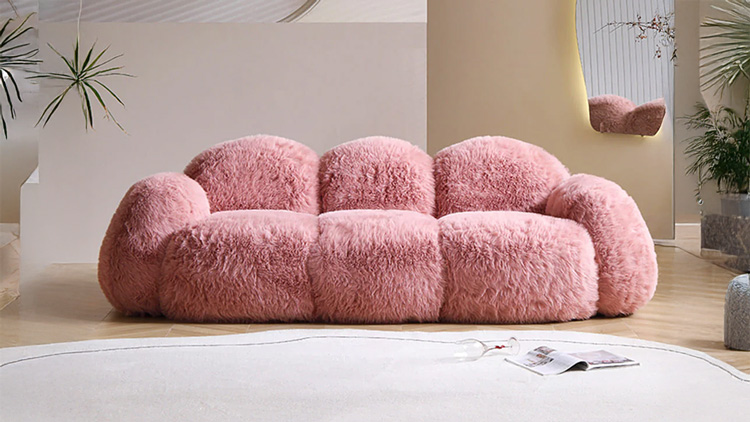
Bring the exact product into the decision
Upload the real product image from the
retailer you are considering.
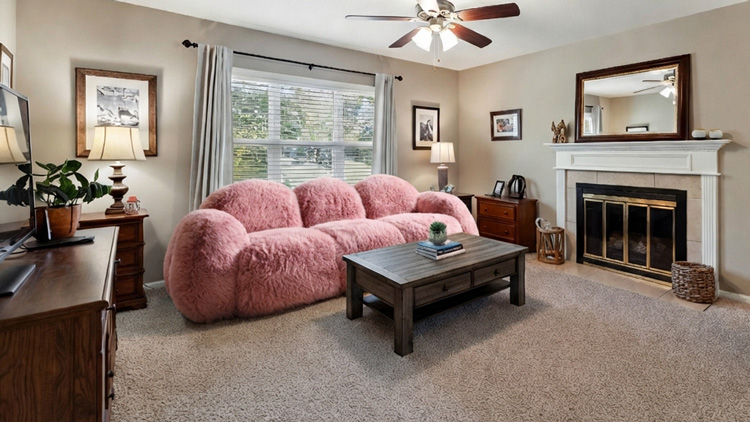
Review the product in context
Compare the generated preview with other products
before deciding what to buy.
Use the browser experience when the decision involves research, multiple tabs, or several shortlisted products.
Save product images from multiple stores and test each option without leaving the desktop research flow.
Review the relationship between the product, flooring, walls, lighting, and surrounding furniture in more detail.
Download the useful results and share the strongest candidates with someone involved in the decision.
Start with two photos, then use the generated preview to narrow your visual decision.

Choose a clear, well-lit image of the real space.
Use a clean image of the furniture item you are considering.

Create the preview and compare it with other choices.
Choose the platform that fits where and how you compare furniture products.
Best when browsing retailer sites, comparing several products, or working from a desktop.
Best when you want a native app close at hand while shopping or photographing your room.
iPhone and iPad users can use the web app today while the native iOS app is prepared.
Use your room photo and a real product image to make a more informed buying decision. Free to start.
Open Web AppYes. The DecorViz web app runs in a modern browser, so you can upload your room and product photos without downloading a native app.
DecorViz works with clear product images from almost any retailer or source.
Yes. You can open the DecorViz web app from a supported mobile browser as well as a desktop browser.
Yes. Every preview is saved in Results, and you can group previews into collections or mark favorites, so you can review and compare them without regenerating.
Yes. Canvas in the DecorViz web app places up to 4 products in one room photo. You decide where each one goes, then generate the whole scene as one realistic image.
A clear, well-lit photo of the actual space works best. Consistent lighting and a stable camera angle make it easier to judge how each product looks in the room.
Yes. The web app lets you open any result at a larger size and save it to your device.
Yes. The DecorViz web app is free to start. Open it in any modern browser, upload your room photo and a product image, and generate a preview without downloading anything.
Open the DecorViz web app in your browser. Upload a clear room photo and the product image you are considering, and DecorViz generates a preview showing that specific item in your actual space.
Yes. The DecorViz web app lets you upload product images from multiple retailers and test each one against the same room photo, making cross-store comparison straightforward.