
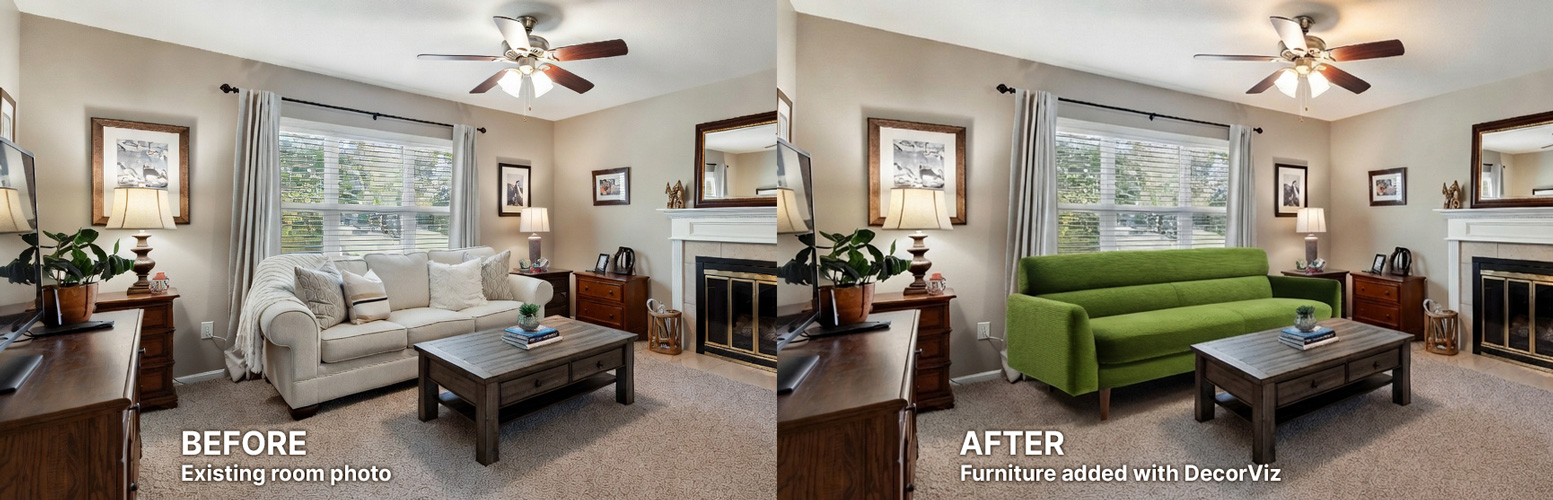
The biggest mistake shoppers make is confusing fit with style. Most "visualize in your room" tools are designed to answer: "Does it fit?" but not the more critical question: "Does it look right in my home?" This guide focuses on achieving style compatibility and visual confidence before you commit to a purchase.
Quick definition: Realistic Visualization
This means seeing an item in your space with believable lighting, accurate color harmony, and a seamless style match, not just a rough estimate of scale.
Understanding why furniture looks different at home than in stores is the first step. Many shoppers also compare traditional AR furniture apps vs realistic visualization approaches to find the best tool for their decision-making process.
Why traditional visualization tools fail the "look right" test
Product photos are staged, lighting is controlled, and your room has its own unique colors, shadows, and style rules. Traditional tools struggle to bridge this gap, leading to expensive returns.
Retailer 3D Viewers
Limited to the retailer's catalog and rarely matches your room's unique lighting or existing style elements.
AR Placement Apps
Overlays a floating 3D model on top of your existing furniture without removing anything. Poor lighting, flat textures, and requires standing in the room holding a phone.
Interior Design Inspiration
Great for ideas, but not a decision tool. It's someone else's room, often professionally staged and lit.
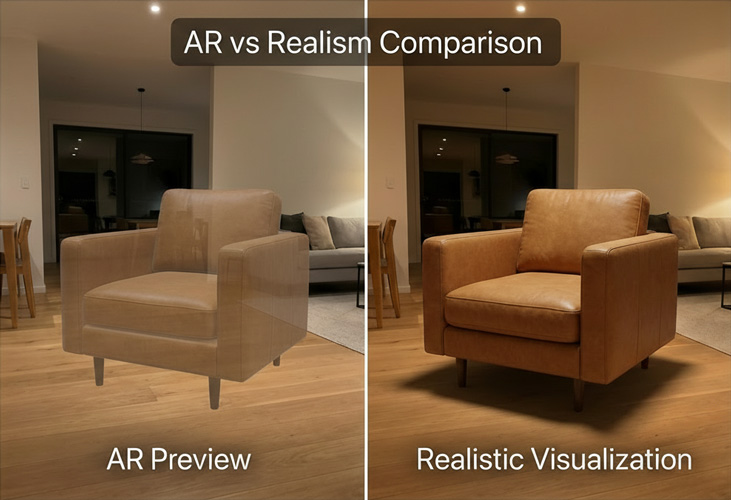
The difference between checking "fit" and confirming "match" is crucial for avoiding regret.
The real goal: Visual Confidence and Harmony
In practice, shoppers want confidence around harmony: color, materials, vibe, and whether the item belongs in the space. This is what prevents costly mistakes.
Style Match
Will the new piece clash with my existing decor, or will it elevate the room?
Color & Material Harmony
Does the wood tone, fabric, or finish feel right under my home's unique lighting?
Real Lighting Integration
Bright studio photos lie. A realistic preview must account for your room's actual shadows and light temperature.
Comparing Your Furniture Visualization Options
Method 1: Retailer 3D Tools
Web-based viewers often tied to a single brand's inventory.
Best for: Quick browsing
Weakness: Context, realism, and cross-shopping
Method 2: AR Placement Apps
Overlays a 3D model on your phone's live camera view without removing existing furniture.
Weakness: Existing furniture stays visible, lighting is inaccurate, textures look flat, and you have to physically stand in the room holding your phone to see anything
Method 3: DecorViz (Realistic Visualization)
Removes existing furniture from your room photo and places the new piece with correct perspective, matched lighting, and realistic integration.
Best for: Real purchase decisions
Strength: Furniture removal, realistic result, works from just a photo, reviewable anytime
How DecorViz Works: Achieving Realism in 3 Simple Steps
Upload a real photo of your room
Use a photo taken in normal lighting. The AI uses your room's existing light and shadows as the foundation for realism.
Add the furniture you're considering
Use a product photo or link from any store or brand. DecorViz is not limited to a single catalog.
Get a realistic preview with existing furniture removed
DecorViz removes your existing furniture and places the new piece with correct perspective and matched lighting. The result is a generated image of your actual room as it would look after the change, not a model pasted on top of clutter.
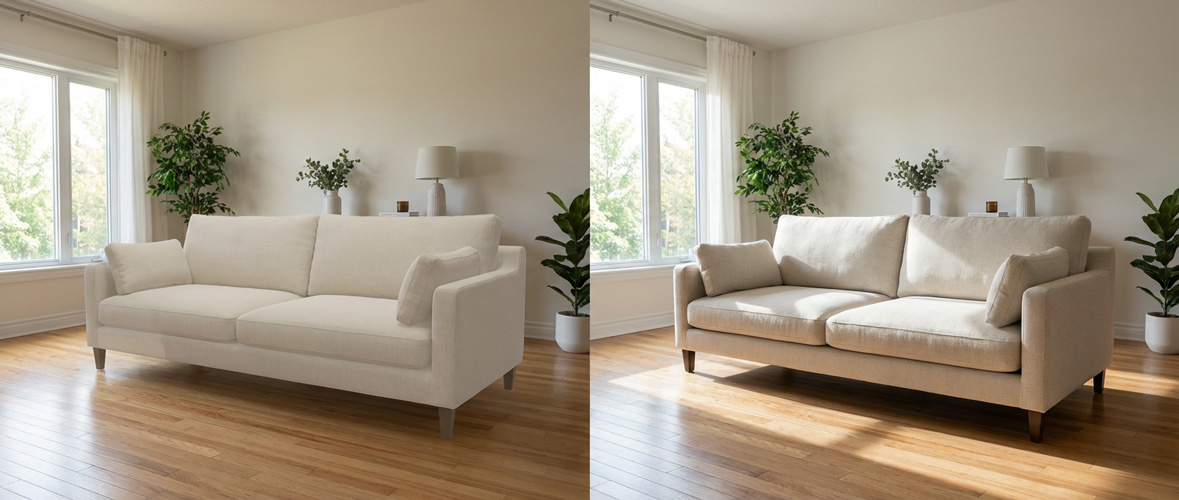
The goal is to make the new piece look like it was always meant to be there.
Ready to test a piece in your room?
Upload your room photo and a product photo to see if it truly matches your space before you buy.
Actionable Visualization Checklist for Best Results
Follow these quick tips to ensure your visualization is as accurate and helpful as possible:
Use a Straight-On Room Photo
Wide shots work best. Avoid extreme wide-angle or fish-eye lens photos if possible, as they can distort perspective.
Pick a Clean Product Image
The clearer the product photo (front view, good lighting, minimal background clutter), the better the AI can integrate it.
Compare Multiple Options
Run 2–3 variations of the furniture piece. Seeing them side-by-side makes it easier to choose what looks natural, not just what looks "trendy."
FAQ: Realistic Furniture Visualization
Can I visualize furniture from any store?
Yes. Unlike retailer-specific AR apps, DecorViz works with any product image you can provide (a screenshot, a product page link, or a photo).
How well does DecorViz help with size and scale?
DecorViz is strong for visual size judgment, scale, and style match in a real room. It helps you see how a piece feels in the space before you buy, and product specifications can be used for final dimension checks.
Why do AR previews look fake and hard to trust?
Two main reasons. First, AR cannot remove your existing furniture, so you are looking at a 3D model overlaid on top of your current room. Second, real-time AR lighting is rarely convincing: shadows are weak or missing, textures look flat, and the object often appears to float rather than sit naturally in the space. DecorViz solves both problems by working from a photo instead of a live camera view.
For insights on why inspiration rooms don't work in real apartments, see our guide on why Pinterest rooms don't work in real apartments.