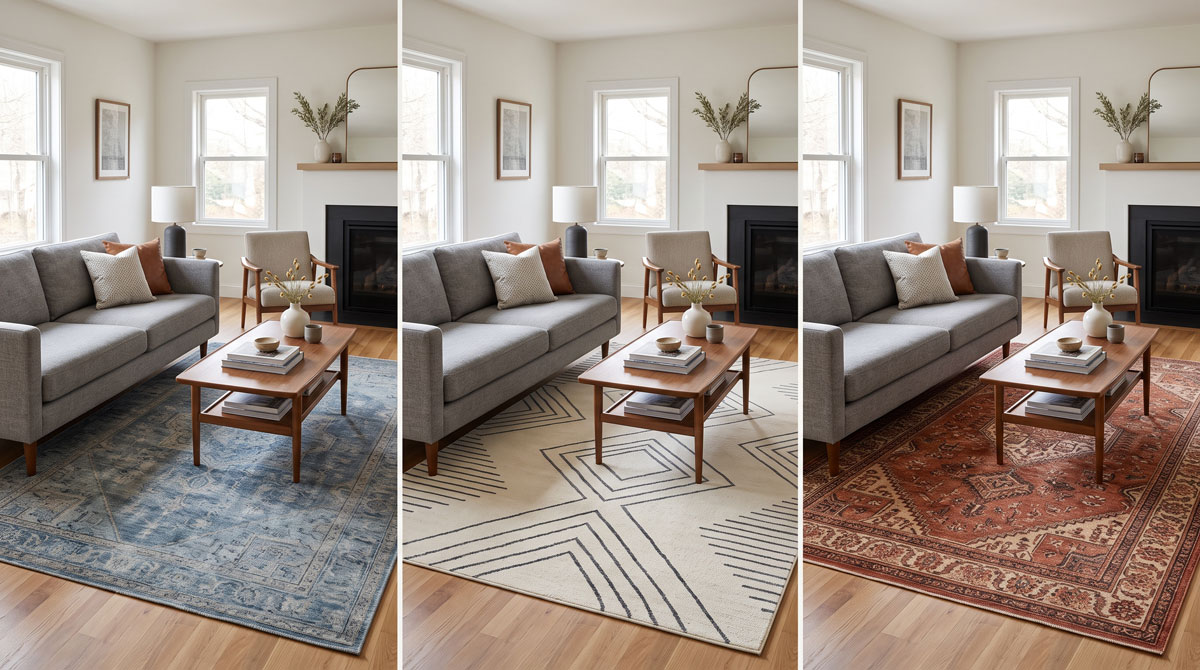
The best rug visualizer apps do more than drop a flat rectangle onto a floor. They help you compare color, pattern, visual weight, and how a rug relates to the furniture already in your room. The right tool depends on whether you have one exact rug in mind or are still browsing a store's catalog.
Disclosure and review method
DecorViz publishes this guide and appears as one of the six options. We assigned each tool a best-use label instead of declaring one universal winner. Features were checked against public first-party materials available on August 22, 2026. Product, device, and regional availability can change.
Quick comparison of the best rug visualizer apps
| Tool | Best for | Catalog scope | Main workflow |
|---|---|---|---|
| DecorViz | Previewing one specific rug found online | Product images from almost any store | Room photo plus rug image |
| Rugs Direct | Browsing and previewing rugs while shopping | Rugs Direct catalog | Select rug, upload room, position it |
| Rugs USA | Testing rugs sold by Rugs USA | Rugs USA catalog | Store-integrated View in Room tool |
| Roomvo | Using visualizers across participating rug retailers | Depends on the retailer | Browser-based room upload and product selection |
| Home Depot | Comparing rugs with other surface products | Supported Home Depot products | Select product, upload photo, view in room |
| IKEA Kreativ | Planning an IKEA room with a rug and furniture | IKEA products | Room capture or upload, then arrange products |
What a rug visualizer can actually help you decide
A rug affects much more than an empty patch of floor. It can connect a seating group, compete with a patterned sofa, make a dark room feel heavier, or introduce a color that changes how everything around it reads.
Color in your lighting
See whether beige feels warm, gray turns cool, or a saturated color becomes dominant beside your floor and furniture.
Pattern and visual weight
Compare a quiet texture with a bold motif without relying on isolated product photography.
Relationship to furniture
Judge whether the rug grounds the seating area or feels disconnected from the sofa, table, and room architecture.
How we compared these rug visualizer tools
We selected tools with a publicly documented way to place rugs or home products into a room image. We then compared the decision each tool supports, the catalog it can access, and the amount of setup required from the shopper.
Can you use your own room?
A sample room can be useful for browsing, but your own walls, flooring, light, and furniture provide the context that matters for a purchase.
Can you test the rug you actually found?
Retailer tools are convenient inside their supported catalogs. An image-based tool is more flexible when you are comparing rugs across different stores.
Does the output match the decision?
Some tools prioritize interactive placement. Others prioritize a realistic still preview or a complete-room planning workflow.
1. DecorViz: best for a specific rug from almost any store
DecorViz is useful when you already found a rug and want to see that specific design in your actual room. Upload a room photo and the rug's product image. The result is a realistic still preview that you can save and compare with other options.
Strength
You are not confined to one supported retailer catalog. A clear product image or screenshot is enough to test a rug discovered on another site.
Tradeoff
DecorViz helps you compare how the rug's color, pattern, and overall presence work in your room. For final sizing, pair the preview with the retailer's listed dimensions and a quick check of your floor space.
Best for: Comparing exact rugs across multiple stores and judging color, pattern, and visual presence in a familiar room.
2. Rugs Direct Room Visualizer: best for shopping and previewing in one place
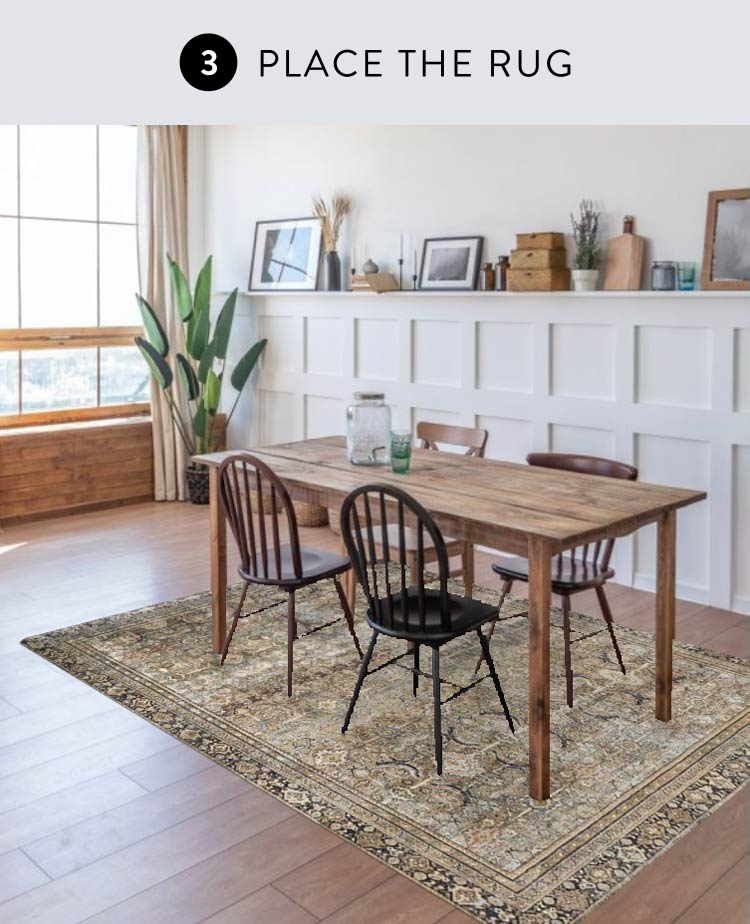
Rugs Direct connects its visualizer directly to its rug catalog. Choose a rug, take or upload a room photo, or start with a sample room. The tool lets you move the selected rug into the desired area without downloading separate software.
Strength
Browsing, visualization, and purchasing stay in one retailer experience, which makes it easy to test several products from the same catalog.
Tradeoff
The convenience is tied to rugs sold through Rugs Direct. It is not intended to import an arbitrary product from another retailer.
Best for: Shoppers who want to discover and compare rugs within one large retailer catalog.
3. Rugs USA View in Room: best for Rugs USA shoppers

Rugs USA provides a dedicated View in Room rug visualizer connected to its shopping experience. It is a direct choice when your shortlist already comes from Rugs USA and you want room context before narrowing the options.
Strength
The visualizer is designed around rugs rather than treating them as one product category inside a general furniture planner.
Tradeoff
It is a retailer-specific workflow. Confirm that the rug and variant you are considering are available in the visualizer.
Best for: Comparing products while shopping the Rugs USA catalog.
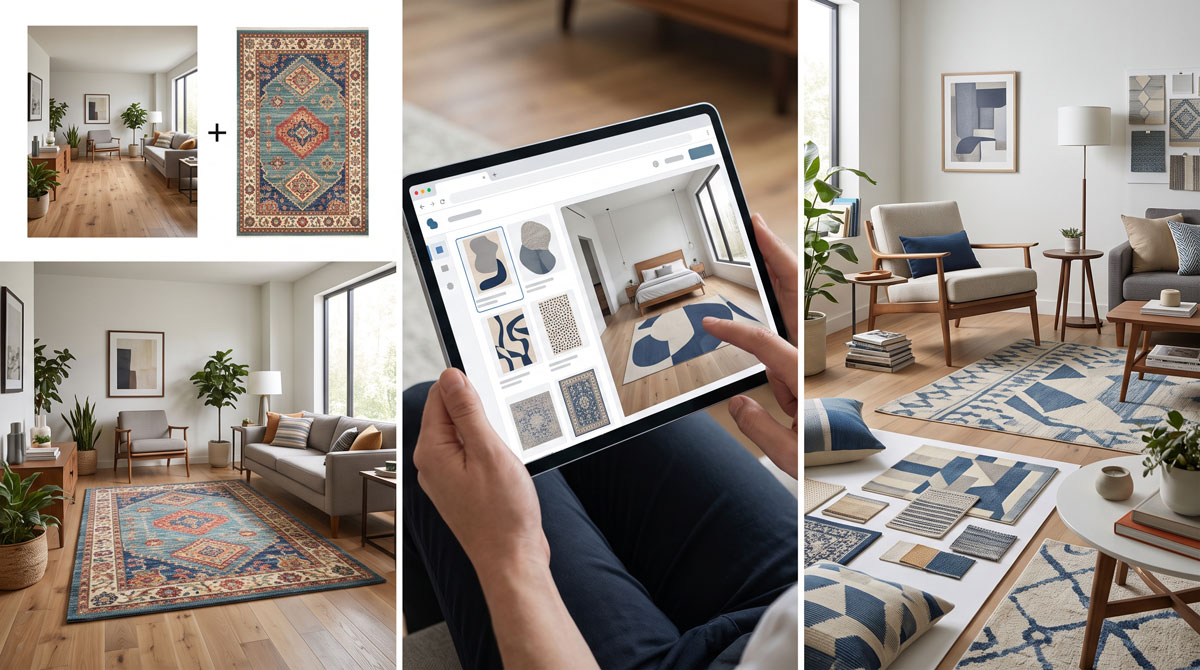
4. Roomvo rug visualizers: best across participating retailers
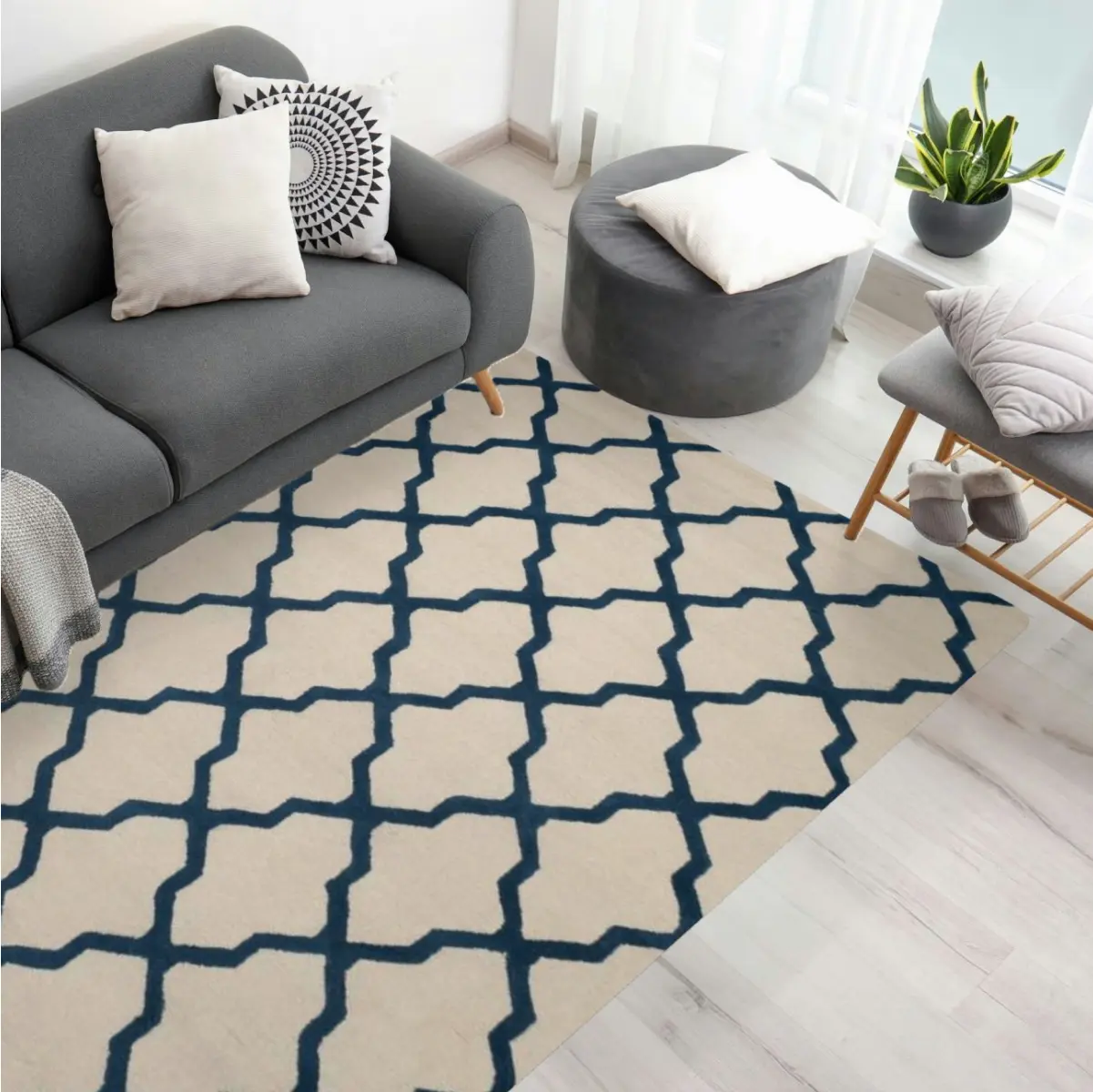
Roomvo powers rug visualization experiences for retailers and manufacturers. Its documented rug workflow is straightforward: take or upload a room photo, select a rug, and view it in the space. Shoppers usually encounter Roomvo inside a participating retailer's website rather than as a single universal shopping app.
Strength
The browser-based experience is built specifically for home surface and decor categories and can support comparison within a retailer's catalog.
Tradeoff
Catalog breadth and available controls depend on the retailer providing the Roomvo experience.
Best for: Shoppers buying from a rug retailer that already offers a Roomvo-powered visualizer.
5. Home Depot Visualizer: best for rugs and surface products together
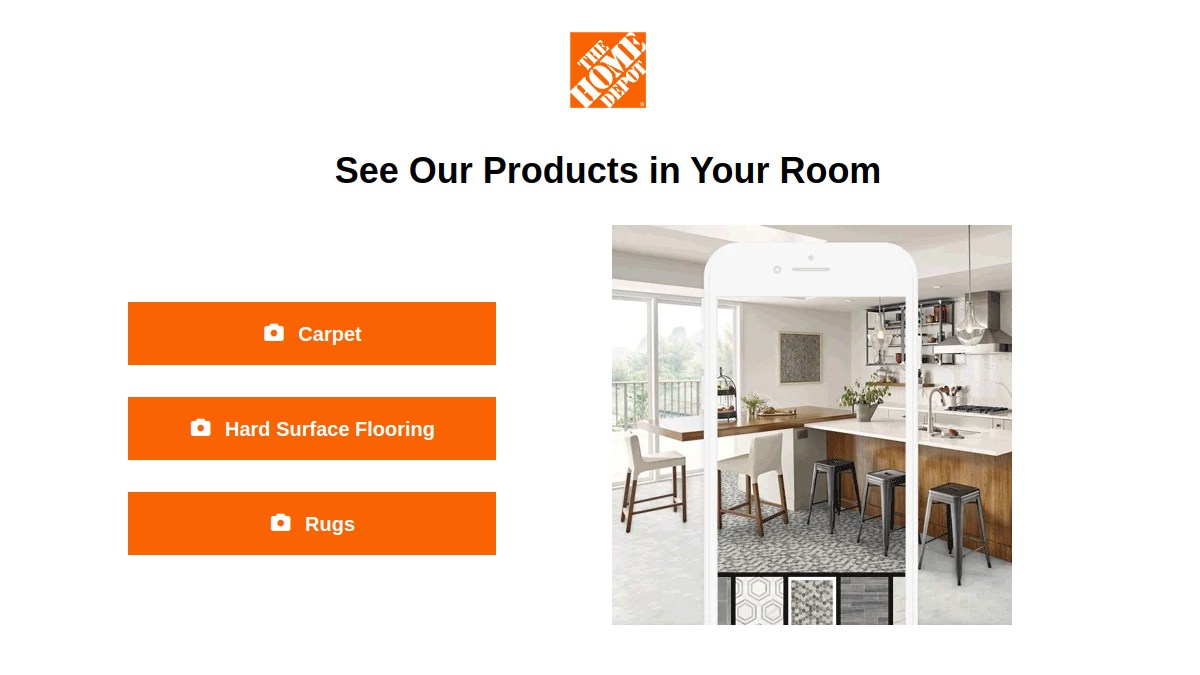
Home Depot's Roomvo-powered visualizer includes rugs alongside carpet and hard-surface flooring. The published workflow asks you to select a product, upload a room photo, and see it in the space.
Strength
It can be useful when the broader floor context is part of the decision, especially if you are already shopping Home Depot's supported products.
Tradeoff
The tool is limited to supported products and is less useful when your rug shortlist comes from several unrelated retailers.
Best for: Home Depot shoppers comparing a rug with flooring or other surface choices.
6. IKEA Kreativ: best for planning a complete IKEA room
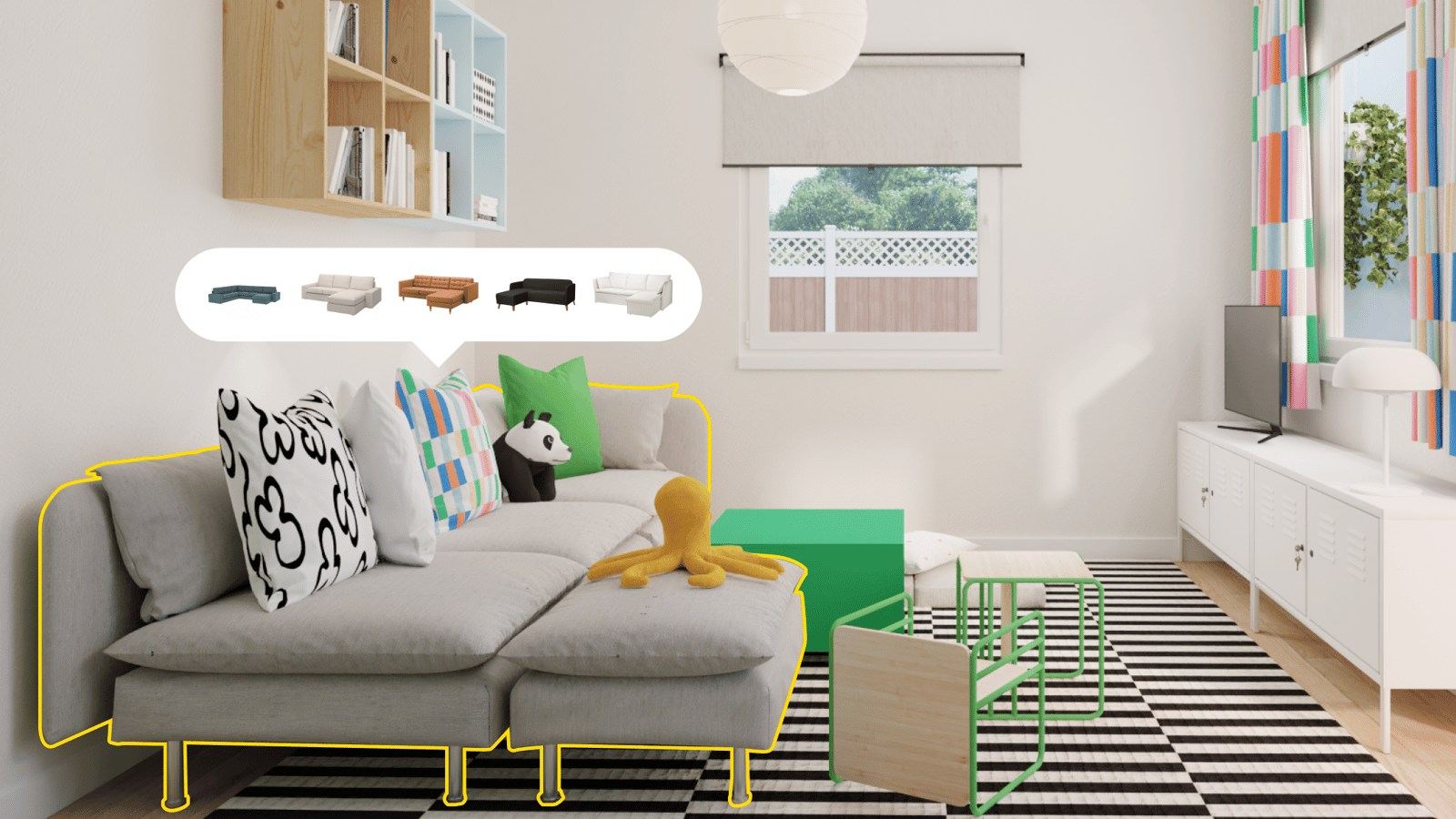
IKEA Kreativ works on the web and through the IKEA app. You can upload or capture a room, remove existing items, and arrange supported IKEA furniture and rugs. It is broader than a dedicated rug visualizer and is designed for exploring a coordinated room.
Strength
You can evaluate the rug together with other IKEA products instead of looking at the floor treatment in isolation.
Tradeoff
The catalog is limited to supported IKEA products, and feature availability differs between the web experience, mobile app, device, and region.
Best for: Shoppers choosing an IKEA rug as part of a larger IKEA room plan.
How to choose the right rug visualizer app
Start with where you found the rug
Use the retailer's visualizer when your shortlist stays inside one catalog. Use a product-image workflow when your options come from several stores.
Use the same room photo for every option
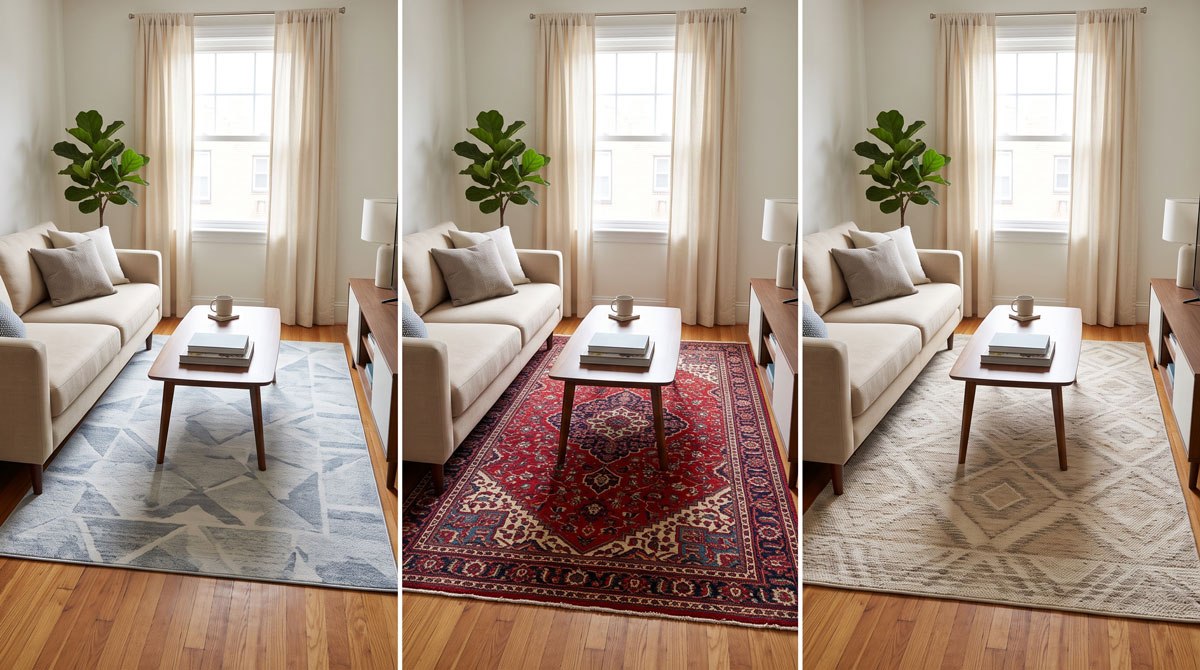
A fixed camera angle and consistent lighting make color, pattern, and visual-weight comparisons much more useful.
Compare more than one rug
The value comes from relative comparison. Test a quieter option, a stronger pattern, and at least one different color direction.
Confirm practical details separately
Check dimensions, pile height, material, cleaning requirements, rug-pad guidance, and the return policy on the retailer's product page.
What rug visualizers cannot confirm for you
A convincing room preview can reduce visual uncertainty, but it cannot reproduce how a rug feels under your feet or replace the product specification. Keep these checks outside the image:
Texture and softness
Photography can suggest pile and weave, but it cannot reproduce softness, density, shedding, or how the material feels in person.
Exact dimensions
Use the preview to compare how each rug looks in the room, then use the retailer's dimensions alongside your room measurements when choosing a size.
Screen color
Room lighting, product photography, and screen settings can all shift color. Review close-up product photos and samples when available.
Rug visualizer app FAQ
What is the best app to see a rug in my room?
The best choice depends on the rug. DecorViz is useful for testing a specific rug image from almost any store. Rugs Direct and Rugs USA are convenient when shopping inside their catalogs. Roomvo-powered retailer tools work well when the store already supports the rug you want.
Can I visualize a rug from any website?
With an image-based tool such as DecorViz, you can upload a clear rug product image from almost any website. Retailer visualizers generally limit you to products already included in that retailer's supported catalog.
Can a rug visualizer tell me the correct rug size?
A visualizer can help you compare how a rug feels in relation to the room and furniture, but it should not replace measurement. Confirm the product dimensions and measure the intended floor area before buying.
Do I need to download an app?
Not always. DecorViz, Rugs Direct, Rugs USA, Roomvo retailer experiences, and the Home Depot visualizer can be accessed through the web. IKEA Kreativ is available through both the web and the IKEA app, although specific controls can differ.
Are rug visualizer colors accurate?
They are useful for comparing broad color direction and harmony, but product photography, room lighting, and screen settings can shift color. Use retailer close-ups or material samples for final confirmation when available.
Already found a rug you like?
Upload your room photo and the rug's product image to compare it in your actual space.