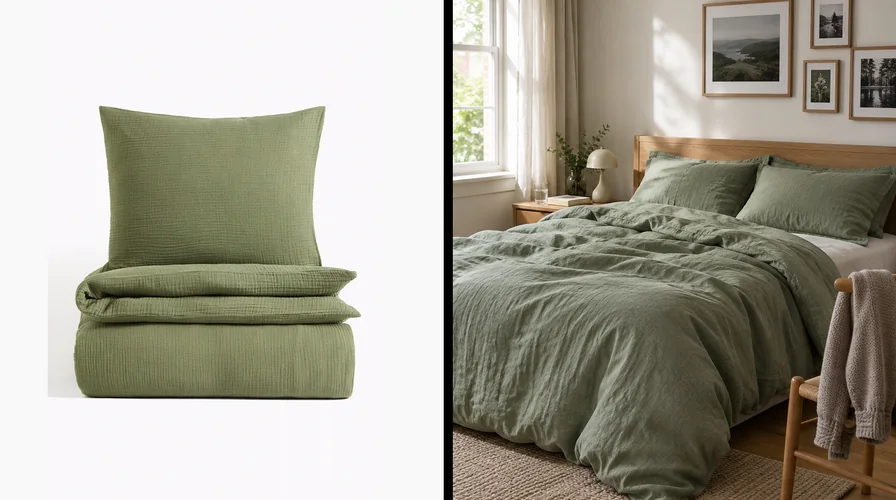
 From your product page to their bedroom
The most engaging thing a home decor product page can offer is not a better photo or a longer video. It is an invitation into the customer's own room.
With DecorViz Storefront, a See in Your Room button sits on your product page. The shopper photographs their room, and your product appears in it, built from the product photo you already have. Your duvet on their bed. Your rug under their coffee table. Your print on the wall they never knew what to do with.
No ad can put your product there. A room preview does, and the customer keeps the picture.
The idea in five lines
- Ads rent attention outside the home. A room preview is the one way your product gets invited inside it.
- A tap shows interest. Bringing their own room makes it personal, and nothing on a product page goes deeper.
- The picture lives on in their camera roll and their conversations, long after the visit.
- They upload their room once. After that, every product page opens with it ready.
- It runs on the product photos you already have, in every category you sell.
Every channel you pay for rents attention. None of them gets you inside the house.
Think about what your marketing actually earns. An Instagram like. A YouTube view. A click from last week's campaign. Each one is real, each took real effort to earn, and each happens somewhere that belongs to someone else: a feed, a search page, an inbox.
You paid for that appearance. What gives the customer a reason to carry your product into their own plans?
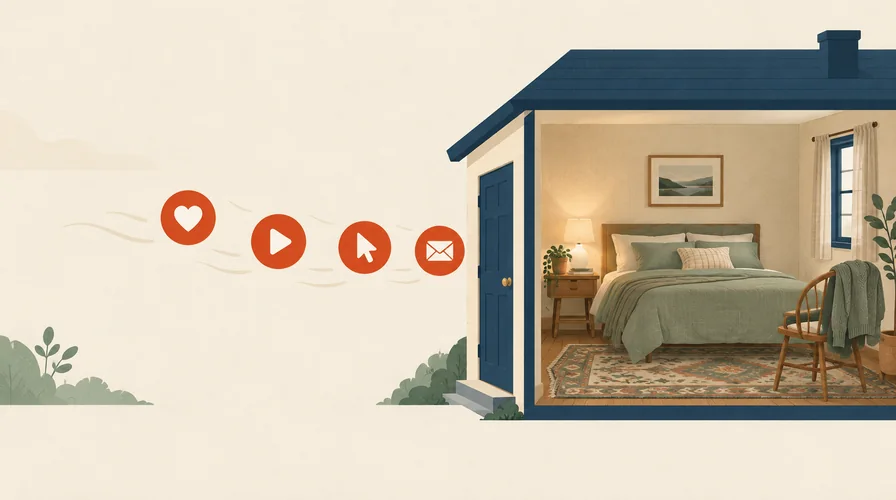 Paid attention stops at the door
Outside: attention you rent
Inside: attention you are given
Paid attention stops at the door
Outside: attention you rent
Inside: attention you are given
A like, a view, a click, an email open. Every paid channel reaches the outside of your customer's life. A room preview is the only one that goes through the door.
You can pay to reach their feed. You cannot pay to reach their bedroom.
That door opens from the inside. A room preview is the customer opening it for your product.
This is the angle most brands miss. A product page is usually treated as the place where paid attention lands and hopefully converts. It can be much more than that: the place where the attention you paid for turns into something you could never buy, your product inside the home of someone who chose to put it there.
A tap shows interest. Bringing their own room makes it personal.
Every interaction your marketing earns asks the customer for something. A like asks for a tap. A video asks for a few seconds. A room preview asks for something no other channel ever gets: their own home.
That is what changes the relationship. The customer brings the room, their taste and the question they are carrying around. Your product brings the answer. The result is not your content. It is theirs, with you in it.
And they only bring the room once. After the first upload, their room stays ready on every product page they open for the rest of the visit, so the rest of your catalog is one tap from their home.
Nobody photographs their bedroom for a product they don't care about.
That is why one customer who does is worth more to your brand than a thousand who scrolled past.
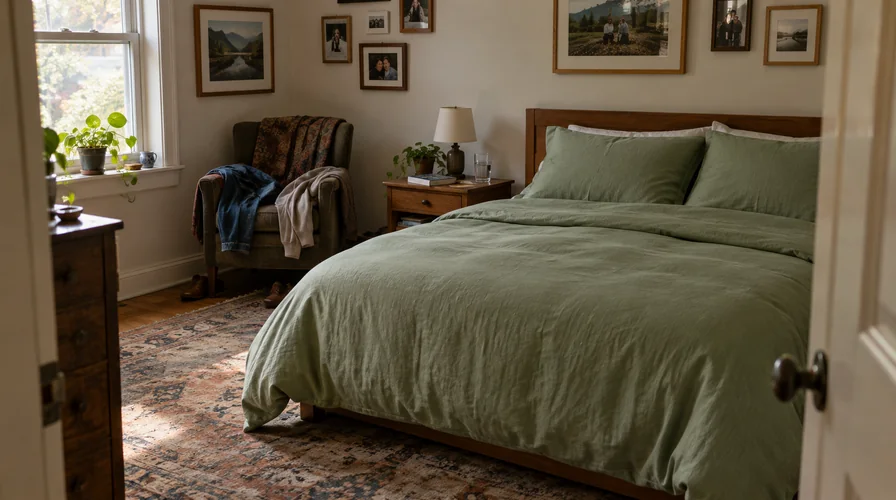
The moment a customer stops asking whether your product is nice, and starts asking whether it is theirs.
How room visualization builds an emotional connection with customers
They start to feel it is theirs before they buy it. Look at what is in that picture. The bedside table they already own. The wall color they chose last summer. The rug that has seen a few winters. And in the middle of it, your product, looking like it belongs there.
Your brand did not stage that scene. The customer did. They chose the room, framed the shot and pressed the button. People value what they help make, and a picture they made of their own home, with your product in it, feels like theirs. So does the product.
Your campaign says: “Look at our beautiful room.”
Your styling. Your set. Your finished vision. The customer admires it from the outside, and moves on.
A room preview says: “Look what your room could become.”
Their walls. Their furniture. Their unfinished idea. Your product is the piece that completes it.
That is the shift from a brand that shows people things to a brand that helped them see their own home differently. People remember who did that for them. It is the start of a relationship, not the end of a session.
The bond, in one line
A like says “I noticed you.” A room preview says “I can see you in my life.”
Your ads live in their feed. Your product lives in their camera roll.
When the visit ends, the picture does not. The shopper downloads it, and it goes where their own photos go: next to holidays, birthdays and pictures of the room itself.
From there it keeps working for you. It gets shown across the sofa that evening. It lands in a group chat with “What do you think?” It gets opened again on Saturday, when the idea comes back around.
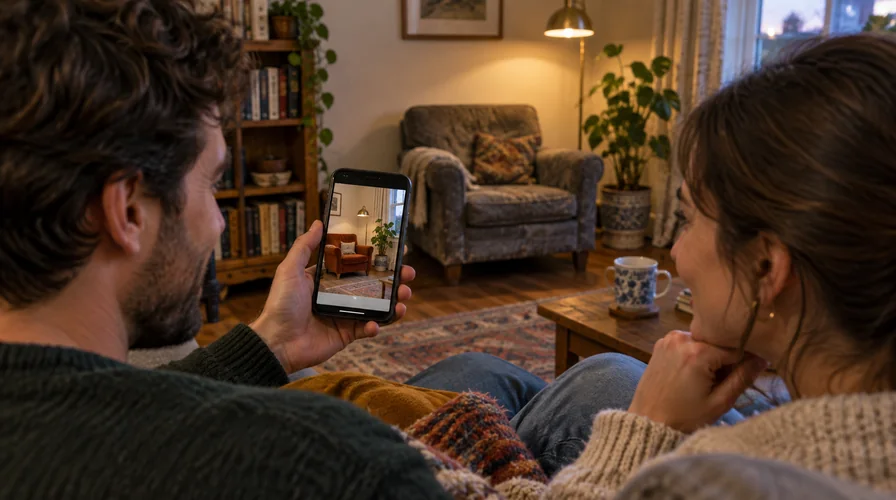 “What do you think of this for our room?”
On the phone, the new armchair. Behind them, the old one. No campaign reaches this sofa. A picture of their own room gets there on its own.
Count where your product went that week. Into a conversation between partners. Into a friend's “where is it from?” Into a second and third look. No boost, no retargeting and no influencer brief put it there. The customer did.
It may be the only brand content your customer saves on purpose, right beside their own photographs.
And when it is shared, it carries more weight than any campaign. A friend's home with your product in it is not an advert. It is a real person's real plan, and everyone who sees it knows exactly whose room it is.
Social content asks customers to relate. A room preview puts their home in the story.
Social posts and videos do real work. People save them, share them and talk about what they found. The difference is not whether the customer engages. It is whose life the content is about.
| Compared on | Social post or video | Room preview |
|---|---|---|
| Where it happens | Their feed | Their own home |
| Who supplies the setting | Your brand | The customer |
| What makes it personal | The customer relates to your content | Their own home is the content |
| What they keep | Your post, if they save it | A picture of their own room, with your product in it |
| Why they share it | “You might like this.” | “What do you think of this for our room?” |
Social content earns attention. A room preview earns a place in their plans.
A like tells you someone noticed. A room preview tells you someone pictured their life with your product in it.
A fraction of your advertising budget. A more personal place in their life. Think of Storefront as a small part of your marketing budget that gives customers something personal to create: a picture of their own home with your product in it. When they reopen that saved preview or show it to someone they trust, that moment needs no additional media spend.
Advertising still has a job: bringing people to you. Storefront makes sure the attention you worked for does not end at a product photo. The sales side of the story has its own page: why furniture stores need AI visualization.
Get invited into your customers' homes
DecorViz Storefront adds See in Your Room to every product page, using the product images you already have.
One room photo, an interactive shopping experience across your whole catalog
The first preview is the only effort. Here is a detail that changes how a visit feels. Once a shopper uploads their room, DecorViz Storefront keeps it loaded for the rest of the visit. Every product page they open after that is one tap away from being in their room.
So they stop browsing your store the way people usually browse a store. They start furnishing a room with it. The bedding, then the curtains to go with it, then the print for the wall above the bed. Your catalog becomes their room, one product at a time.
Other stores show products. Yours shows them their home, again and again.
Customer engagement ideas for furniture and home decor brands
Start with one change: end your campaigns with “See it in your room”. Most home decor ads end with “Shop now”. That asks for a decision the customer is not ready to make. “See it in your room” asks for something they already want: to find out.
Point your social posts, emails and launch campaigns at product pages that carry the preview, and build each invitation around a room the customer wants to change. The ad buys the visit. The invitation turns it into a moment in their home.
| Your collection | Instead of “Shop now”, try |
|---|---|
| Bedding | “Give your bedroom a Sunday morning feeling. See this set on your own bed.” |
| Rugs | “The rug that pulls your room together. See it under your own sofa.” |
| Wall art | “Got a wall you never finished? See this print on it.” |
| Curtains | “Same room, new light. See these curtains at your own window.” |
| Furniture | “Moving in? See this piece in the room you are making yours.” |
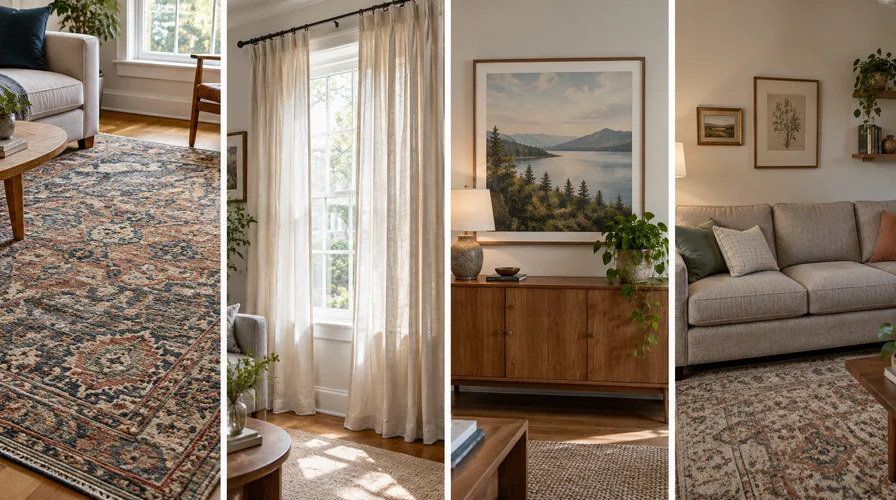 Whatever you sell, it belongs in a home
Rugs
Curtains
Wall art
Furniture
Whatever you sell, it belongs in a home
Rugs
Curtains
Wall art
Furniture
Four categories, four real homes. The product changes. The invitation does not: bring your own room.
Your campaign brings the visit. The customer gives you the moment in their home. No other channel offers that exchange.
You will see which products customers invite home
A like tells you what caught an eye. Your DecorViz Storefront dashboard tells you something more personal: how often the See in Your Room button was seen and clicked, how many previews were created, and which products get taken into rooms most.
Button views
How many shoppers saw the invitation into their own room.
Button clicks
How many accepted it and opened the preview.
Previews created
How many times your product was placed into a real customer's room.
Top products
The pieces your customers most want to see at home. Lead your next campaign with them.
A product people keep putting in their bedroom is telling you something a like never could.
Nothing to produce: the product photos you already have are enough
No photoshoot, no 3D models, no per-product setup. DecorViz Storefront starts from the product image already on your page, so the color, material and finish in the preview are your product's own. The customer brings the other half.
Your product photo
Already on your product page. Shot once. Now it can appear in every customer's home.
Their room photo
Taken on the phone they are already browsing on, in the room they are already thinking about.
Your product in their home
A picture to keep, revisit and share. Made by them, starring you.
One product photo can become a thousand different homes. A first apartment. A nursery. The living room someone is finally making their own. You do not have to style every possible home. Your customers bring theirs.
And it is not a furniture feature. Bedding, rugs, curtains, wall art and lighting work the same way. If you sell into a home, a customer can see it in theirs.
Questions from merchants
How do I make my home decor product pages more engaging?
Give shoppers something to do with your product, not just something to look at. DecorViz Storefront adds a See in Your Room button to your product pages: the shopper uploads a photo of their room and sees your product in it, built from your existing product image. It is the most personal interaction a product page can offer, and the shopper keeps the picture.
How is a room preview different from social media engagement?
With a social post or video, the customer relates to content your brand created. With a room preview, they create something with their own home: they photograph their room, place your product in it with DecorViz Storefront and keep the picture. When they share it, they are not saying “you might like this” but “what do you think of this for our room?”
Why would a shopper bother to photograph their room?
Because the answer is about them. They want to see a calmer bedroom, a finished wall or a living room that finally comes together. The preview shows their own home with your product in it, which no product photo can do. People do not take that step casually, which is exactly why it matters.
What happens to the preview after the shopper leaves?
They can download it to their phone. From there it gets shown to a partner, sent to friends for an opinion and opened again days later. Your product is in every one of those moments, and none of them needed another ad.
How can I use room previews in my marketing campaigns?
Send social posts, emails and launch campaigns to product pages that carry the DecorViz Storefront button, and end them with an invitation such as "See it in your room" instead of "Shop now". Build the message around a room the customer wants to change: a bedroom, an empty wall, a bare window.
Do I need new photography or 3D models?
No. DecorViz Storefront works from the product images already on your pages. There is no photoshoot, no 3D model and no per-product setup. The shopper supplies the room photo.
Does this work for products other than furniture?
Yes. DecorViz Storefront works from a product image, so bedding, rugs, curtains, wall art, mirrors and lighting work the same way as sofas and tables. If it belongs in a home, a customer can see it in theirs.
Stop renting attention. Get invited in.
DecorViz Storefront puts your products into your customers' own rooms, using the product images you already have.
Ready to set it up? Read how to add "See in Your Room" to your product pages. For the sales and returns side of room visualization, see why furniture stores need AI visualization and how furniture stores can reduce returns.