
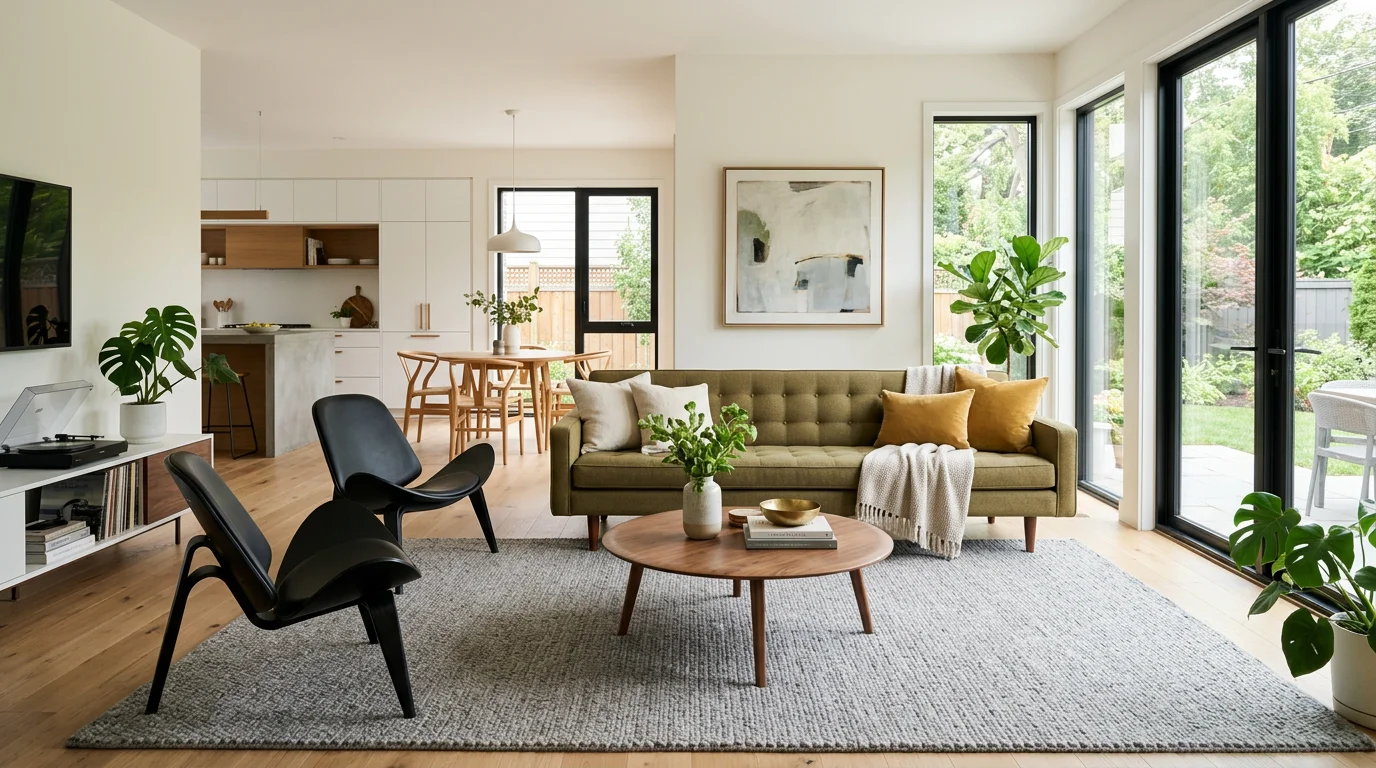
Free AI furniture placement can mean two different things. Some tools build measured floor plans. Others create a visual preview from a room photo. DecorViz belongs to the second category: it shows a real product inside the real room where you may use it.
This distinction matters. A floor planner answers, “Will the dimensions clear the wall and doorway?” DecorViz answers, “Will this color, shape, material, and visual weight look right with the room I already have?” Most careful furniture purchases need both answers.
What makes DecorViz useful for shopping
You are not limited to a generic furniture catalog. If a retailer provides a usable product image, you can upload it and preview that specific item in your room.
Three Types of AI Furniture Placement
The phrase covers several different jobs. Some tools visualize a product, some reinterpret a room, and some help build a measured layout. None is best for every question.
1. Product-in-room visualization
You upload a room photo and a product image to see how a specific sofa, bed, table, rug, or other item may look in context. This is the category DecorViz serves.
2. AI room rearrangement
A generative room tool can suggest a different arrangement or redesign from a photo. It is useful for ideas, but it may invent furniture, alter room details, or ignore exact dimensions.
3. Measured floor planning
A 2D or 3D planner uses room and furniture dimensions to test exact-scale layouts, door swings, circulation paths, and alternative positions. Some tools can convert a scan or drawing into a floor plan. Accuracy depends on the source and the measurements you verify.
Many shoppers benefit from combining methods: use a measured plan to establish what can fit, then use DecorViz to judge which real product looks most convincing in the room.
How Free AI Furniture Placement Works in DecorViz
The workflow uses two inputs and one focused outcome. There is no need to redraw the room or learn a 3D editor.
Upload your room
Choose a clear photo showing the floor, nearby walls, and the area where the furniture should appear.
Upload the product
Add a product image from IKEA, Wayfair, Amazon, West Elm, an independent store, or almost any other retailer.
Generate the room preview
DecorViz analyzes the scene and produces a realistic image with the product integrated into the room. It adjusts perspective, depth, lighting, and shadows to make the result feel part of the photo.
Compare before buying
Try another product, color, or style against the same room photo. Then check physical dimensions before placing the order.
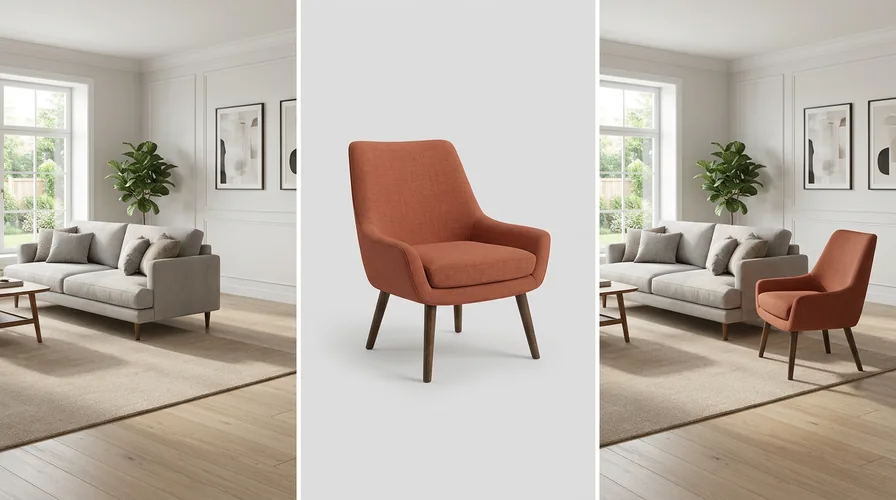
The room photo and product image provide the two inputs for a product-in-room preview.
Have a room photo and a product image?
That is all you need to start a DecorViz furniture preview.
Should You Use an Empty Room or a Furnished Room Photo?
Both can work, but they answer different questions. Choose the photo that shows the decision you are actually making.
Empty room or empty corner
Use this when furnishing a blank wall, a new apartment, or an area that currently contains nothing. Show the floor and nearby walls so the intended placement area is clear.
Furnished room, adding a product
Keep the existing furniture visible when you want to know whether a chair, rug, lamp, or table works with the pieces you already own.
Furnished room, replacing a product
If the old sofa, table, or chair is already visible and should be replaced, use DecorViz Furniture Swap. That workflow focuses the preview on the replacement decision.
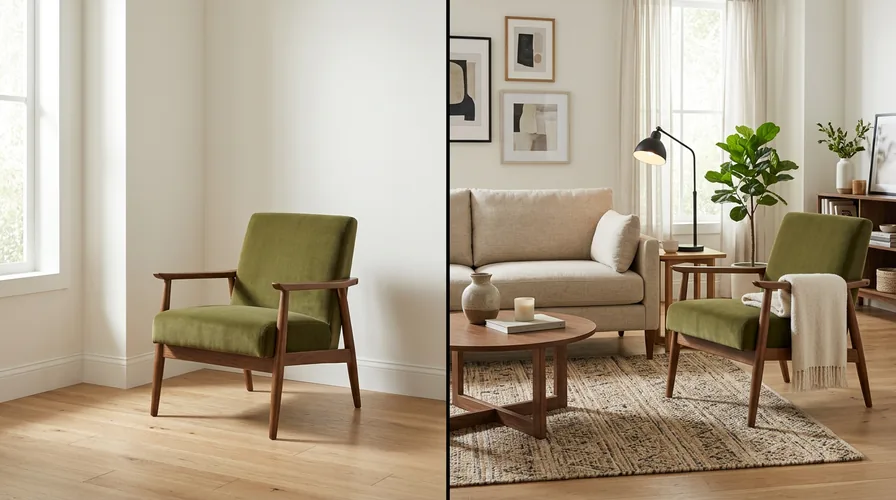
The same chair answers different questions in an empty corner and beside furniture you already own.
What a DecorViz Furniture Preview Helps You Decide
Color in your lighting
A fabric shown under studio lights may feel warmer, cooler, darker, or brighter beside your walls and flooring.
Shape in context
Compare a curved sofa with a straight one, a round table with a rectangular one, or a low bed with a taller headboard.
Visual proportion
See whether the product appears balanced beside the rug, windows, artwork, and furniture that already define the room.
Material compatibility
Judge whether wood, leather, boucle, velvet, marble, metal, or a patterned textile works with the finishes you already have.
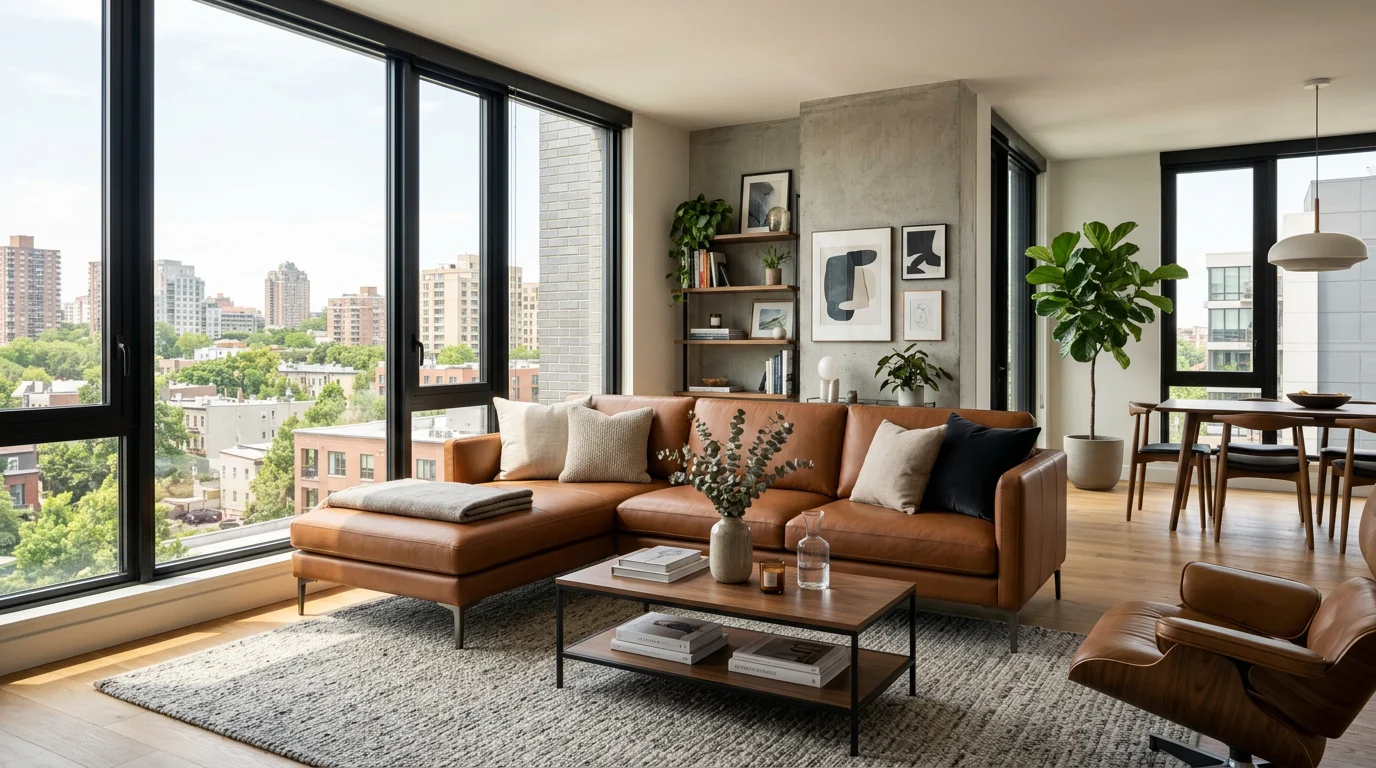
The preview helps with appearance and visual compatibility. Dimensions still require measurement.
Choose the Right Furniture Placement Method
“AI furniture placement” is often used for several different tools. Choosing the right one depends on the decision you need to make.
How will this specific product look in my room?
You care about the actual color, shape, material, and surrounding decor.
Use DecorViz
Room photo plus product image
Will this sofa physically clear the doorway?
You need exact widths, depths, door swings, or walking clearance.
Use measurements
Tape measure or measured plan
How should every item in the room be rearranged?
You need a complete layout with controlled positions and dimensions.
Use a floor planner
2D or 3D measured layout
DecorViz does not promise exact scale or measurement certainty. It is designed to reduce visual uncertainty before a furniture purchase.
Check Measurements and Furniture Clearances After the Visual Test
A realistic image cannot replace a tape measure. Record the product width, depth, and height, then mark its footprint on the floor with painter's tape or paper. Also measure the delivery route, including doors, hallways, stairs, and elevators.
As practical starting points, many layouts allow about 90 cm for a main walking route, roughly 45 to 50 cm between a sofa and coffee table, and about 75 to 90 cm behind dining chairs where people need to pass. These are planning guidelines, not universal rules. Accessibility needs, chair depth, room shape, and local standards can require more space.
Use the two checks together
A floor plan can show that a sofa fits within the measurements. A DecorViz preview can reveal that the same sofa still feels too visually heavy, too cool in color, or disconnected from the rest of the room.
What "Free" AI Furniture Placement Usually Means
Free furniture tools vary. A service may offer a limited number of generations, a restricted catalog, lower-resolution exports, watermarked images, or a free trial before paid features begin. Check the current terms before investing time in a workflow.
Photo visualizers
Fastest when you already have a room photo and want to assess a product or style. Check whether the tool accepts your own product image.
Floor planners
Better for exact-scale layouts and repeated rearrangement. Free versions may limit rooms, objects, 3D renders, or exports.
Generative room editors
Useful for broad inspiration and automatic redesigns. Check how much control you have over furniture identity and preservation of the original room.
What free includes on DecorViz
New accounts receive two welcome previews without a credit card. They are a one-time starting allowance, not a recurring daily refill. After using them, you can purchase additional credits or choose a plan.
DecorViz focuses on your own room photo plus a product image from almost any retailer. That makes it especially useful when the question is not merely where a generic sofa could go, but whether a particular sofa belongs there visually.
How to Get a Better DecorViz Result
For the room photo
- Use a clear, well-lit photo with the camera held level.
- Show the floor and enough of the walls to establish perspective.
- Avoid extreme wide-angle distortion and heavy backlighting.
- Keep the intended placement area visible.
For the product image
- Use one product, centered and easy to distinguish from the background.
- Choose an angle that is compatible with the room view when possible.
- Avoid cropped legs, blocked edges, text overlays, and lifestyle photos containing many other products.
- Use the correct color or finish variant that you may actually buy.
Iteration is normal
A difficult angle, dark room, reflective surface, or heavily cropped product can reduce realism. Try a clearer input or generate another version when the first result does not look plausible.
Common AI Furniture Placement Problems
Judge the placement quality before judging the product. If the generated furniture does not sit naturally in the scene, improve the inputs or retry before deciding that the furniture itself is wrong.
The furniture appears to float
Use a room photo that clearly shows the floor where the product should make contact. Avoid crops that hide the base of the placement area.
The product appears in the wrong area
Use a photo where the intended wall, corner, or open floor area is easy to identify. A simpler composition can reduce ambiguity.
The scale looks implausible
Treat that as a visual warning, not a measurement result. Retry with clearer room context, then verify the retailer dimensions against the physical space.
The edges look pasted into the room
A sharper product image and a room photo without extreme backlighting can provide better information about outline, light, and floor contact.
Place Different Furniture Types in Different Rooms
DecorViz works across indoor and outdoor spaces. Start with the product decision that creates the most uncertainty.
Living room
Preview a sofa, sectional, coffee table, rug, or TV stand.
Bedroom
Compare a bed, bedding, dresser, rug, curtain, or nightstand against the room you already have.
Dining room
Test a dining table, chair, rug, lighting product, or curtain before ordering.
Home office
Preview a desk, office chair, bookshelf, or window treatment in the actual workspace.
Furniture Placement Tips by Product Type
Different products depend on different parts of the room photo. The best input for a rug is not necessarily the best input for a pendant light or sectional.
Rugs
Show enough of the floor plane to judge pattern, color, and the relationship with the sofa. Extreme wide-angle photos can distort the apparent rug shape. Try the rug visualizer.
Sofas and sectionals
Include the wall, floor, and nearby furniture. An angled product image can communicate the arm shape and depth more clearly. Use the sofa visualizer or sectional visualizer.
Dining tables
The preview helps with silhouette, material, and color. Chair pull-out space and walking clearance still need measurements. Try the dining table visualizer.
Pendants and floor lamps
Include the ceiling or wall context relevant to the product. Check the listed fixture dimensions and hanging height separately from the visual preview.
Outdoor furniture
Choose a clear image without harsh glare, wet reflective surfaces, or a background that hides the product outline. Measure the patio, balcony, and access route before ordering.
Compare Furniture Without Changing the Room
The most useful comparison keeps the room photo constant. Generate one preview for each product you are seriously considering, then review them side by side.
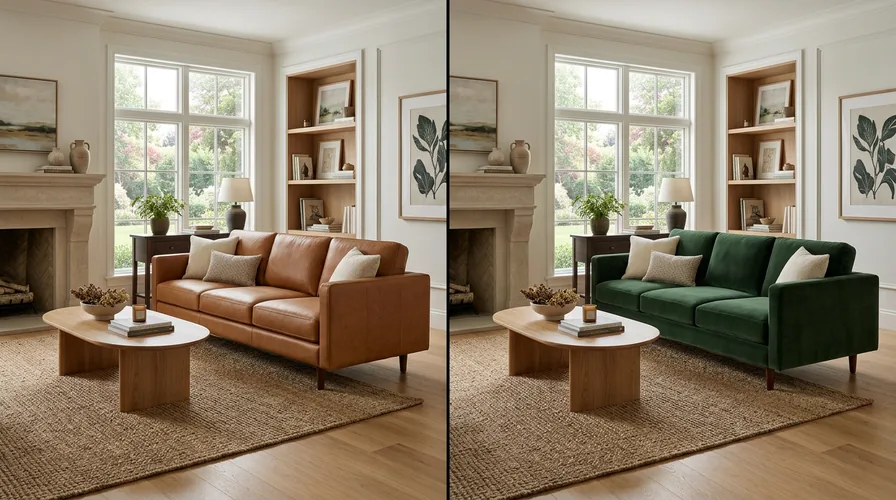
A consistent room photo makes differences in sofa color, material, shape, and visual weight easier to judge.
Look at the result for two seconds, then ask: does the product feel naturally connected to the room, or does your attention go straight to the mismatch? Check color temperature, visual weight, style, and how the product relates to nearby objects. If the generated integration itself looks wrong, retry before judging the furniture.
Frequently Asked Questions
Is DecorViz free to try?
Yes. New accounts receive two welcome previews without a credit card. After using those previews, you can purchase additional credits or choose a plan.
Can I place an IKEA, Amazon, or Wayfair product in my room photo?
Yes. DecorViz accepts clear product images from almost any retailer or brand and is not limited to one store catalog.
Do I need an empty room?
No. Use an empty room or corner when adding furniture to a blank area. Use a furnished photo when judging a new product beside furniture you already own. Use Furniture Swap when replacing an item already visible in the photo.
Can I place a rug with AI?
Yes. Use a room photo that clearly shows the floor. A preview can help you compare the rug's color, pattern, and visual relationship with existing furniture.
Can I compare two sofas in the same room photo?
Yes. Keep the room photo the same and generate a separate DecorViz preview for each sofa product image.
Does DecorViz work from a floor plan?
DecorViz is designed for room photos and product images. Use a measured floor planner when exact dimensions and controlled clearances are the main requirement.
Can DecorViz rearrange the furniture I already own?
DecorViz focuses on adding or replacing the specific product you provide. It does not automatically rebuild a measured layout and reposition every existing item.
Do I need AR or a room scan?
No. DecorViz works from two images in a web browser. No AR scan, 3D room model, or special hardware is required.
See the product in the room where it matters
Upload your room, add the furniture image, and create a realistic preview with DecorViz.
Want to replace a piece already visible in the photo? Read how to change furniture in a photo with AI or open the DecorViz furniture swap tool.