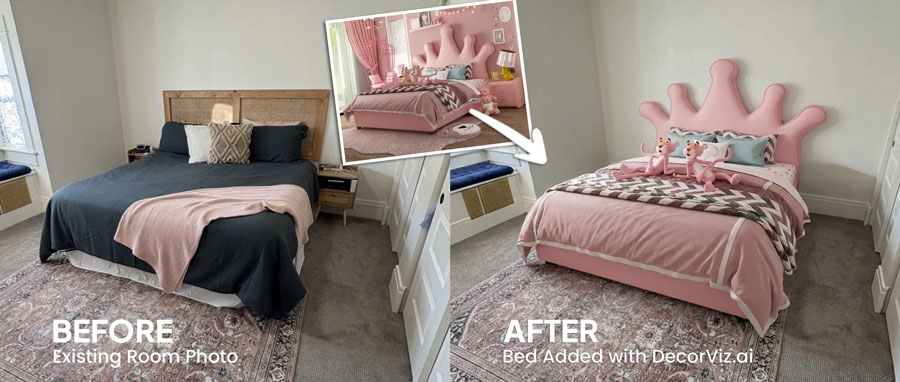
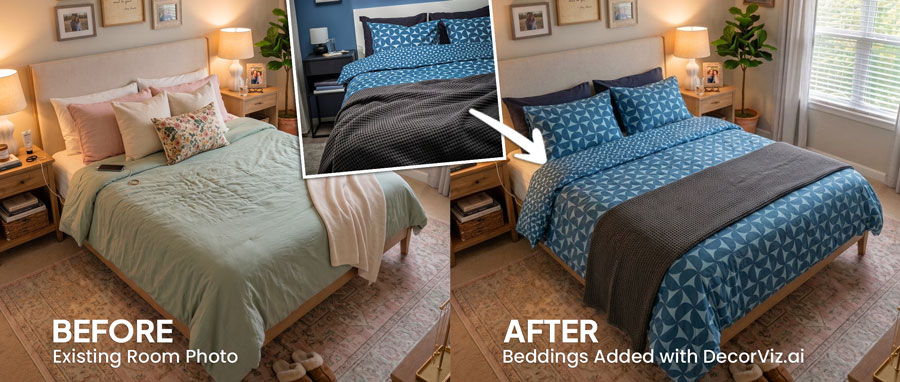
Judge size relative to the bed and nightstands
An 8x10 rug reads differently under a queen bed than a 9x12. Preview both with the same bedroom photo to judge which size balances the floor space and frames the sleeping area correctly.

Upload a photo of your bedroom and any rug product image. Preview the rug beneath your bed and beside your nightstands, compare sizes and patterns, or swap the existing rug before ordering.
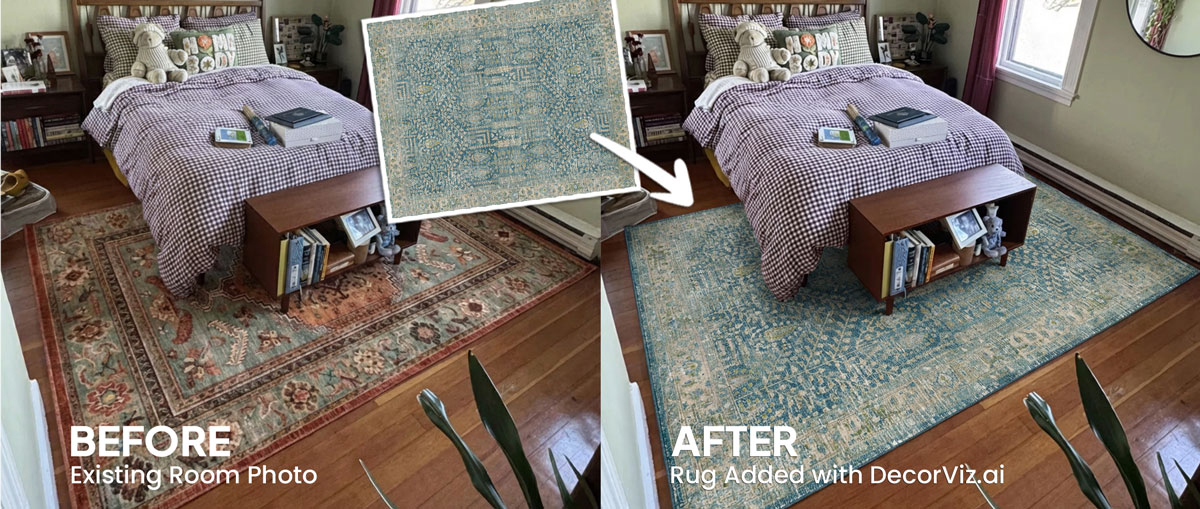
Use the same bedroom photo to compare rug sizes, patterns, and colors with your actual bed, flooring, and walls.
A bedroom rug visualizer places a specific rug product into your actual bedroom photo. Instead of guessing how the size, pattern, and color will read beneath your bed, you see the rug in context with your flooring, walls, bed frame, and nightstands.
DecorViz works from a room photo and a product image. It does not require an AR room scan, a 3D model, or a retailer-specific catalog.
This page focuses on rug visualization in a bedroom, beneath the bed and beside the nightstands. For the general rug guide covering any room type, visit the Complete Rug Visualizer.
A bedroom rug frames the sleeping area. The size relative to the bed, the placement under or beside it, and the pattern scale all affect how the room feels.
An 8x10 rug reads differently under a queen bed than a 9x12. Preview both with the same bedroom photo to judge which size balances the floor space and frames the sleeping area correctly.
Preview a rug placed two-thirds under the bed versus a rug positioned only at the foot. Each placement creates a different visual relationship with the nightstands and surrounding floor.
A patterned rug can complement or compete with the bedding, wall color, and flooring tone. Preview the exact product in your room before ordering.
Use a photo of the bare floor beneath and beside the bed. Preview how a rug changes the warmth, softness, and visual definition of the sleeping area.
"My bedroom floor feels cold and unfinished. I want to see how a rug changes it."
Keep the current rug visible in the photo and preview the replacement in its place to judge the change before committing.
"My current rug is too small. I want to see how a larger one reads with the same bed."
Use the same bedroom photo with a neutral rug and a patterned option to judge which one works better with your bedding and walls.
"Will a geometric pattern work, or will it compete with my bedding?"
Bedroom rug decisions involve size, pattern, and placement. Anyone selecting a rug that will be visible beneath and beside the bed uses a visualizer to reduce guesswork before ordering.
You have specific flooring, a bed frame, and surrounding furniture. Preview the exact rug in your room before committing to a size or pattern that may be difficult to return.
Show clients how a specific rug reads in the actual bedroom before placing an order or bringing physical samples.
A bedroom rug anchors the sleeping area in photography. Confirm the size, color, and pattern work at the listing camera angle before sourcing.
Use the generated view as a visual decision aid, then confirm the retailer's dimensions and product details before ordering.
Check whether the rug extends far enough beneath the bed and creates clear walkways on each side without crowding the surrounding floor space.
A large-scale pattern can complement or compete with the bedding and curtains. Preview each option in the same bedroom photo to judge the balance.
See how the rug tone relates to your actual flooring, wall color, and bed frame before committing to a product you may not be able to return.
Compare a rug placed two-thirds under the bed versus positioned at the foot to judge which arrangement anchors the sleeping area more effectively.
Each approach answers a different question. Use the one that matches what you actually need to decide.
| Approach | Shows rug beneath your bed and beside nightstands | Works with any rug retailer | Requires room scan or 3D model | Free to use |
|---|---|---|---|---|
| DecorViz (AI preview) | Yes, uses your actual bedroom photo | Yes, any product image from any store | No, photo upload only | Free to start |
| Physical rug sample | Yes, placed in the real room | Varies, some retailers offer samples | No scan needed | Varies, often free or refundable |
| AR apps | Yes, through phone camera | No, limited to the retailer's catalog | Usually uses camera tracking, a compatible device, and retailer-provided 3D product assets | Varies by app |
| Product photo only | No, isolated background | Yes, any product page | No | Yes |
A physical sample shows you pile height, texture, and material feel. DecorViz shows you the rug's pattern and color in your actual bedroom. Use both when a rug is a significant purchase.
Product photos isolate the rug. These bedroom problems only become clear when the rug is considered with the surrounding space.
A 5x8 rug can look substantial in a product photo but disappear visually once placed under a queen or king bed.
An oversized rug may crowd the walkways beside the bed or push into doorway clearance, reducing the practical floor space.
A heavily patterned rug can fight with patterned bedding or curtains in ways that only become visible in the actual room context.
Warm-toned rugs on cool grey floors and vice versa create visible tension that product photos never show.
A rug can look attractive on a product page while making the bedroom feel busy, cold, or unbalanced once placed in the actual room.
Use the preview to narrow the visual decision. Use measurements and product details to confirm the purchase.
The same room photo becomes a consistent place to compare different rug choices.
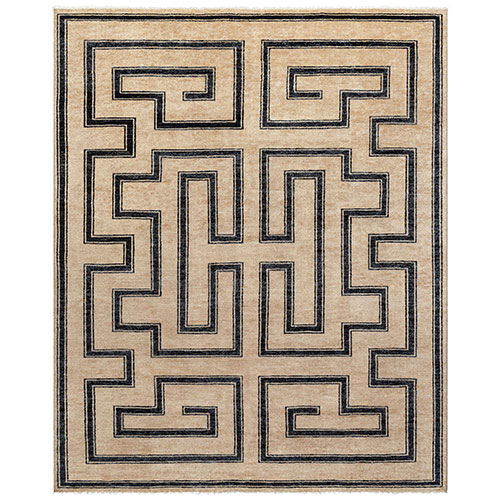
Product photography shows you the rug pattern and color, but it cannot show how the size and tone relate to your bedroom.
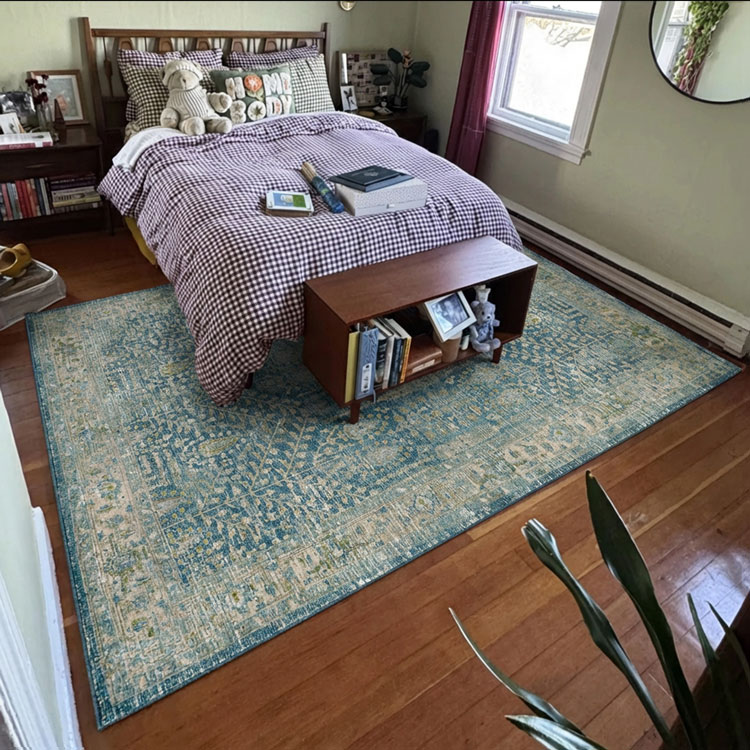
Use the real bedroom photo to judge the rug with your flooring, bed frame, and walls already in the space.
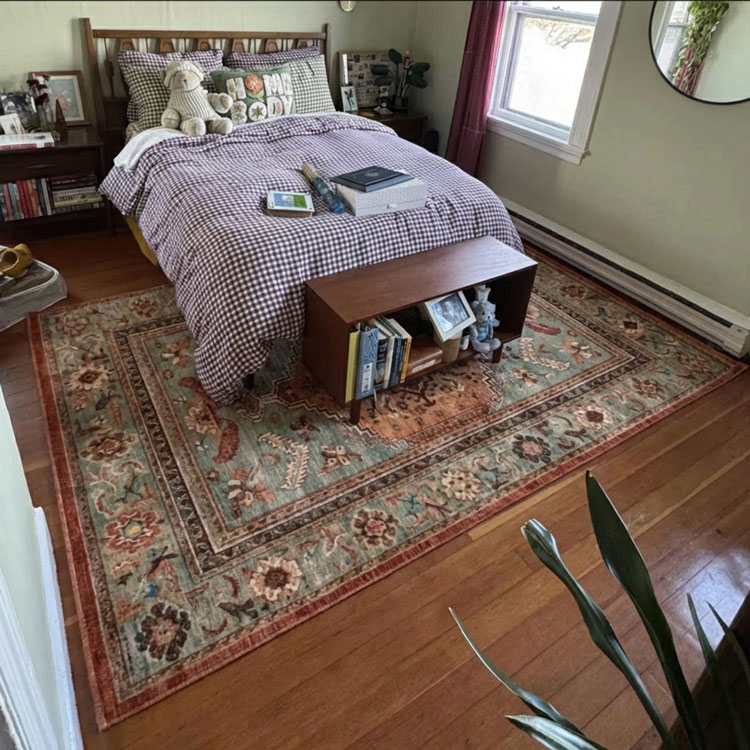
Keep the room consistent while testing different rug sizes, patterns, and colors.
Use DecorViz in a browser or the Android app. No AR room scan or 3D model is required.

Use a photo that shows the bed, nightstands, and the full floor area beneath and beside the bed, including any walkway space between the bed and the walls.
Upload a clear product image of the rug from any retailer.

See the rug beneath the bed. Swap between sizes or patterns, or replace the existing rug entirely, using the same bedroom photo.
A rug works as part of the bedroom arrangement. Preview the connected pieces separately when planning multiple changes.
Preview any bedroom furniture or textile from the same room photo.
Preview the bed frame that will sit on or beside the rug.
See how a duvet cover or bedding set reads with the rug and walls.
"I was torn between two furniture options. Seeing them in my room with DecorViz made the decision obvious."
"The preview helped me check color and style with my floors and walls before ordering."
"I could show my partner a side-by-side view and we agreed in minutes."
Upload your bedroom photo. Add the rug product image. Compare before ordering.
Try DecorViz - it is free to startWorks with rug images from any store. No AR scan required.
For a queen bed, an 8x10 rug typically allows nightstands to sit on the rug with visible rug on all sides. A 9x12 is common for king beds. Upload your bedroom photo and preview both sizes to judge how each one reads with your specific bed and room proportions.
Both placements work depending on room size and rug size. A rug placed two-thirds under the bed frames the sleeping area and keeps nightstands on the rug. A rug at the foot of the bed works in smaller rooms. Preview both placements in your bedroom photo to judge which one looks more balanced.
Yes. The preview places the rug product image into your actual bedroom photo, so the pattern, color, and scale are visible in context with your walls, flooring, bed frame, and bedding visible in the photo.
Yes. Reuse the same bedroom photo with each rug product image. Comparing sizes from the same viewpoint shows how each one relates to the bed frame, nightstands, and surrounding floor space.
Yes. The preview uses your actual bedroom photo, so the flooring tone, wall color, and natural light are all part of the result.
The preview gives a visual impression of scale, but it does not guarantee exact physical measurements. Always confirm the rug's listed dimensions against your measured room before ordering.