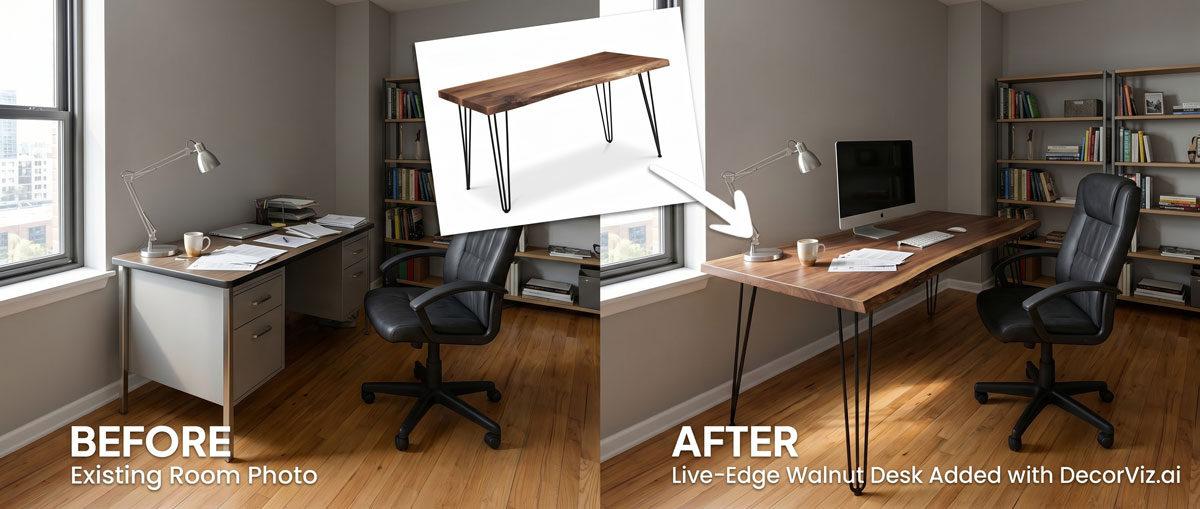
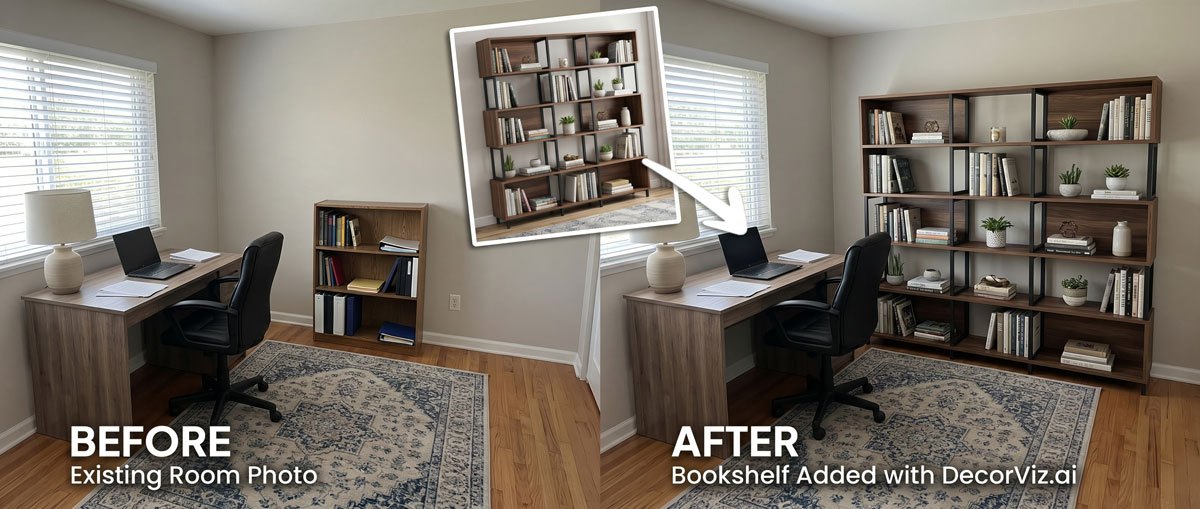
See the curtain color against your desk and walls
A curtain that reads as clean white in a product photo can appear warm or grey beside your specific wall color, desk finish, and flooring. Preview the actual product in your actual office.
Upload a photo of your home office and any curtain product image. Preview the curtains against your windows, desk, shelving, and walls before ordering.
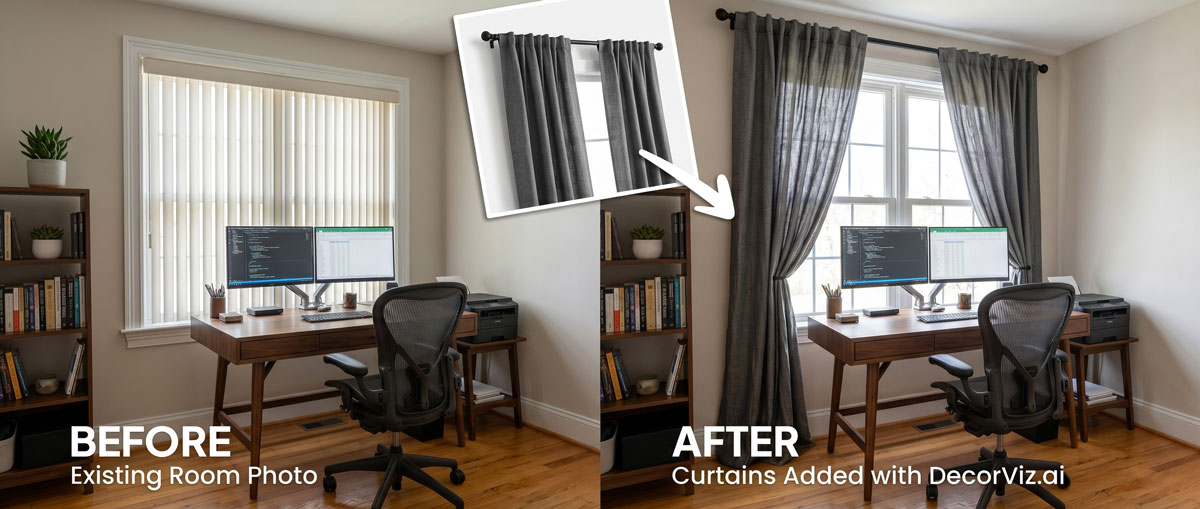
Use the same home office photo to compare curtain colors, fabrics, and lengths with your actual desk, shelving, and walls.
A home office curtain visualizer places a specific curtain product into your actual home office photo. Instead of guessing how the color and fabric will look beside your desk and shelving, you see the curtains in context with your actual workspace, walls, and window placement.
DecorViz works from a room photo and a product image. It does not require an AR room scan, a 3D model, or a retailer-specific catalog.
This page focuses on curtain visualization in a home office, covering how curtains interact with the workspace setup, light control needs, and video call background. For the general curtain guide covering any room type, visit the Complete Curtain Visualizer.
Home office curtains do more than decorate. They affect screen glare, natural light at the workstation, and the background visible in video calls. The right preview shows all of this in the context of your actual workspace.
A curtain that reads as clean white in a product photo can appear warm or grey beside your specific wall color, desk finish, and flooring. Preview the actual product in your actual office.
A sheer panel diffuses sunlight and reduces screen glare. A heavier panel gives full control but darkens the room. Preview both options in your office photo to judge which suits your workstation.
Take the photo from your camera position. The preview shows how the curtain color and style appear behind you, which is often just as important as how it looks from the doorway.
Home office curtain decisions usually involve managing screen glare, improving the video call background, or completing the room's visual style alongside the desk and shelving.
Keep the current curtains visible in the photo and preview the replacement panels in the same window to judge the change before committing.
"The curtains look wrong behind me in video calls. I want to see how a different color reads."
Start with a photo of the bare window and the workspace setup. Preview how adding curtains changes the light quality, glare control, and overall look of the office.
"The window behind my desk creates too much glare. I need to see how different curtain options fix that."
Use the same home office photo with each curtain product so both options are judged from the same viewpoint, against the same desk, walls, and shelving.
"Do I go with light-filtering linen panels or heavier curtains that give full light control?"
Home office curtains affect productivity, screen visibility, and how the workspace looks during video calls. Anyone selecting panels for a working room uses a visualizer to judge both the functional and visual result before ordering.
You need curtains that reduce screen glare, look professional in video calls, and complement the desk and shelving already in the office.
You are specifying window treatments for a workspace and need to show how the actual fabric and color read in the space before placing an order or presenting swatches.
Home offices appear in listing photography and attract buyers who work from home. Confirm the curtain color and style read as professional and well-designed at the listing camera angle.
Use the generated view as a visual decision aid, then confirm the retailer's dimensions and product details before ordering.
Check whether the curtain tone complements or fights the desk finish, wall color, and shelving visible in the photo.
See whether floor-length panels suit your specific office window, or whether a shorter treatment is more practical given the desk placement and surrounding furniture.
Compare a sheer or light-filtering panel against a heavier fabric to judge how each one affects the brightness and atmosphere of the workspace.
Use a photo taken from your camera position to see how the curtain reads in the background during calls, including how the color and pattern interact with the rest of the visible workspace.
Each approach answers a different question. Use the one that matches what you actually need to decide.
| Approach | Shows curtains with your desk, shelving, and walls | Works with any curtain retailer | Requires room scan or 3D model | Free to use |
|---|---|---|---|---|
| DecorViz (AI preview) | Yes, uses your actual home office photo | Yes, any product image from any store | No, photo upload only | Free to start |
| Fabric swatches | Partial, small sample held up in the room | Varies, some retailers offer swatches | No scan needed | Varies, often free or low cost |
| AR apps | Yes, through phone camera | No, limited to the retailer's catalog | Usually uses camera tracking and retailer-provided 3D assets | Varies by app |
| Product photo only | No, isolated background | Yes, any product page | No | Yes |
A fabric swatch shows you drape and true color under your specific office light. DecorViz shows you the curtain in the full workspace context. Use both when the purchase is significant.
Product photos isolate the curtain panel. These home office problems only become clear when the curtain is considered alongside the workspace setup and window placement.
A bold or warm curtain color that looks intentional from the doorway can read as an unflattering or distracting backdrop in the video call frame behind you.
A light sheer can soften direct sunlight during morning hours but still allow enough glare to make screen work uncomfortable at midday. Preview the fabric weight before committing.
A thick blackout curtain that provides excellent light control can make a small home office feel dark and enclosed during daylight working hours.
A curtain that reads as warm or neutral in a product photo can look mismatched once it sits beside a cool-toned desk finish or the books and objects on the shelving.
In a home office, curtains that puddle on the floor near the desk or stop at an awkward mid-window height can look unintentional and unfinished.
Use DecorViz to make a better visual comparison, then verify the physical and product details before ordering.
Use the preview to narrow the visual decision. Use measurements and product details to confirm the purchase.
The same room photo becomes a consistent place to compare different curtain choices.
Product photography shows you the curtain fabric and color, but it cannot show how the panels will look beside your specific desk, shelving, and wall color.
Use the real home office photo to judge the curtains with your actual desk, walls, and flooring already in the frame.
Keep the workspace consistent while testing different curtain colors, fabrics, or lengths.
Use DecorViz in a browser or the Android app. No AR room scan or 3D product model is required.

Use a photo showing the window, the wall around it, the desk, and as much of the surrounding room as possible. For video call background assessment, use your camera position.
Upload a clear product image of the curtains you are considering from any retailer.

See the curtains in your home office. Swap between colors, fabrics, or lengths using the same room photo.
Curtains work as part of the whole office setup. Preview the connected pieces separately when planning multiple changes.
Preview any home office furniture or textile from the same room photo.
Preview the desk that will sit beneath or beside your curtained window.
Test the shelving that will share the wall or room with your curtains.
"I was torn between two furniture options. Seeing them in my room with DecorViz made the decision obvious."
"The preview helped me check color and style with my floors and walls before ordering."
"I could show my partner a side-by-side view and we agreed in minutes."
Upload your home office photo. Add the curtain product image. Compare before ordering.
Try DecorViz - it is free to startWorks with curtain images from any store. No AR scan required.
Yes. Use a home office photo that shows the window wall and as much of the desk, shelving, and surrounding space as possible. DecorViz places the curtain product into that context so you can judge how the color and style relate to the workspace already in the room.
Sheer or light-filtering curtains can soften daylight, while heavier panels may provide stronger light control. Use the preview to compare their color and visual weight with your desk setup, then confirm glare reduction and light-control performance from the retailer's specifications.
Yes. Use a photo taken from the camera position you use for video calls. The preview shows what the curtains will look like in that frame, including how the color and fabric interact with the desk, wall, and shelving visible behind you.
Yes. Reuse the same home office photo with each curtain product image. Comparing colors from the same viewpoint shows how each one reads against your desk finish, wall color, and flooring.
Yes. DecorViz works with any product image from any store. Save or screenshot the curtain product image from the retailer page and upload it alongside your home office photo.
Use a photo from the front of the desk looking toward the window, or from the side so both the desk and the window are visible. This gives a useful view of the curtain's color and visual weight around your workstation and in your video-call background. Confirm actual glare and light control separately.