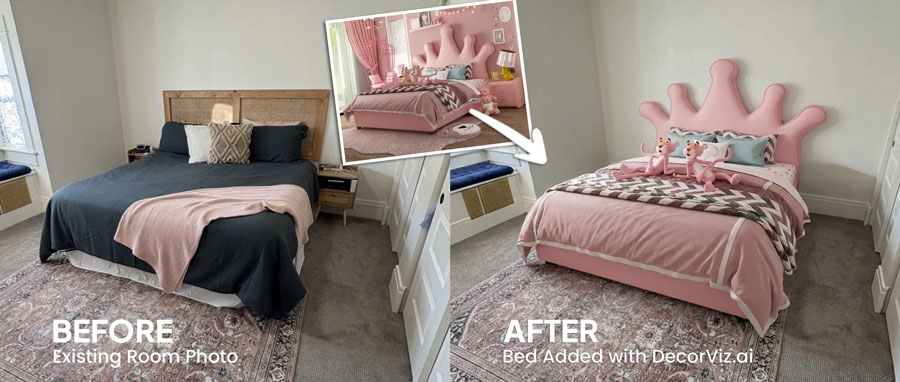
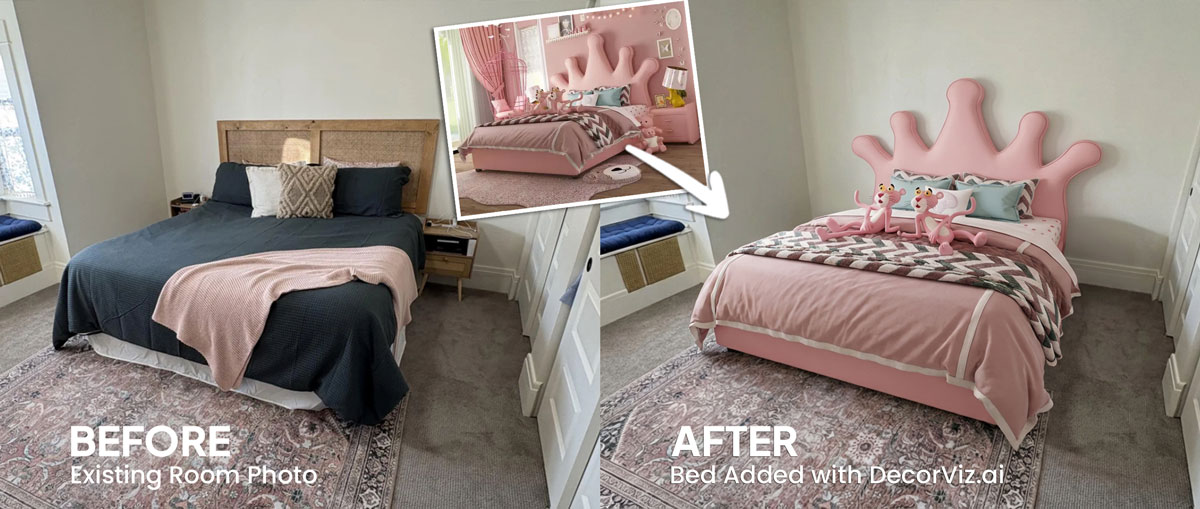
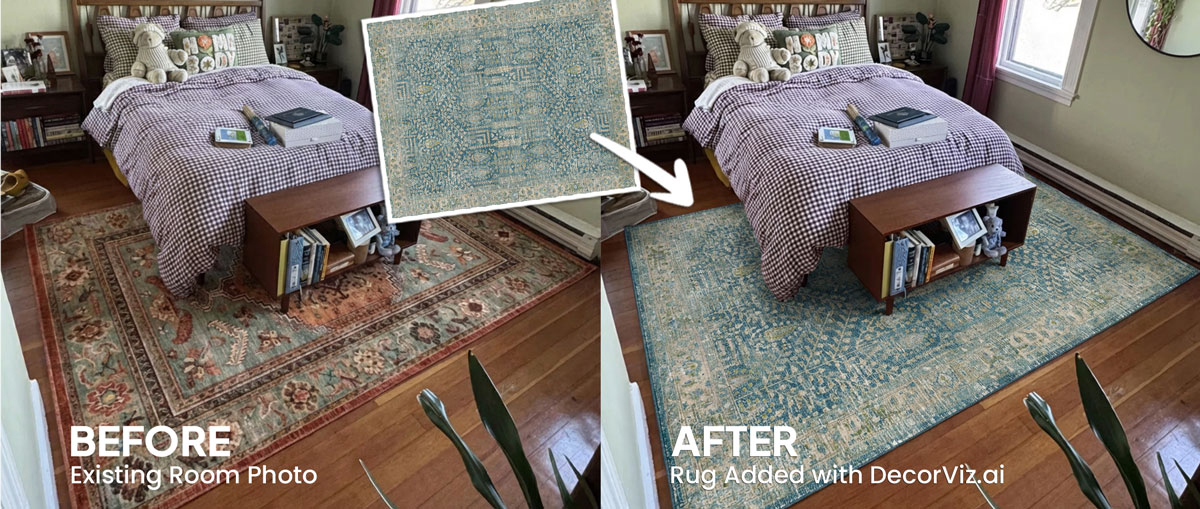
See the curtain color beside your bedding and walls
A curtain that reads as soft white in a product photo can appear cool or creamy beside your specific wall color and bedding palette. Preview the actual product in your actual bedroom.
Upload a photo of your bedroom and any curtain product image. Preview the curtains against your windows, bed frame, bedding, and walls before ordering.
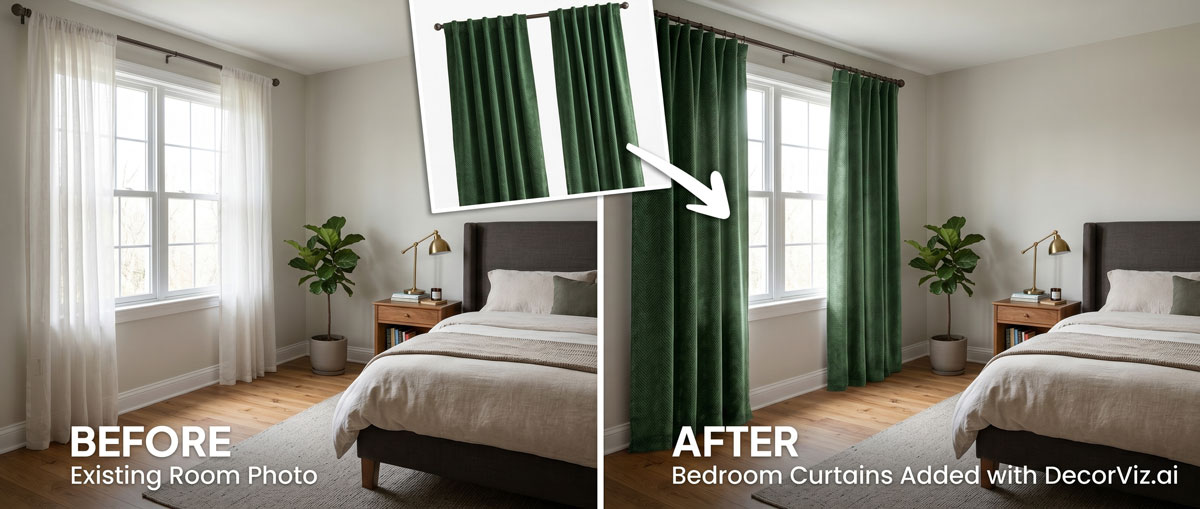
Use the same bedroom photo to compare curtain colors, fabrics, and lengths with your actual walls, bed frame, and bedding.
A bedroom curtain visualizer places a specific curtain product into your actual bedroom photo. Instead of guessing how the color, weight, and length will look beside your bed and bedding, you see the curtains in context with your walls, flooring, and existing bedroom palette.
DecorViz works from a room photo and a product image. It does not require an AR room scan, a 3D model, or a retailer-specific catalog.
This page focuses on curtain visualization in a bedroom setting, covering how curtains interact with the bed, bedding, and overall palette. For the general curtain guide covering any room type, visit the Complete Curtain Visualizer.
Bedroom curtains do two jobs: they affect the room's visual palette and they control how much light enters. The right preview shows both in the context of your actual bedroom.
A curtain that reads as soft white in a product photo can appear cool or creamy beside your specific wall color and bedding palette. Preview the actual product in your actual bedroom.
A heavy blackout panel reads very differently from a sheer linen. Previewing both options in the same bedroom photo shows how each one changes the room's atmosphere before you commit.
Floor-length curtains in a bedroom create a calm, finished look. Preview the actual length against your specific window, ceiling height, and bed placement before ordering.
Bedroom curtain decisions usually involve replacing existing panels, adding curtains to a bare window, or deciding between blackout and sheer options.
Keep the current curtains visible in the photo and preview the replacement panels in the same window to judge the change before committing.
"My curtains feel too heavy and dark. I want to see how a lighter linen reads beside my bed."
Start with a photo showing the bare window and the rest of the bedroom. Preview how adding curtains changes the warmth and visual completeness of the space.
"The bedroom feels unfinished without window treatments. I want to see how curtains change it."
Use the same bedroom photo with each curtain product so both options are judged from the same viewpoint, against the same bedding, walls, and bed frame.
"Do I go with blackout panels or a layered sheer and blackout combination for this window?"
Bedroom curtains affect sleep quality, privacy, and the room's overall mood. Anyone selecting panels that need to work with an existing palette and a specific window placement uses a visualizer to reduce uncertainty before ordering.
You have a specific bed frame, bedding palette, and wall color in place. Curtains need to complement the room you have, not the staged setting in a product photo.
You are specifying window treatments for a client's bedroom and need to show how the actual fabric and color read in the space before ordering or presenting swatches.
Bedroom curtains set the mood in listing photography. Confirm the color and fabric work at the listing camera angle before sourcing or renting the panels for a shoot.
Use the generated view as a visual decision aid, then confirm the retailer's dimensions and product details before ordering.
Check whether the curtain tone complements or fights the bedding palette, wall color, and flooring visible in the photo.
See whether floor-length panels create a calm, finished look in your specific bedroom or whether a shorter treatment suits the window better given the bed placement.
Compare a heavy blackout panel against a lightweight sheer to judge how each one affects the bedroom's sense of warmth, calm, and openness.
See how a linen, velvet, or cotton panel reads beside your specific bedding texture and the other fabrics visible in the bedroom photo.
Each approach answers a different question. Use the one that matches what you actually need to decide.
| Approach | Shows curtains with your bed frame, bedding, and walls | Works with any curtain retailer | Requires room scan or 3D model | Free to use |
|---|---|---|---|---|
| DecorViz (AI preview) | Yes, uses your actual bedroom photo | Yes, any product image from any store | No, photo upload only | Free to start |
| Fabric swatches | Partial, small sample held up in the room | Varies, some retailers offer swatches | No scan needed | Varies, often free or low cost |
| AR apps | Yes, through phone camera | No, limited to the retailer's catalog | Usually uses camera tracking and retailer-provided 3D assets | Varies by app |
| Product photo only | No, isolated background | Yes, any product page | No | Yes |
A fabric swatch shows you drape, texture, and true color under your specific light. DecorViz shows you the curtain in the full bedroom context. Use both when the purchase is significant.
Product photos isolate the curtain panel. These bedroom problems only become clear when the curtain is considered in the context of the actual space.
A curtain that reads as warm ivory in a product photo can appear yellow or orange beside a cool-white duvet. Product photos never show this relationship.
A thick blackout curtain that looks sophisticated in a product photo can make a smaller bedroom feel closed in and dark once it covers the window.
Curtains that puddle on the floor or stop short above it can disrupt the calm, finished look most bedrooms need. Preview the length against your specific window and ceiling height.
A bold curtain pattern placed beside a patterned duvet cover creates visual noise that neither product photo shows in isolation.
A curtain can look beautiful as a product while introducing a color that destabilizes the restful, cohesive feeling the bedroom currently has.
Use DecorViz to make a better visual comparison, then verify the physical and product details before ordering.
Use the preview to narrow the visual decision. Use measurements and product details to confirm the purchase.
The same room photo becomes a consistent place to compare different curtain choices.
Product photography shows you the curtain fabric and color, but it cannot show how the panels will look beside your specific bed, bedding, and wall color.
Use the real bedroom photo to judge the curtains with your actual walls, bed frame, and bedding already in the frame.
Keep the room consistent while testing different curtain colors, weights, or lengths.
Use DecorViz in a browser or the Android app. No AR room scan or 3D product model is required.

Use a photo showing the window, the wall around it, the bed, and as much of the surrounding room as possible.
Upload a clear product image of the curtains you are considering from any retailer.

See the curtains in your bedroom. Swap between colors, fabrics, or lengths using the same room photo.
Curtains work as part of the whole bedroom arrangement. Preview the connected pieces separately when planning multiple changes.
Preview any bedroom furniture or textile from the same room photo.
Preview the bed frame that will sit in front of your curtained window.
Test the rug that needs to work with the curtain color and the overall bedroom palette.
"I was torn between two furniture options. Seeing them in my room with DecorViz made the decision obvious."
"The preview helped me check color and style with my floors and walls before ordering."
"I could show my partner a side-by-side view and we agreed in minutes."
Upload your bedroom photo. Add the curtain product image. Compare before ordering.
Try DecorViz - it is free to startWorks with curtain images from any store. No AR scan required.
Yes. Use a bedroom photo that shows the window wall and as much of the bed, bedding, and surrounding furniture as possible. DecorViz places the curtain product into that context so you can judge how the color and pattern relate to the rest of the bedroom.
Blackout curtains are designed for stronger light control, while sheer curtains admit diffused daylight. Many bedrooms use both layers. Use the preview to compare their visual weight and color, then confirm blackout performance and privacy from the retailer's specifications.
Yes. Reuse the same bedroom photo with each curtain product image. Comparing different colors from the same viewpoint shows how each one relates to your wall color, bedding, flooring, and bed frame.
Yes. Upload a product image of the curtain and a bedroom photo that clearly shows the bedding. The preview shows how the curtain color and pattern relate to the bedding, walls, and other visible elements.
Use a photo that captures both the window and the bed in the same frame. This shows how the curtain panel relates to the headboard, bedding, and side of the bed, which is the most useful viewpoint for this window placement.
Yes. DecorViz works with any product image from any store. Save or screenshot the curtain product image from the retailer page and upload it alongside your bedroom photo.