Stop Losing Sales to "I'm Not Sure"
Your shoppers want to buy. They just need to see it in their own room first.
What is DecorViz Storefront?
DecorViz Storefront lets your customers upload a photo of their room and see your product placed inside it realistically. Instead of guessing from studio photos, they see how it actually looks in their own space.
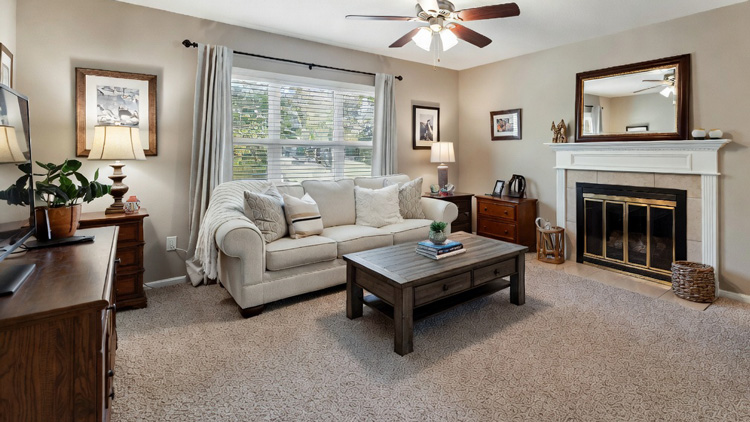
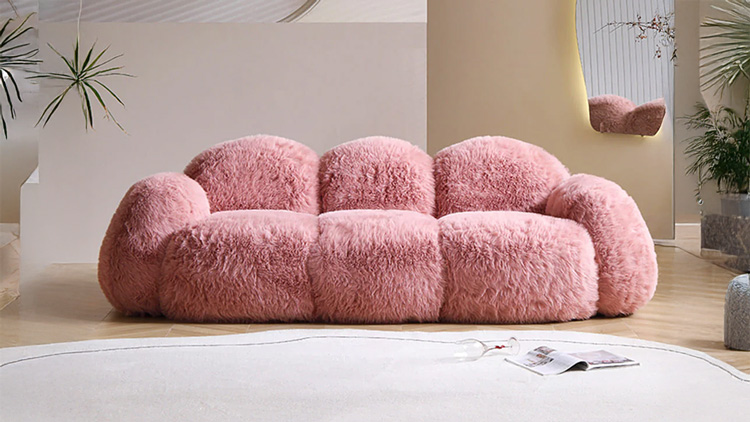
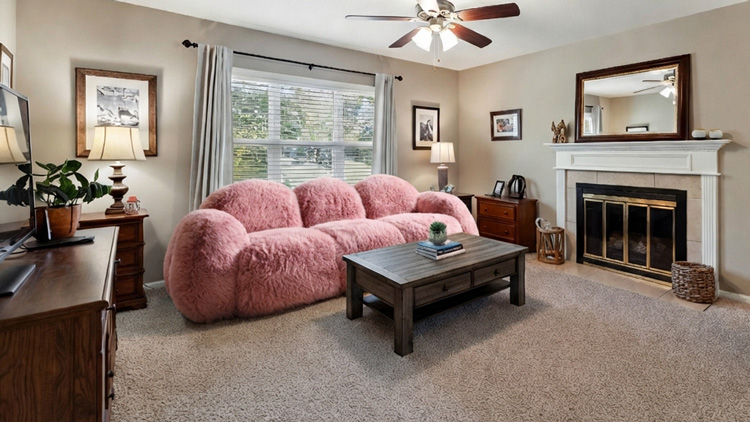
✓ No 3D models. ✓ No app. ✓ No complex setup.
Turn Hesitation Into Visual Confirmation
Shoppers instantly see how your product looks in their own space, directly from your store.
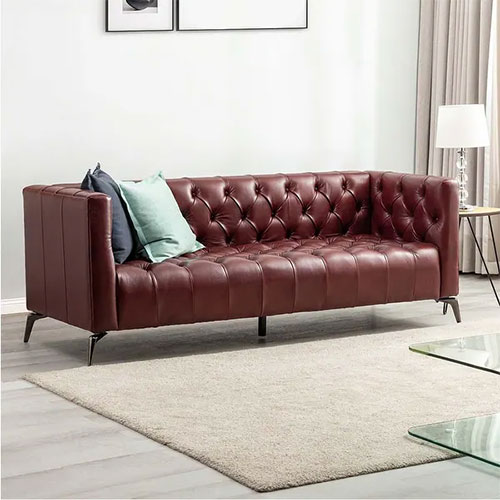
Modern Velvet Sofa - Forest Green
Premium velvet upholstery with solid wood frame. Available in 4 colors. Free delivery.
This is where “I’m not sure” becomes “Add to Cart.”
What Your Customers Actually See
This is what your customers see when they click "See in Your Room" on your product page.
The Real Cost of "I'm Not Sure"
Your product photos look great. But shoppers still cannot tell if that sofa, rug, or bed will work in their room. That uncertainty costs you real money every single day.
Cart abandonment
Shoppers add furniture to cart, then leave because they cannot visualize it in their space. The bigger the price tag, the bigger the doubt.
Expensive returns
Furniture returns cost $50-$200 per item in shipping, restocking, and lost margin. Most happen because "it looked different than I expected."
Slow decision cycles
Customers browse for weeks, visit competitors, ask friends. Every extra day is a chance to lose the sale to someone else.
If It Prevents Just a Few Returns, It Pays for Itself
Even a small reduction in mismatch-driven returns covers the cost. Everything else is upside.
Ready to see it on your store?
What Changes for Your Business
Storefront shifts the purchase dynamic on your product pages. Shoppers stop guessing and start buying.
More "Add to Cart" clicks
When shoppers see a product in their own room, the item shifts from hypothetical to real. That shift moves browsers toward buyers.
Fewer costly returns
The #1 reason furniture gets returned: "it looked different than expected." A realistic room preview addresses this before checkout happens.
Faster buying decisions
Customers stop browsing for weeks. They see the product in their room, confirm the match, and buy. Days of hesitation become minutes of certainty.
Competitive edge
Most furniture stores show flat catalog photos. A "See in Your Room" button gives your product pages a practical advantage competitors do not have.
Zero friction for shoppers
Shoppers use it directly from your product page. No app download, no DecorViz account, no extra steps. It feels native to your store.
Works across your whole catalog
One script covers every product page. Sofas, beds, tables, rugs, chairs, shelving, lighting, decor. No per-product setup needed.
Works with Every Furniture Category
If customers benefit from seeing it in their room before buying, Storefront helps. It works with your existing product photos. No 3D models needed.
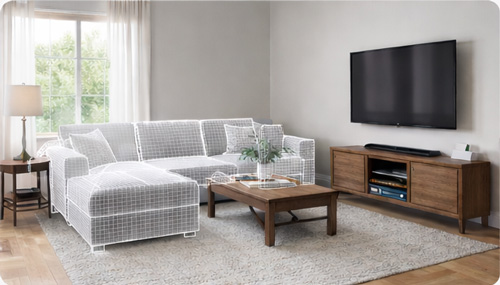
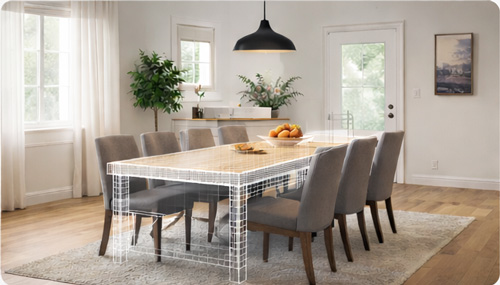
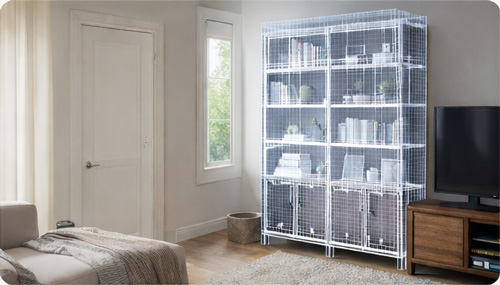
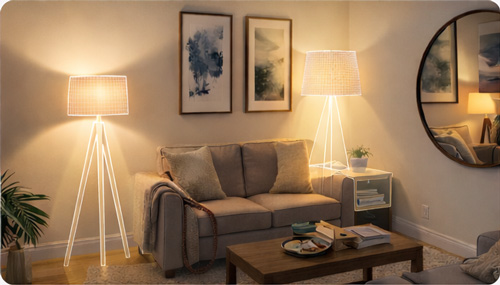
What Store Owners Are Saying
Furniture retailers using DecorViz Storefront on their Shopify product pages.
"We had a customer who was going back and forth on a $2,400 sectional for two weeks. She used See in Your Room, saw it matched her living room perfectly, and ordered within the hour."
"Returns dropped noticeably in the first month. The ones that did come back were damage-related, not 'it looked different.' That shift alone justified the cost."
"I was skeptical about another product page widget. But this one actually changes shopper behavior. People engage with it and then they buy. It is not a gimmick."
Storefront FAQ
Common questions from furniture store owners evaluating DecorViz Storefront for their Shopify stores.
No. Shoppers use the room preview directly from your product page without any DecorViz registration. They never create an account and never interact with DecorViz branding. The experience feels like a native feature of your store.
No. Your customers never pay DecorViz. The visualization is powered by your merchant account. Shoppers simply click the button, upload a room photo, and get their preview at no cost to them.
It helps reduce mismatch-driven returns specifically. The #1 reason for furniture returns is "it looked different than expected." When customers see a photorealistic preview of the product in their actual room before buying, the gap between expectation and delivery narrows. That gap is what causes most furniture returns.
Yes. The current Storefront integration is built specifically for Shopify. You add one script to your theme, and the See in Your Room button automatically appears on product pages. The full setup process is documented in the Storefront Integration Guide.
AR requires real-time camera scanning, 3D models for each product, and often a dedicated app. DecorViz Storefront works with the standard product photos you already have. Customers upload a room photo and the AI generates a photorealistic preview. No scanning, no 3D assets, no app downloads. The result is a realistic room-context image, not a floating 3D object.
Any furniture or home decor with a clear product photo: sofas, tables, chairs, rugs, beds, lamps, shelving, TV stands, wall art, coffee tables, dining sets, and more. If customers would benefit from seeing it in their room before buying, Storefront helps close that sale.
Yes. The AI analyzes the customer's room photo and adapts the preview to match their lighting conditions, whether bright, dim, warm, or cool. This produces a realistic result that looks natural in their actual space, not a copy-paste cutout.
No. The integration script is lightweight and loads asynchronously. It adds the Storefront button without affecting your existing page load speed or Shopify theme performance.
Most store owners complete setup in a single session, typically under 5 minutes. Enable Storefront in your DecorViz dashboard, set your domain, paste one script into your Shopify theme, and verify on a live product page. The full process is covered in the setup guide.
Storefront is available on the Ultra plan, which includes 120 previews per month, best quality output, fastest processing, priority support with 24-hour response, and API access. Each preview uses one credit from your monthly allocation. You can view pricing details on the main page.
No. Storefront automatically detects the product image on the current product page. When a shopper clicks "See in Your Room," the system uses the product photo already displayed on that page. No manual upload or product-by-product configuration required.
Every Hesitant Shopper Is a Lost Sale. Fix That in 5 Minutes.
Your shoppers are already on the product page. Give them the confidence to click "Add to Cart."
5-minute setup · Shopify-ready · No customer signup needed