Connect the sofa and coffee table
See whether the rug visually anchors the main furniture or leaves the seating area feeling disconnected.

Upload a photo of your living room and any rug product image. Preview the rug beneath your sofa and coffee table, compare patterns, or swap the rug already in the room before ordering.
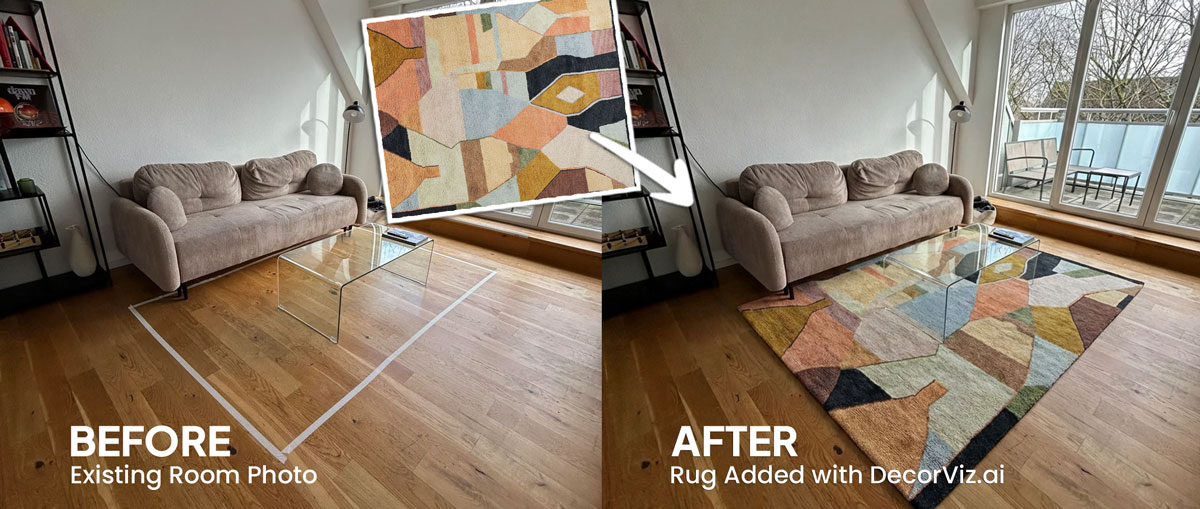
Use one living room photo to compare rugs with the sofa, coffee table, flooring, and seating arrangement that already define the space.
A living room rug visualizer places a specific rug product into your actual living room photo. It helps you judge how the rug connects the sofa, coffee table, accent chairs, flooring, and surrounding decor instead of viewing the product against an isolated catalog background.
DecorViz works from a living room photo and a clear rug product image. It can add or replace a rug in the target area without requiring an AR scan, a 3D model, or a retailer-specific catalog.
This page focuses on rug visualization in a living room, specifically beneath the sofa and coffee table. For the general rug guide covering any room type, visit the Complete Rug Visualizer.
A living room rug is not only a floor covering. It visually connects the seating arrangement, introduces pattern and color, and can make the room feel more unified or more divided.
See whether the rug visually anchors the main furniture or leaves the seating area feeling disconnected.
Judge a bold, vintage, geometric, or neutral rug beside the upholstery, cushions, curtains, artwork, and decor already in the room.
Replace only the rug in the photo so you can evaluate the planned purchase while the surrounding living room stays recognizable.
Living room rug decisions usually involve replacing the current rug, grounding an unfinished seating area, or comparing shortlisted patterns with the same furniture.
Keep the current rug visible in the living room photo and use a new product image to preview the replacement beneath the existing furniture.
"I want to replace this neutral rug with a patterned rug without changing the sofa or coffee table."
Preview a rug in a seating area that feels visually disconnected and see how it relates to the sofa, chairs, coffee table, and flooring.
"Which rug makes the sofa and accent chairs feel like one seating area?"
Reuse the same living room photo with each shortlisted rug so color, pattern, and visual weight are compared against identical surroundings.
"Does the geometric rug or the vintage-style rug work better with my sofa?"
A rug is one of the hardest living room purchases to judge online. Pattern, scale, and color all change dramatically once the rug is beneath the furniture in a real room.
You have a specific sofa, flooring, and furniture arrangement. You want to see whether a pattern or color works with what is already in the room before ordering a rug that is difficult to return.
You are selecting a rug for a client's living room and need to show how specific products relate to the sofa, flooring, and color palette before presenting samples or placing an order.
A rug anchors the seating area in listing photos. You need to confirm the pattern, size, and color work with the existing furniture before sourcing or renting the rug for the shoot.
Use the generated preview to compare the visual relationship between the rug and the room, then confirm the retailer's dimensions, material, pile, and care details separately.
Check whether the rug helps the sofa, coffee table, and accent chairs read as one intentional arrangement.
Compare whether the rug pattern feels calm, busy, subtle, or visually dominant beside the room's existing furniture and decor.
See how the rug colors relate to the sofa upholstery, flooring, walls, curtains, cushions, and nearby wood or metal finishes.
In an open-plan room, review whether the rug clearly defines the living area without competing with the dining or kitchen zone.
Each method answers a different question. Pattern and color at room scale is where a visualizer has the clearest advantage over a small sample or a product photo.
| Method | Shows rug beneath your sofa and coffee table | Shows color against your flooring and furniture | Works before purchase | Free to use |
|---|---|---|---|---|
| DecorViz (AI preview) | Yes, in your actual room photo | Yes, against your flooring and furniture | Yes, any product image from any retailer | Free to start |
| Physical swatch or sample | No, small sample only | Yes, in your actual room | Sometimes, depends on retailer sample program | Often free, but delayed by shipping |
| AR apps | Sometimes, depends on retailer support | Yes, through phone camera | Limited, requires retailer's AR catalog | Varies by retailer |
| Product photo only | No, isolated on catalog background | No, not your flooring | Yes, always available | Yes |
Use a physical swatch to confirm pile height, softness, and texture. Use the preview to confirm the pattern's scale and the color's relationship to the rest of the room.
A rug can look balanced in a product photo but create a very different effect once it sits beneath the furniture and beside the flooring in your living room.
A rug that does not visually relate to the sofa, coffee table, and chairs can make each piece feel isolated rather than arranged together.
A strong rug pattern may fight with patterned cushions, curtains, artwork, or upholstery when all of them appear in the same view.
A rug that is too similar to the floor can lose its visual role, while a very strong contrast may dominate more than expected.
Warm, cool, muted, and saturated colors can shift how the sofa and surrounding furniture feel once the rug covers a large part of the floor.
In an open-plan space, the rug may fail to separate the seating area visually or may compete with the neighboring dining area.
Use DecorViz to make a better visual comparison, then verify the physical and product details before ordering.
Use the preview to compare the rug's visual role in the room. Use measurements and product details to confirm the purchase.
Keep the living room unchanged while comparing how different rug products alter the seating area.
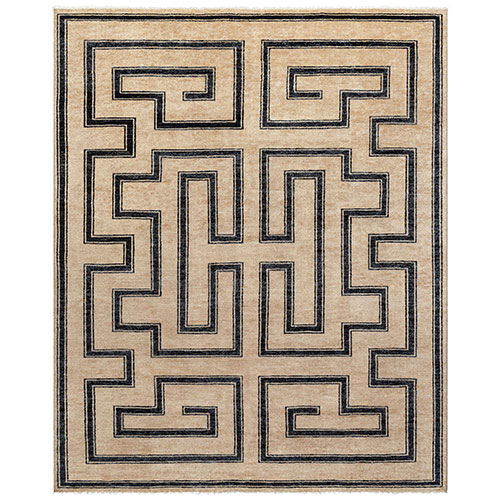
An online product image shows the rug itself but not how its pattern and colors relate to your living room.
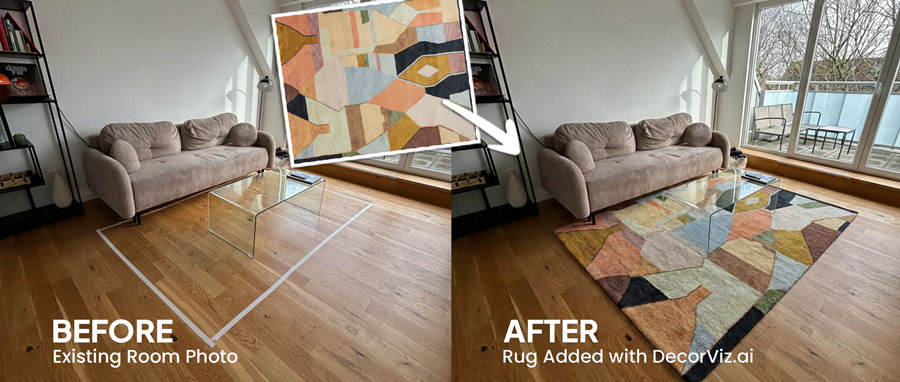
Preview the rug with the sofa, coffee table, flooring, and light already present in the room.
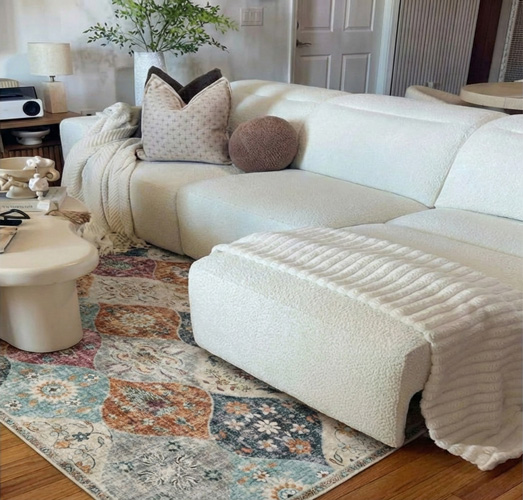
Keep the furniture consistent while comparing how rug patterns and colors change the seating area.
Use DecorViz in a browser or the Android app. No AR room scan or 3D product model is required.

Use a photo showing the full floor area beneath the sofa and coffee table where the rug will sit, including the walls and flooring visible around it.
Upload a clear image of the exact rug you are considering from any retailer.
See the rug beneath the furniture. Swap in a different size or pattern, or replace the existing rug entirely, using the same living room photo.
A rug works as part of the seating arrangement. Preview the nearby furniture separately when you are changing more than one product.
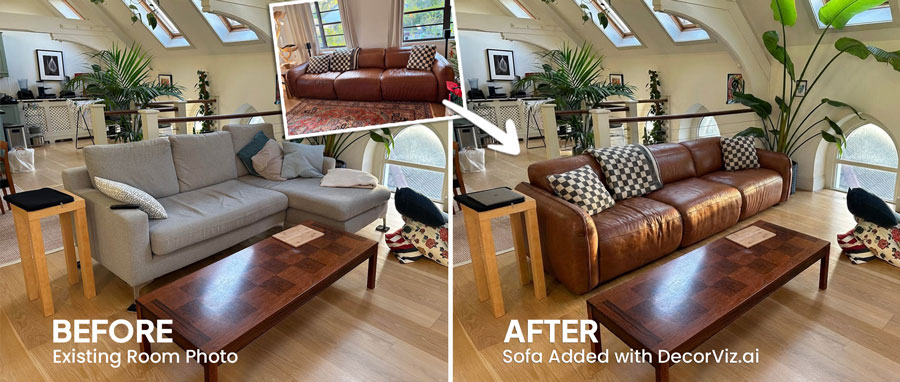
Compare the sofa that will sit with the rug.
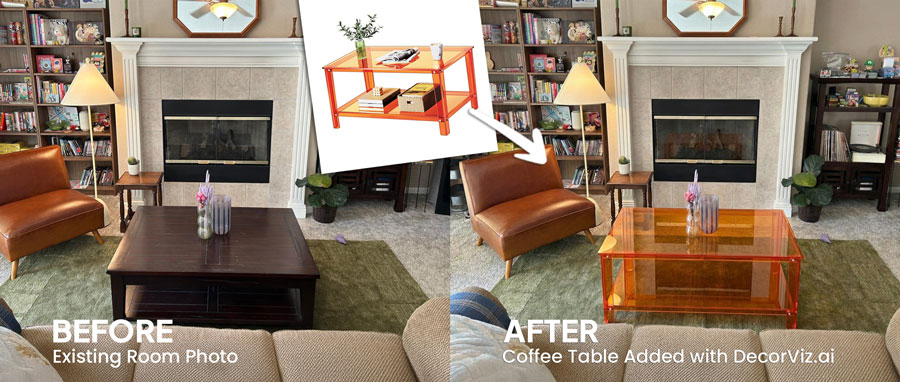
Preview the table positioned at the center of the rug and seating area.
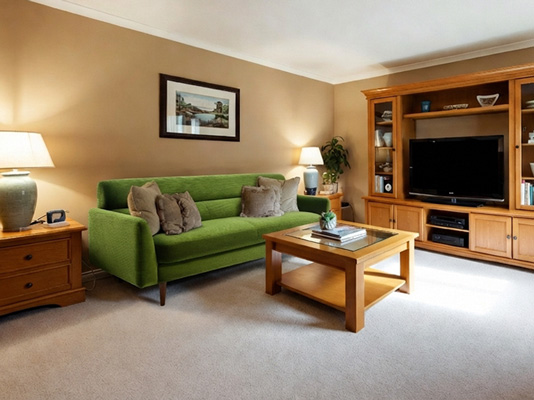
Preview any living room furniture piece from the same room photo.
"I was torn between two furniture options. Seeing them in my room with DecorViz made the decision obvious."
"The preview helped me check color and style with my floors and walls before ordering."
"I could show my partner a side-by-side view and we agreed in minutes."
Upload your living room. Add the rug product. Compare the result before ordering.
Try DecorViz - it is free to startWorks with clear rug images from almost any furniture store.
Yes. Find product images of each rug in that size and use the same living room photo for both. The preview shows the relative visual footprint each rug creates beneath the sofa and coffee table. A larger rug typically grounds the entire seating arrangement, while a smaller one can leave furniture legs floating off the edge. Confirm the actual dimensions against your measured room before ordering.
Yes. Reuse the same living room photo for every rug product image. This gives you a consistent view for comparing pattern, color, visual weight, and the rug's relationship to the seating arrangement.
Yes. Use a clear living room photo that shows the sofa, coffee table, flooring, and intended rug area. DecorViz previews the selected rug in that room context.
No. The preview helps you compare visual balance and placement, but it does not guarantee physical measurements. Confirm the rug dimensions against your measured seating area before ordering.
Yes. Include the surrounding dining, kitchen, or circulation areas in the photo. The preview can help you judge whether the rug visually defines the living zone without competing with adjacent spaces.
Warm neutrals, warm whites, and low-saturation earth tones tend to bridge light wood flooring and grey upholstery without competing with either. A cooler grey rug can disappear against the sofa; a very warm or saturated color can overwhelm the light flooring. Upload your specific room photo and rug product images to compare directly in context, since the actual relationship depends on your specific shades and lighting.
Yes. Use the same room photo and a product image of the larger rug. The preview shows the change in visual coverage and how it affects the seating area's cohesion. The front-legs-only versus all-four-legs decision is one of the most common rug placement choices and the visual difference is easier to judge in a preview than to imagine from a product photo alone.