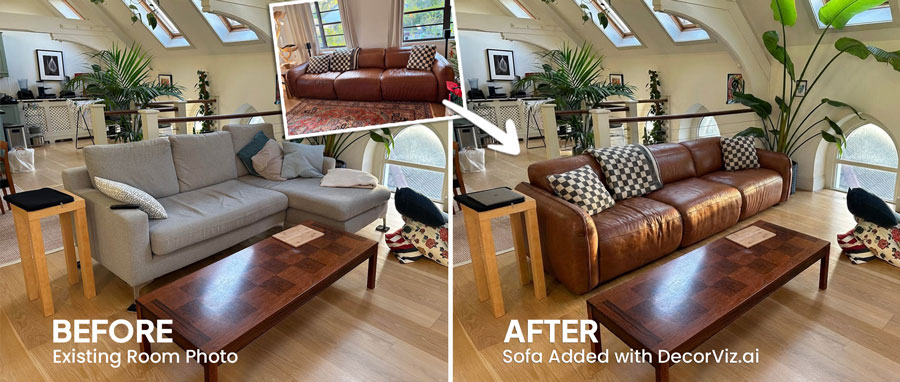
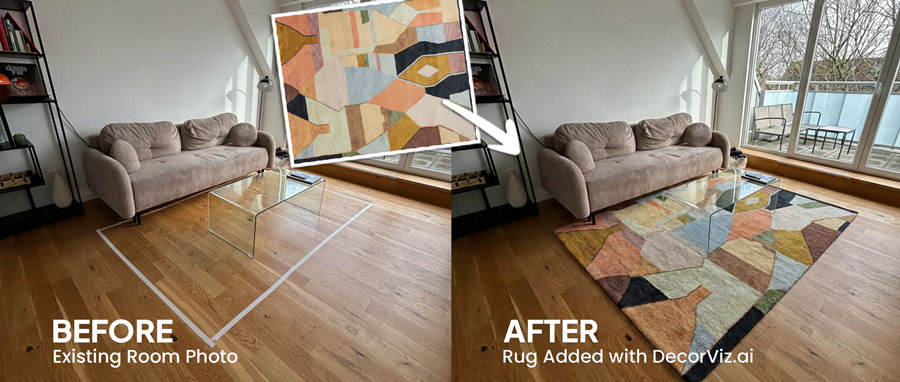
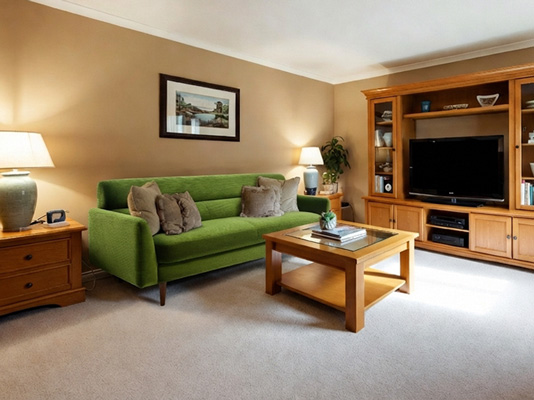
Balance the center of the seating area
See whether the coffee table visually connects the sofa and chairs or makes the arrangement feel too empty or too crowded.

Upload a photo of your living room and any coffee table product image. Preview it between your sofa and chairs, compare shapes and finishes, or swap the table already in the room.
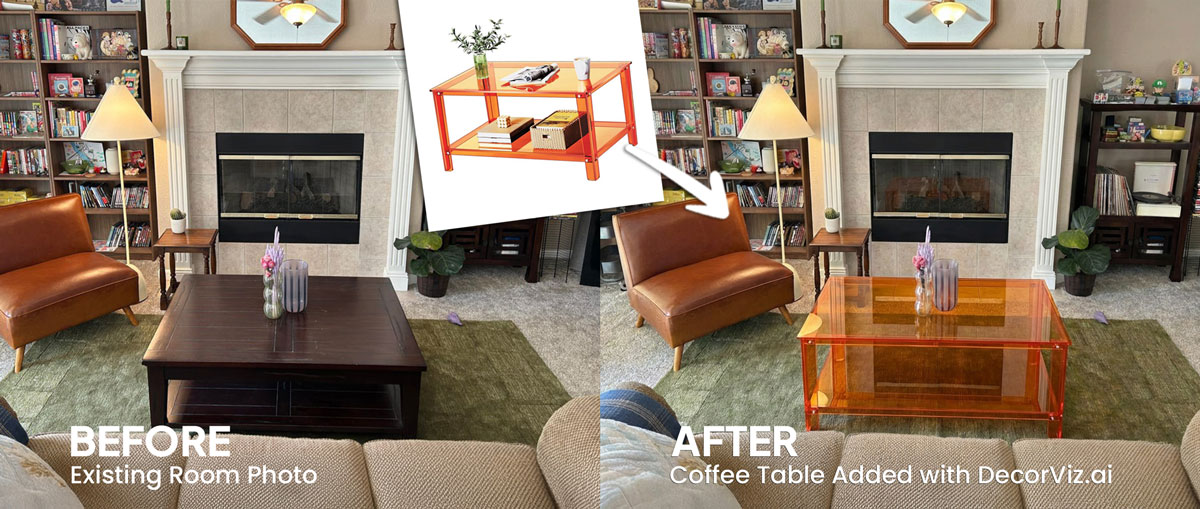
Use one living room photo to compare coffee tables with the sofa, rug, chairs, fireplace, and furniture already surrounding the seating area.
A living room coffee table visualizer places a specific coffee table product into your actual living room photo. It helps you judge how the table relates to the sofa, rug, accent chairs, fireplace, TV area, and circulation space instead of viewing the product alone.
DecorViz works from a living room photo and a clear coffee table product image. It can add or replace the table in the target area without requiring an AR scan, a 3D model, or a retailer-specific catalog.
This page focuses on coffee table visualization in a living room, positioned between the sofa, chairs, and rug. For the general coffee table guide covering any room type, visit the Complete Coffee Table Visualizer.
A coffee table sits at the visual center of the seating area. Its shape, finish, and visual weight can connect the room or make the arrangement feel crowded, empty, or unbalanced.
See whether the coffee table visually connects the sofa and chairs or makes the arrangement feel too empty or too crowded.
Judge how round, oval, square, rectangular, and irregular table shapes work with the surrounding furniture and rug.
Replace only the current coffee table so the preview reflects the specific purchase you are considering.
Living room coffee table decisions usually involve replacing the current table, completing an unfinished seating area, or comparing different shapes and finishes.
Keep the existing table visible in the living room photo and preview a new product in its place without redesigning the surrounding room.
"I want to replace this dark wood table with a lighter table while keeping the sofa and rug."
Add a coffee table to the open area between the sofa and chairs to judge how it visually connects the arrangement.
"Which coffee table makes this sofa and chair arrangement feel complete?"
Reuse the same living room photo to compare how different table shapes relate to the sofa, rug, and available floor area.
"Does a round coffee table or a rectangular table work better with this sectional?"
The coffee table sits at the visual center of the living room. Anyone making a change to that space uses a visualizer to reduce the risk of a visible mistake.
You have a specific sofa, rug, and existing furniture. You want to see whether a round, oval, or rectangular table works with what is already in the room before spending on something you cannot easily return.
You are selecting a coffee table for a client's living room and need to show how specific products relate to the sofa, rug, and overall arrangement before purchasing or presenting samples.
A coffee table defines the seating area in listing photography. You need to confirm the table's shape and visual weight work with the existing furniture before sourcing or renting the piece for the shoot.
Use the preview to compare the table's visual relationship with the room, then confirm the retailer's dimensions, height, materials, and clearance requirements separately.
Check whether the table feels too heavy, too delicate, or balanced beside the sofa, chairs, rug, and nearby storage.
Compare whether the table shape complements or conflicts with the sofa configuration, rug outline, and seating arrangement.
See how wood, glass, metal, stone, color, and surface details relate to the flooring and furniture already in the room.
Review whether the table appears visually centered and leaves the seating area feeling open, while confirming physical clearance separately.
Shape affects how the table relates to the sofa, how it circulates the seating area, and how it reads visually from across the room. Use the preview to test the specific shape before ordering.
| Shape | Works best with | Visual weight | Seating area feel |
|---|---|---|---|
| Round | Sectional sofas, square rooms, tight seating arrangements | Lighter, with no sharp corners competing with surrounding furniture | Open, conversational, easier to circulate around |
| Rectangular | Standard three-seat sofas, long or narrow rooms | Grounding, provides a clear horizontal anchor for the sofa | Structured, traditional, balances long sofa proportions |
| Oval | Sectionals, rooms where round feels too small and rectangular feels too rigid | Medium, softer than rectangular and more substantial than round | Relaxed, flows well with curved or low-profile sofas |
| Irregular or nesting | Eclectic rooms, small living areas where flexibility matters | Variable depending on material and surface area | Functional; use the preview to judge whether the shape reads as intentional |
Use one living room photo to test each shape. The visual result is more reliable than a floor plan estimate or a product photo comparison.
A coffee table can look proportionate in an isolated product photo but create a different visual effect once it sits between the sofa, chairs, and rug.
A bulky or dark table may dominate the center of the room once it appears beside lighter upholstery and an open arrangement.
A delicate table can disappear beside a large sectional, substantial chairs, or a broad rug even when it looks balanced online.
A rectangular, round, oval, or irregular table can change how connected and comfortable the arrangement appears.
Wood tones, glass, metal, stone, and strong colors can conflict with the flooring, rug, shelving, TV stand, or side tables.
The product may look attractive alone but make the space between the sofa and chairs appear visually cramped.
Use DecorViz to make a better visual comparison, then verify the physical and product details before ordering.
Use the preview to compare the table's visual role in the seating area. Use measurements and product details to confirm the purchase.
Keep the living room unchanged while comparing how different coffee tables alter the center of the seating area.
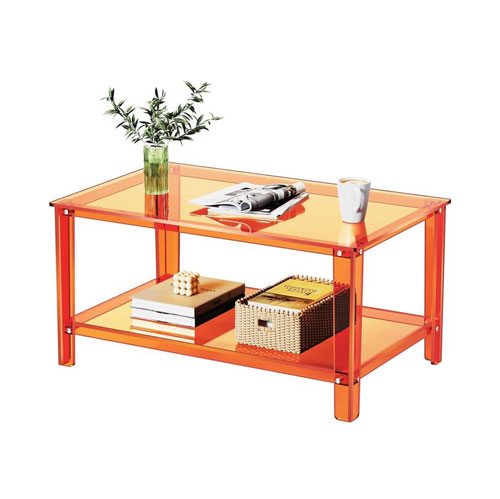
A product image shows the coffee table itself but not how its shape, finish, and visual weight relate to your living room.
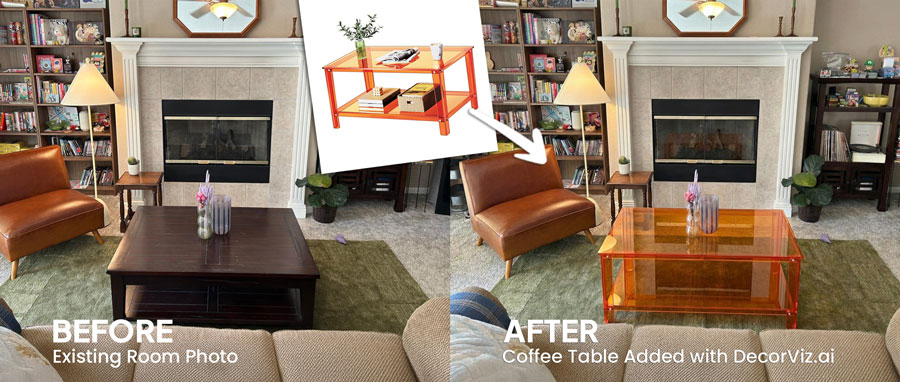
Preview a replacement table while the sofa, rug, chairs, fireplace, and surrounding furniture stay recognizable.
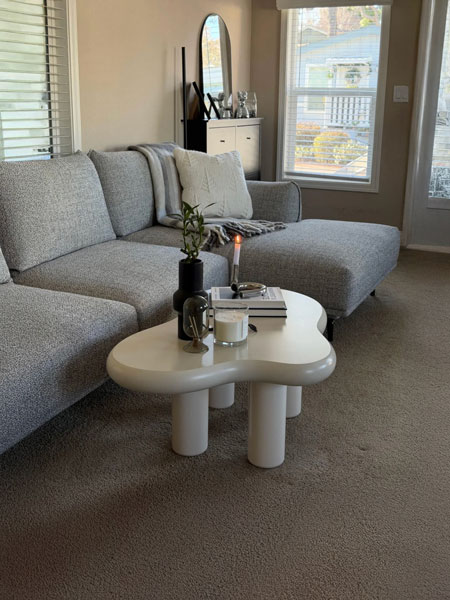
Keep the room consistent while comparing how different coffee table shapes and styles change the seating center.
Use DecorViz in a browser or the Android app. No AR room scan or 3D product model is required.

Use a photo showing the sofa, accent chairs, rug, and the open area between them where the table will sit.
Upload a clear image of the exact coffee table you are considering from any retailer.
See the table at the center of the seating arrangement. Swap between round, rectangular, and oval shapes, or replace the existing table, using the same room photo.
A coffee table works with the furniture around it. Preview the connected seating-area products separately when planning multiple changes.
Compare the sofa that defines the seating area around the table.
Preview the rug beneath the coffee table and surrounding furniture.
Preview any living room furniture piece from the same room photo.
"I was torn between two furniture options. Seeing them in my room with DecorViz made the decision obvious."
"The preview helped me check color and style with my floors and walls before ordering."
"I could show my partner a side-by-side view and we agreed in minutes."
Upload your living room. Add the coffee table product. Compare the result before ordering.
Try DecorViz - it is free to startWorks with clear coffee table images from almost any furniture store.
Round and oval tables generally work better with sectionals because they avoid sharp-corner conflicts with the curved or L-shaped configuration and allow easier circulation. Rectangular tables work well when the sectional is positioned in a way that needs a stronger horizontal anchor. Use the same living room photo to preview both shapes and compare the result directly.
Yes. Reuse the same living room photo with each coffee table product image. This creates a consistent view for comparing shape, finish, visual weight, and relationship to the seating arrangement.
Yes. Use a clear living room photo that shows the sofa, rug, chairs, and intended table area. DecorViz previews the selected coffee table in that room context.
No. The preview helps you compare visual balance and placement, but it does not guarantee physical clearance. Confirm the table dimensions against your measured seating area before ordering.
Yes. Upload the living room photo with the existing table visible, then upload a product image of the glass-top or lighter finish option. The preview shows how the material change affects the visual weight of the seating area relative to the sofa, rug, and surrounding furniture.
Yes, provided you have a clear product image. The preview helps you judge the table's visible shape and style in the room, while functional movement and clearance should be confirmed separately.
Yes. Upload the room photo with each product image separately. A nesting set will show a different visual weight and footprint compared to a single table. The preview helps you judge which approach feels more appropriate for the scale of your seating arrangement.