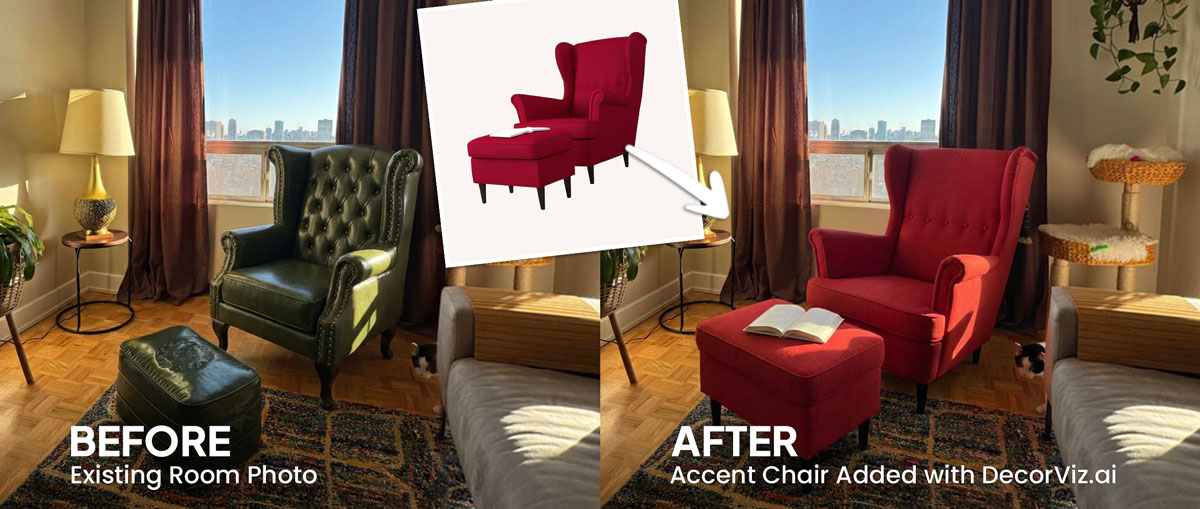
See the lamp beside the sofa and seating area
Judge the lamp's height and shade beside your sofa, accent chairs, and coffee table before committing to a style.
Upload a photo of your living room and any floor lamp or table lamp product image. Preview how it reads beside the sofa, coffee table, and the furniture already in the space before you order.
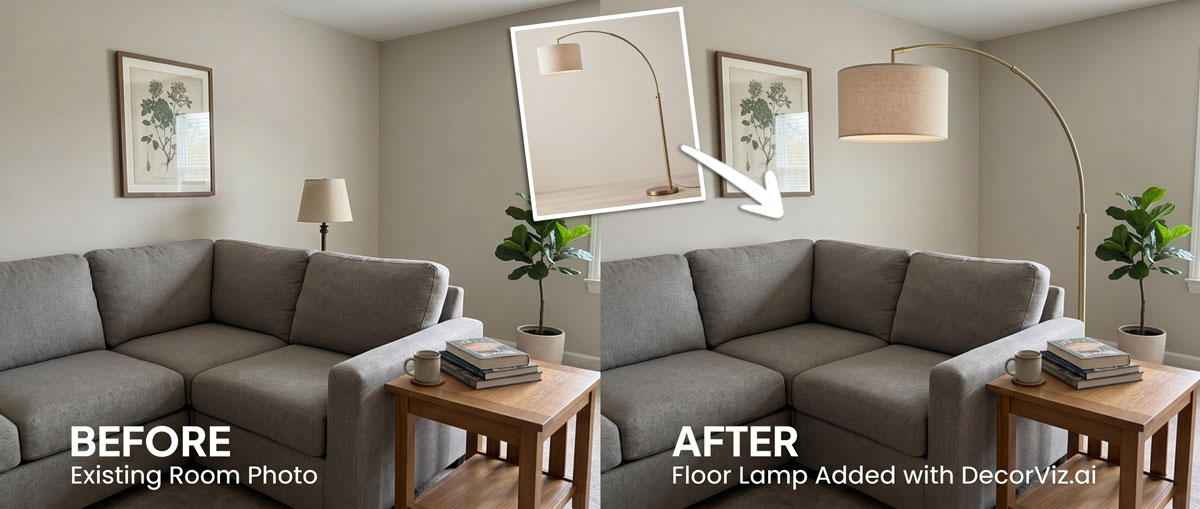
Use the same living room photo to preview a floor lamp, table lamp, or compare different lighting options before ordering.
A living room lamp visualizer places a specific floor lamp or table lamp product into your actual living room photo. Instead of judging the piece in a showroom setting, you can review it beside your sofa, coffee table, walls, and the furniture that will remain in the room.
DecorViz works from a room photo and a product image. It does not require an AR room scan, a 3D model, or a retailer-specific catalog.
This page focuses on lamp visualization in a living room, specifically how a floor lamp or table lamp reads beside the sofa, coffee table, and surrounding furniture. For the general lamp guide covering any room type, visit the Complete Lamp Visualizer.
Lighting is one of the few living room purchases where scale, shade color, and base material all affect how the room feels. Previewing the actual product beside your furniture helps you evaluate the full picture.
Judge the lamp's height and shade beside your sofa, accent chairs, and coffee table before committing to a style.
A warm linen shade reads differently against your walls than a white or dark shade. Preview the exact product in the living room context.
Preview the lamp in the specific corner or beside the specific surface where it will go, not in an unrelated showroom arrangement.
Living room lamp decisions usually involve filling a dark corner, pairing a lamp with a specific sofa, or comparing styles from different stores.
Use a photo that shows the corner and surrounding furniture, then preview different floor lamp options in that specific spot.
"I want to see a tall arc lamp in the corner behind my sofa."
Preview the lamp beside the sofa's upholstery color and the rug's pattern to judge whether the styles work together.
"Will a brushed brass floor lamp work with my grey sofa and patterned rug?"
Use the same living room photo with each shortlisted product so every option is judged from the same viewpoint.
"Which looks better in my living room, the linen shade or the drum shade?"
Lamps add atmosphere and a finishing layer to a living room. Anyone selecting one to complement an existing sofa arrangement uses a visualizer to judge fit before ordering.
You have a specific sofa arrangement, a corner that needs light, and a style you want to match. You want to see the product with your actual walls, flooring, and furniture before ordering.
You are specifying a floor lamp for a client's living room and need to show how the actual product relates to the sofa, rug, and existing furniture before ordering.
A floor lamp in the right corner can improve the atmosphere of a listing photo without overpowering the space. Preview before sourcing.
Use the generated view as a visual decision aid, then confirm the retailer's dimensions and product details before ordering.
Check whether the lamp's height feels balanced beside the sofa back, accent chairs, and nearby furniture.
Compare the shade color and base material with the room's walls, flooring, and upholstery tones.
Preview the lamp in the specific corner or beside the specific table where it will go, not in a generic arrangement.
See how the lamp's silhouette and material relate to the sofa style, coffee table, and other decorative elements in the room.
Each approach answers a different question. Use the one that matches what you actually need to decide.
| Approach | Shows lamp beside your sofa, rug, and walls | Works with any retailer | Requires room scan or 3D model | Free to use |
|---|---|---|---|---|
| DecorViz (AI preview) | Yes, uses your actual room photo | Yes, any product image from any store | No, photo upload only | Free to start |
| AR apps (e.g. IKEA Place) | Yes, through phone camera | No, limited to the retailer's catalog | Usually uses camera tracking, a compatible device, and retailer-provided 3D product assets | Varies by app |
| Showroom visit | No, staged room not your room | Limited to that showroom's stock | No scan needed | No, travel and time cost |
| Product photo only | No, isolated background | Yes, any product page | No | Yes |
A showroom visit helps you judge shade opacity and build quality. DecorViz helps you judge visual fit in your actual room. Use both when the purchase is significant.
Product photos isolate the lamp. These problems only become clear when the lamp is considered with the surrounding room.
A tall arc lamp or oversized shade can look proportional in a product photo but visually crowd a smaller living room corner.
A warm linen or patterned shade can clash with cool wall tones or a busy wallpaper, a problem that only appears in context.
A brushed gold base reads differently against the room's existing hardware, coffee table legs, and other metal elements.
A lamp must work visually with the sofa silhouette, coffee table, accent chairs, and other decor you are not replacing.
Lamp height affects the quality of task and ambient lighting. A shade positioned too high or too low relative to the sofa back is difficult to judge from a product page alone.
Use DecorViz to make a better visual comparison, then verify the physical and product details before ordering.
Use the preview to narrow the visual decision. Use measurements and product details to confirm the purchase.
The same room photo becomes a consistent place to compare different lamp choices.
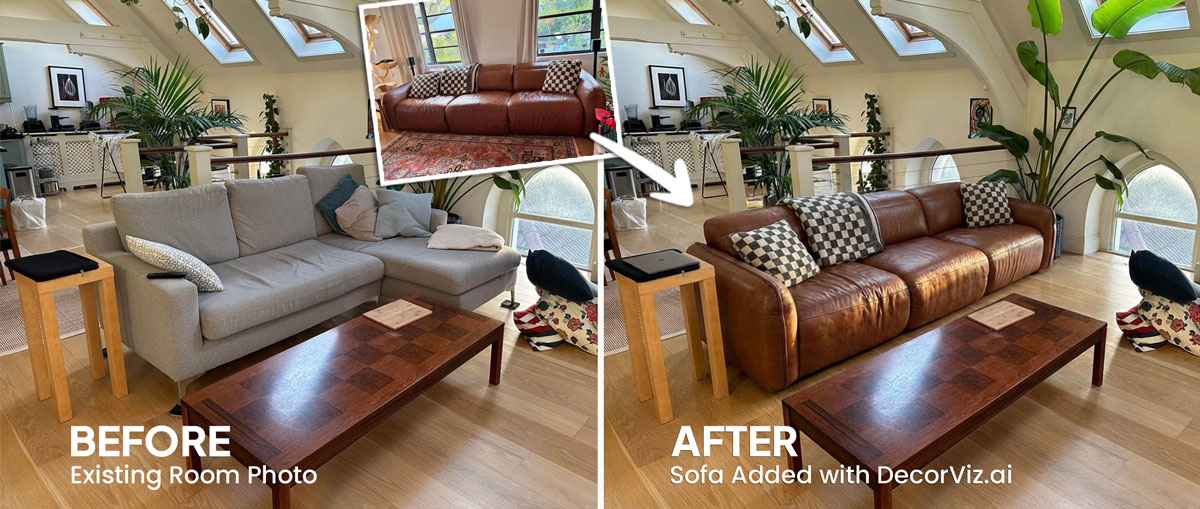
Product photography shows the lamp, but not how it relates to your sofa, walls, or the corner where it will stand.
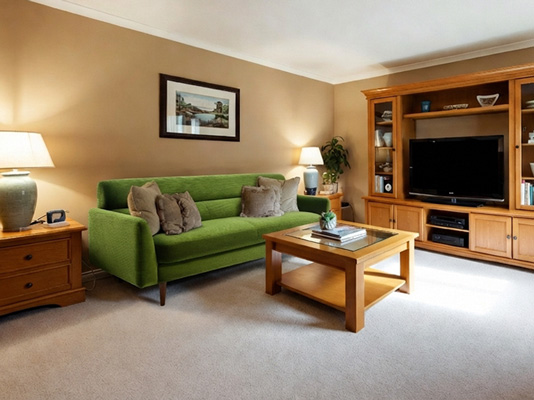
Use the real room photo to compare the lamp beside the sofa, walls, and furniture already in the space.
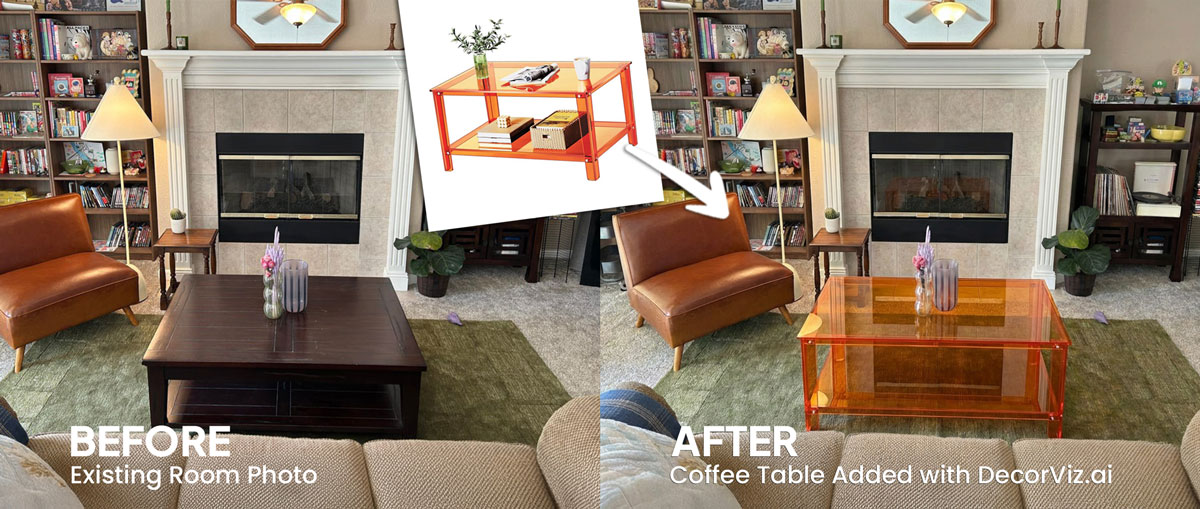
Keep the room consistent while testing different lamp styles, shade shapes, or base materials.
Use DecorViz in a browser or the Android app. No AR room scan or 3D product model is required.

Use a photo that shows the area where the lamp will go, including the sofa, coffee table, and surrounding furniture.
Upload a clear image of the floor lamp or table lamp from any retailer.
See the lamp in the living room. Compare a different style, shade shape, or base material using the same room photo.
A lamp decision often depends on the furniture around it. Preview the connected pieces separately when needed.
Preview any living room furniture piece from the same room photo.
Preview the sofa the lamp will sit beside.
Preview the accent chair that pairs with the lamp in the seating area.
"I was torn between two furniture options. Seeing them in my room with DecorViz made the decision obvious."
"The preview helped me check color and style with my floors and walls before ordering."
"I could show my partner a side-by-side view and we agreed in minutes."
Upload your living room photo. Add the lamp product. Compare the result before ordering.
Try DecorViz - it is free to startWorks with floor lamp and table lamp images from almost any store.
Yes. Use a living room photo that clearly shows the sofa, coffee table, and the area where the lamp will stand. DecorViz places the selected lamp in that context so you can judge how the product looks beside the furniture already in the room.
Yes. Reuse the same living room photo with the floor lamp product image and then with the table lamp product image. Comparing both from the same viewpoint helps you judge which option works better in your specific corner or seating area.
Yes. The preview places the product into your actual room photo, so your wall color and existing furniture tones are all visible in the result. A warm-toned shade reads differently against cool walls than a neutral one.
Yes. Use a photo that shows the specific corner or area where the lamp will go. The preview reflects the product's visual presence in that spot relative to the furniture around it.
Yes. Upload the same living room photo with each product image separately. Comparing the results helps you decide which lamp style, shade shape, or base material works best with your room.
The preview works from the product image you upload. It shows the lamp's visual form and how it relates to the room rather than a lit simulation. For the actual lighting effect, an in-store visit or a returnable purchase is more reliable.