Room-product visualizer

Dining Room Rug Visualizer

Upload a photo of your dining room and any rug product image. Preview the rug under your table with your chairs, flooring, and walls before you order.

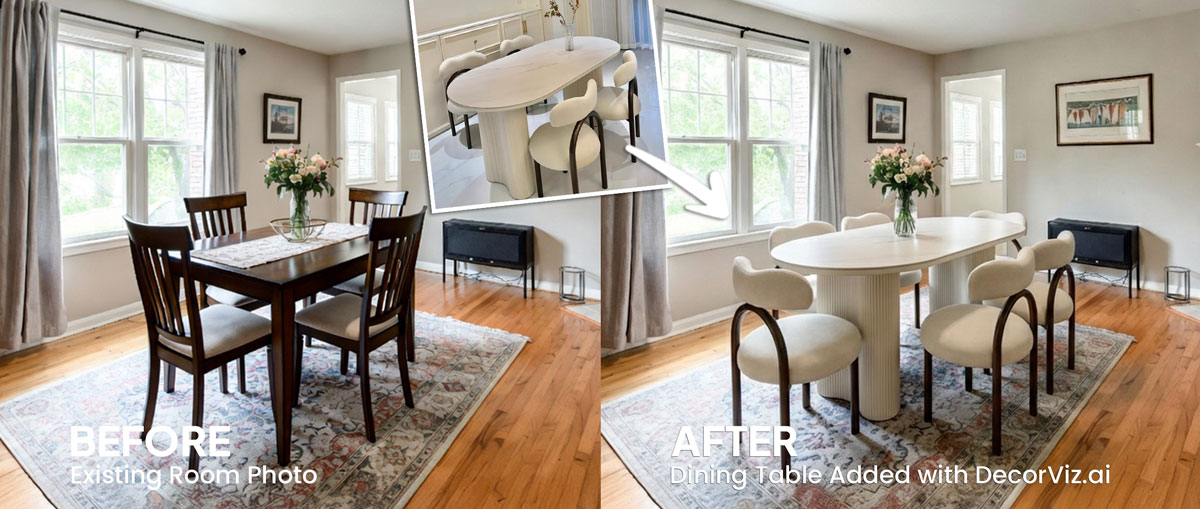
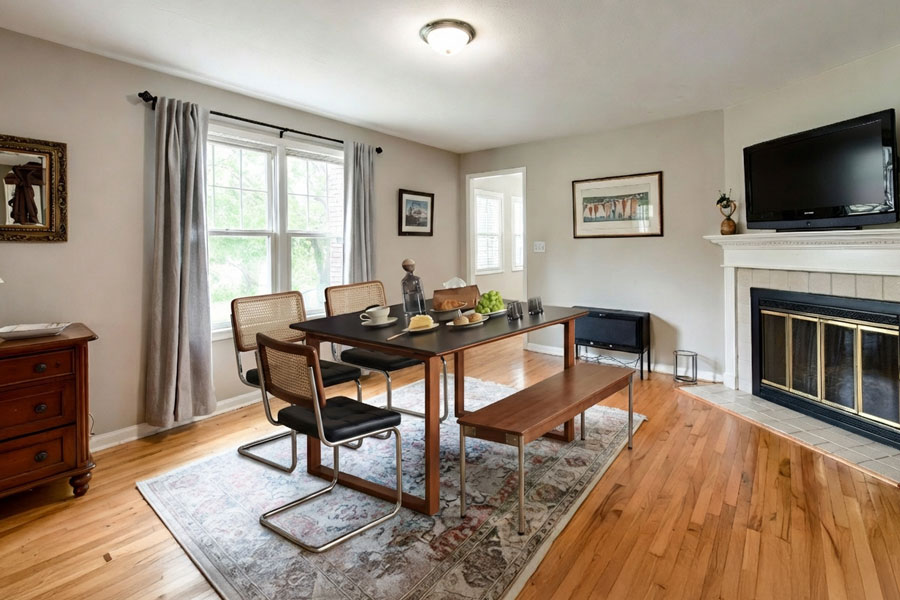
Dining room rug visualizer showing a rug previewed under a dining table in a real dining room

Use the same dining room photo to compare rug sizes, shapes, and patterns under your table before ordering.

What is a dining room rug visualizer?

A dining room rug visualizer places a specific rug product into your actual dining room photo. Instead of guessing whether an 8x10 or a 9x12 rug is right for your table, you see the chosen rug with your actual chairs, flooring, and walls before ordering.

DecorViz works from a room photo and a product image. It does not require an AR room scan, a 3D model, or a retailer-specific catalog.

This page focuses on rug visualization in a dining room, under the table and between the chairs. For the general rug guide covering any room type, visit the Complete Rug Visualizer.

Size, shape, and pattern: the three decisions a dining room rug preview resolves

Dining room rugs fail most often because of size. A rug that looks generous online may leave chair legs hanging off the edge once people pull back from the table. Seeing the rug under your actual table and chairs before ordering removes that uncertainty.

Judge whether chairs stay on the rug when pulled out

The standard guidance is that all chair legs should remain on the rug even when the chair is pulled back from the table. A preview in your actual room makes this judgment concrete rather than abstract.

Match rug shape to table shape

A round rug under a round table creates visual consistency. A rectangular rug under a rectangular table extends the table's orientation into the room. Preview both if you are unsure which reads better in your space.

See how pattern scale reads with your flooring and walls

A large-scale geometric pattern, a subtle texture, and a solid color each read very differently once placed in your specific dining room with your existing flooring and wall color.

What are you trying to do?

Size decision

Decide between an 8x10 and a 9x12

Preview both sizes under your actual table and chairs to see which one provides the right proportion and clearance for your room.

"I have a 6-seat rectangular table. Will an 8x10 rug be enough or do I need a 9x12?"

Pattern comparison

Compare a patterned rug with a plain one

Use the same dining room photo with each option to judge whether a bold pattern adds energy to the room or competes with the chairs and table.

"Does a geometric pattern work with my wood table and rattan chairs, or should I go plain?"

Color coordination

Check rug color against your flooring and walls

Preview the rug in your actual room to judge whether the color bridges the flooring and wall color or introduces a tone that does not coordinate.

"I have light oak floors and white walls. Will a terracotta rug work or should I go with ivory?"

Who uses a dining room rug visualizer?

Homeowners and renters

Adding or replacing a rug under the dining table

You have a specific table, chairs, and flooring. Preview the exact rug in your room before spending on a large piece that may be difficult to return.

  • Compare rug sizes and judge chair clearance in your actual room
  • Judge pattern scale against your flooring and walls
  • Decide between rugs from different stores
Interior designers

Presenting rug options for client approval

Show clients how the exact rug reads beneath the dining table and chairs before ordering or presenting physical samples.

  • Preview shortlisted rugs in the client's real dining room photo
  • Compare pattern and color options against the existing palette
  • Show size and proportion decisions visually before finalizing
Home stagers

Selecting a rug that anchors the dining area in photographs

A rug under the dining table defines the space in listing photography. Confirm the rug size and pattern work at the listing camera angle before sourcing.

  • Preview the rug at the angle used in the listing photo
  • Confirm the rug size anchors the table without dominating the floor
  • Compare a neutral rug against a patterned statement option

What to check when comparing dining room rugs: size, shape, and color

Rug size and chair clearance

Check whether the rug extends far enough from the table that chair legs remain on the rug when pulled out. This is easier to judge in a preview than by measuring alone.

Shape match with the table

Compare a round rug under a round table against a rectangular rug to see which shape feels more cohesive in your actual dining room.

Pattern scale relative to the room

A large-scale pattern that works in a spacious dining room may feel busy in a smaller space. Preview the exact rug to judge the pattern at room scale.

Color bridge between flooring and walls

See whether the rug color ties the flooring and wall color together or introduces a tone that disrupts the existing palette.

Dining room rug visualizer vs physical rug samples vs AR: which helps more before buying?

Each approach answers a different question. Use the one that matches what you actually need to decide.

Approach Shows rug under your dining table and chairs Works with any rug retailer Requires room scan or 3D model Free to use
DecorViz (AI preview) Yes, uses your actual dining room photo Yes, any product image from any store No, photo upload only Free to start
Physical rug sample Yes, placed in the real room Varies, some retailers offer samples No scan needed Varies, often free or refundable
AR apps Yes, through phone camera No, limited to the retailer's catalog Yes, requires LiDAR or ARKit scan Varies by app
Product photo only No, isolated background Yes, any product page No Yes

A physical sample shows you pile height and material texture. DecorViz shows you the rug's pattern and color in your actual dining room. Use both when a rug is a significant purchase.

Dining room rug mistakes to catch before delivery

Product photos isolate the rug. These dining room problems only become clear when the rug is considered with the table and chairs.

The rug is too small to extend beyond the chairs

A rug that stops at the chair legs forces chairs off the edge when pulled out, and it looks undersized relative to the table in the actual room.

The rug is too large for the dining area

An oversized rug can crowd the surrounding floor space and make the room boundaries feel unclear once placed in the actual dining room.

The pattern competes with the chairs or table

A heavily patterned rug can fight with patterned chair upholstery or a strongly grained table surface in ways only visible in context.

The color tone clashes with the flooring

Warm and cool undertones between the rug and floor become noticeable once the rug sits in the actual dining room, even if both products looked good individually.

The rug shape does not match the table

A round rug under a long rectangular table or a rectangular rug under a round table can look mismatched in the actual room even when each product looks good individually.

What the preview shows and what it does not replace

What it shows well

How the rug size reads beneath the table and chairs in your actual room
Whether the pattern scale and color coordinate with your flooring and walls
How different rugs compare from one consistent dining room viewpoint
Whether the rug shape complements the table shape and room proportions

What it does not replace

Exact rug dimensions or guaranteed chair clearance measurement
Pile feel, texture, or material durability in a high-traffic dining area
Color accuracy under your specific lighting conditions
A substitute for checking retailer dimensions and return terms
Whether the pile height catches under chair legs when chairs are pushed back from the table

Use the preview to narrow the visual decision. Use measurements and product details to confirm the purchase.

From product photo to dining room decision

The same room photo becomes a consistent place to compare different rug options under your dining table.

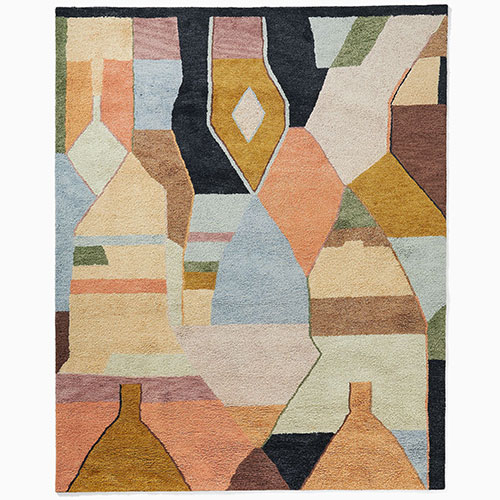
Rug shown in an online product image

Product photography shows you the rug pattern and color, but it cannot show whether the size and tone work beneath your dining table.

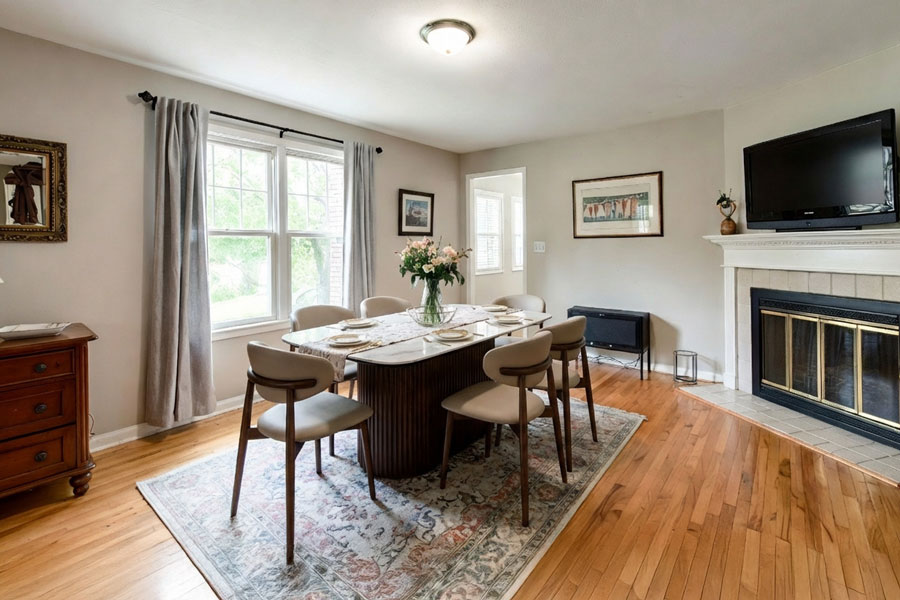
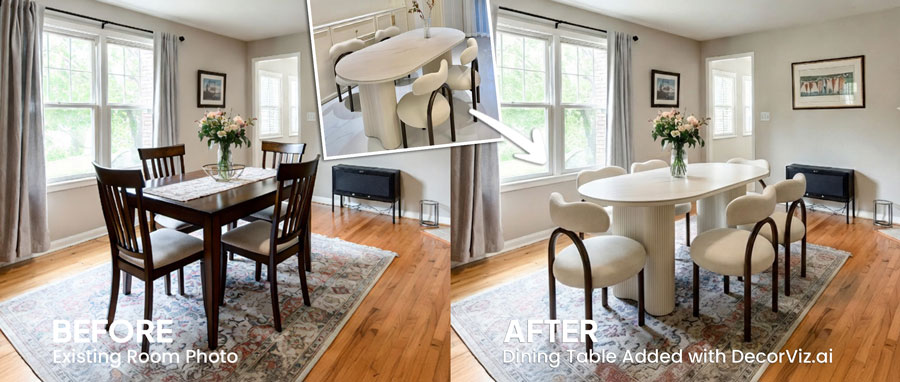
Rug visualized under a dining table in a real dining room photo

Use the real room photo to judge the rug with your table, chairs, and flooring already in the space.

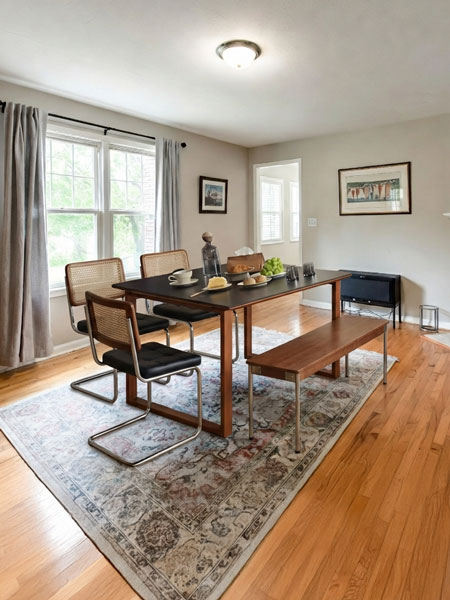
Alternative rug preview under a dining table

Keep the room consistent while testing different rug sizes, shapes, and patterns.

How to visualize a rug under your dining table

Use DecorViz in a browser or the Android app. No AR room scan or 3D model is required.

Step 1

Upload the dining room photo

Use a photo showing the dining table with chairs pulled in, the full floor area visible beneath and around the table, and the surrounding walls.

Step 2

Add the rug product image

Upload a clear product image of the rug from any retailer.

Step 3

Review it in context

See the rug under your table and chairs. Swap between an 8x10 and a 9x12, or replace the existing rug, using the same photo.

Complete the dining room comparison

A rug decision often depends on the table and chairs it sits beneath. Preview the connected dining room products separately.

Dining room furniture visualized in a real dining room

Dining Room Hub

Preview any dining room furniture from the same room photo.

See a rug under your dining table before it arrives

Upload your dining room photo. Add the rug product image. Compare before ordering.

Try DecorViz - it is free to start

Works with rug images from any store. No AR scan required.

Dining Room Rug Visualizer FAQ

How large should a rug be under a dining table?

A dining room rug should be large enough that all chairs remain on the rug even when pulled out from the table. An 8x10 rug typically works for a 6-seat rectangular table, while a 9x12 suits larger tables. A round table pairs naturally with a round rug of similar proportions. Use the visualizer to judge whether a specific rug size reads correctly in your actual room before ordering.

Can I preview a rug with my existing dining table and chairs?

Yes. Use a dining room photo that shows the table and chairs. DecorViz previews the rug in that context so you can judge how the rug size, pattern, and color read beneath your actual furniture.

Should a dining room rug be round or rectangular?

A round rug naturally complements a round table. A rectangular rug suits a rectangular or oval table and a longer dining room. Use the visualizer to compare both shapes in your actual dining room before deciding.

Can I see how a patterned rug works with my dining room floor?

Yes. The preview places the rug into your actual room photo, so the flooring tone, wall color, and furniture are all visible in the result. This makes it easy to judge whether a bold pattern or a subtle texture reads better in your specific room.

Does the preview confirm the rug size relative to the table?

The preview shows how the rug reads visually in your room. Always confirm the rug's listed dimensions and compare them against your table size and the clearance needed for pulled-out chairs before ordering.

Can I compare a plain rug and a patterned rug in the same dining room photo?

Yes. Reuse the same dining room photo with each rug product image. Comparing both from the same viewpoint shows clearly how each rug reads with your table, chairs, and flooring.